Changes in the controller’s menu settings are executed in the
programming mode. Controller’s main menu is protected by the code,
which prevents from entering the unauthorized changes.
After the changes have been entered in the controller’s
menu, it is necessary to leave the menu with button,
to save the changes in the long term memory. The
controller returns to the standby mode automatically,
saving all the changes in the long term memory, when
non active for more than 60 seconds.
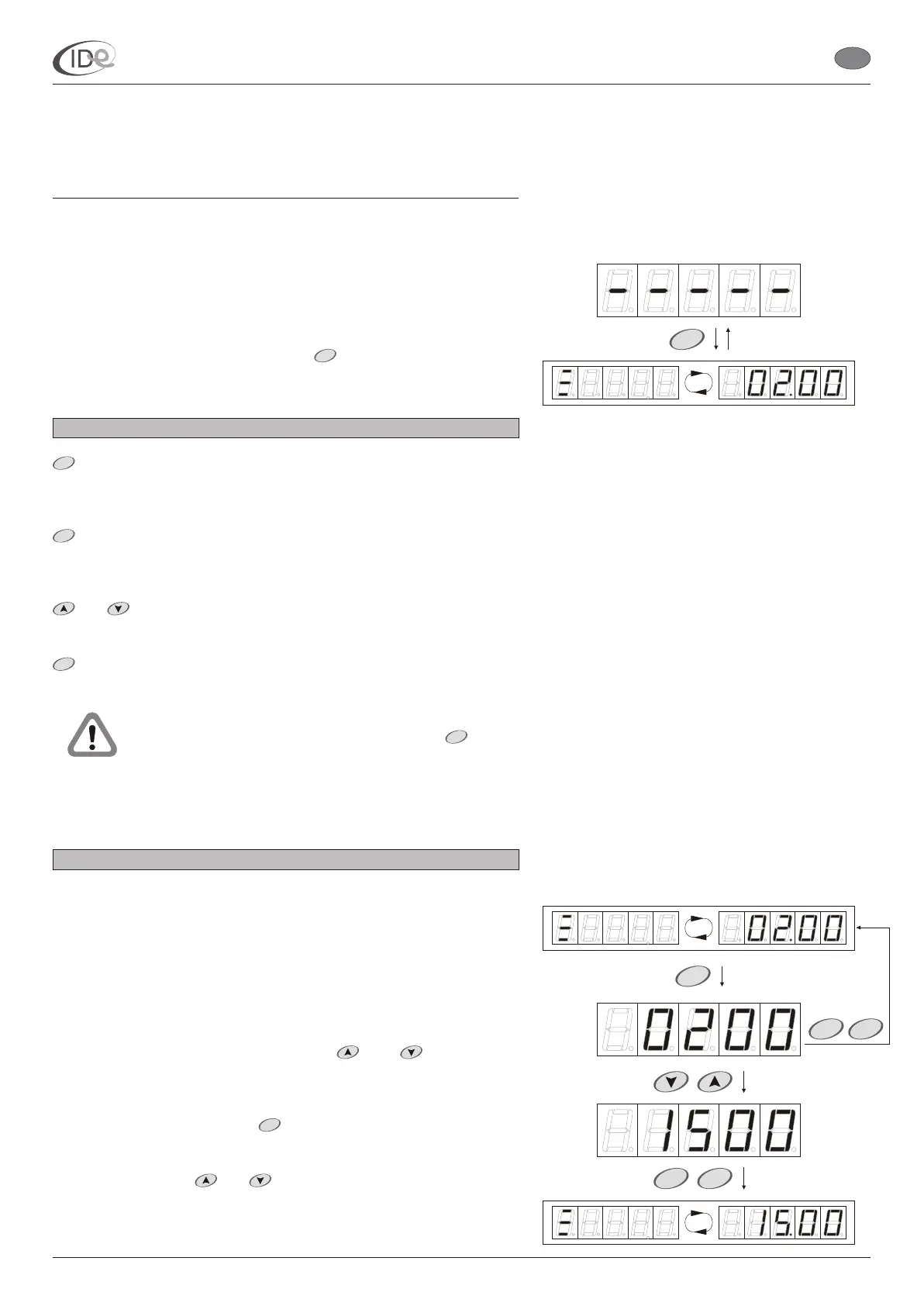
Default session time option is used is to set the most frequent
operation time of the given sunbed. Default session time is used in the
operating mode (see page 4).
The
tanning symbol and the default session time setting is displayed
alternately.
efault session time setting
will be displayed
There are
two options in the main menu:
Default session time (see page 5);
Time delay (see page 6);
and Advanced functions submenu (see page 6).
To access programming mode, press button in the controller on
standby. Default session time will be displayed (see page 6).
Buttons functions in the programming mode
- “step forward”. Button is used to enter submenu, start editing
particular options and counters, and to confirm changes in the
temporary memory;
- “step backward”. Button is used for leaving submenu and leaving
the edited option or counter, and to confirm changes in the temporary
memory;
- buttons are used to change the parameters values and to
select particular option or submenu.
- button is active only on standby. It is used for entering and leaving
controller’s menu and saving changes in the long term memory.
2.1. Default session time
Range of setting: < 01.00 ; 60.00 > (min)
Default setting: 02.00
Step: <01.00 ; 10.00 > (min) - see page 14
To browse and/or change default session time:
1. When the controller is in the programming mode (see page 5),
select Default session time option with buttons.
2. To change the setting, press button. D
.
3. Set new value with buttons.
and
and
and
MENU
START
STOP
MENU
MENU
START
Part II Operating manual
2. Programming mode
I.D.E. Systemy Elektroniczne 5
P
START
STARTSTOP
P
MENU
I.D.E. e1.01 sunbed controller
EN
PageVersion 1.1 07/2005
START
STOP
P



 To Next Page