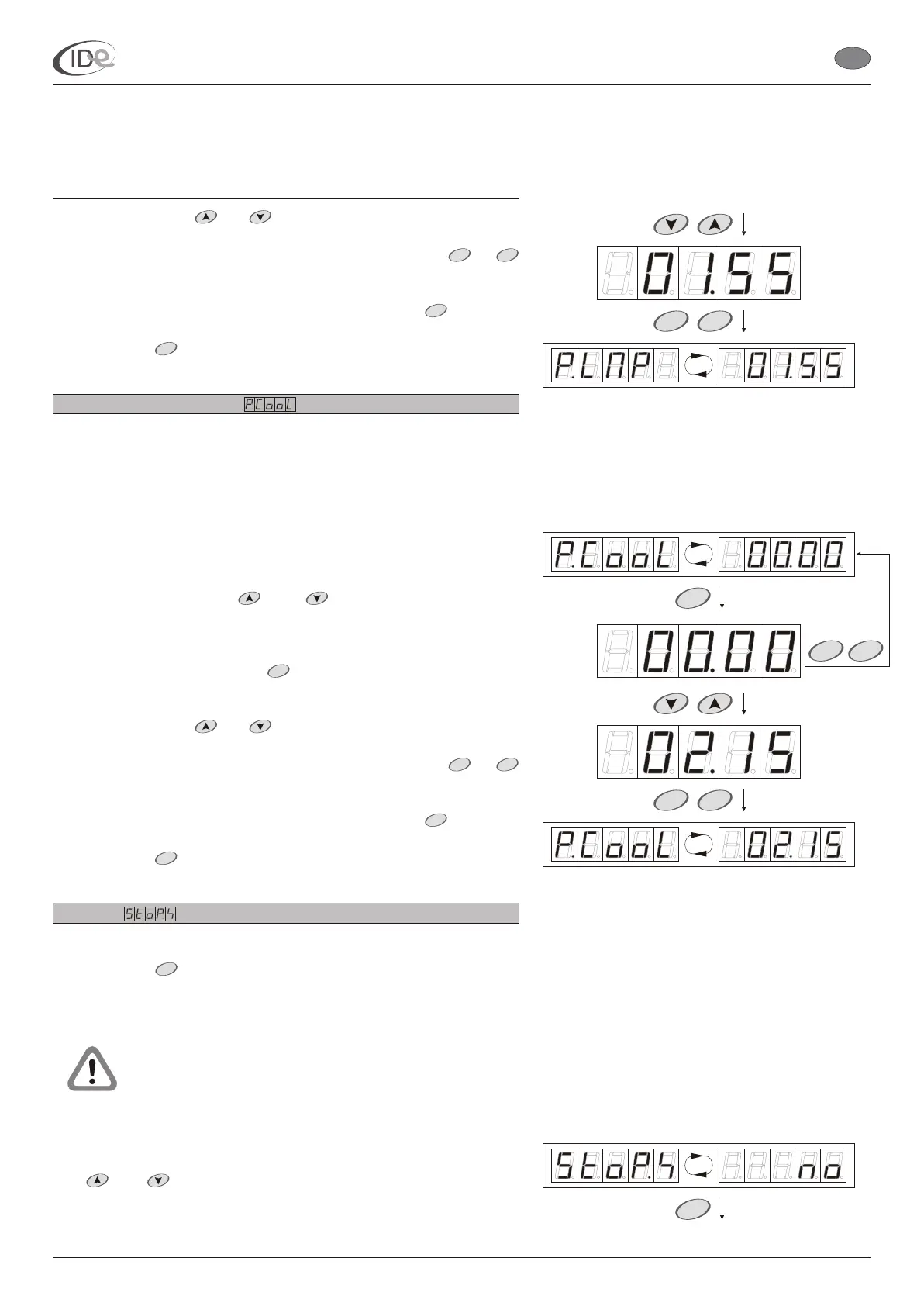
3. Set new value with buttons.
4. To save new setting in the temporary memory, press or
buttons.
To return to the Programming options submenu, press button. To
leave the programming mode and save new setting in the long term
memory, press button or wait 60 seconds.
Fans power consumption
Range of setting: < 00.00 ; 50.00 > (kWh)
Default setting: 00.00
Step: 00.05 kWh
To browse and/or change fans power consumption setting:
1. When the controller is in the programming mode (see page 5), in the
Programming options submenu (see page 14), select Fans power
consumption option with buttons. power
consumption power consumption
2. To change the setting, press button. Fans power consumption
setting .
3. Set new value with buttons.
4. To save new setting in the temporary memory, press or
buttons.
To return to the Programming options submenu, press button. To
leave the programming mode and save new setting in the long term
memory, press button or wait 60 seconds.
Stop fans
Range of setting: no - option deactivated;
yes - option activated
Default setting: no
Does not apply to sunbeds with the system of
automatic ventilation.
To browse and/or change stop fans setting:
1. When the controller is in the programming mode (see page 5), in the
Programming options submenu (see page 14), select Stop fans option
with buttons.
and
and
and
and
Option is used to set the value, according to which the controller will
calculate the electric energy counter contents (see page 12).
The fans
symbol and the fans setting is
displayed alternately.
will be displayed
Activating Stop fans option allows to turn off the fans during the
ventilation with button in the controller (end of ventilation).
The stop fans symbol and the stop fans
setting is displayed alternately.
START STOP
STOP
MENU
START
START STOP
STOP
MENU
STOP
I.D.E. Systemy Elektroniczne 18
START
STOP
P
P
PageVersion 1.1 07/2005
I.D.E. e1.01 sunbed controller
EN
START
STARTSTOP
START
STOP
P
P
START
Part II Operating manual
2. Programming mode



 To Next Page