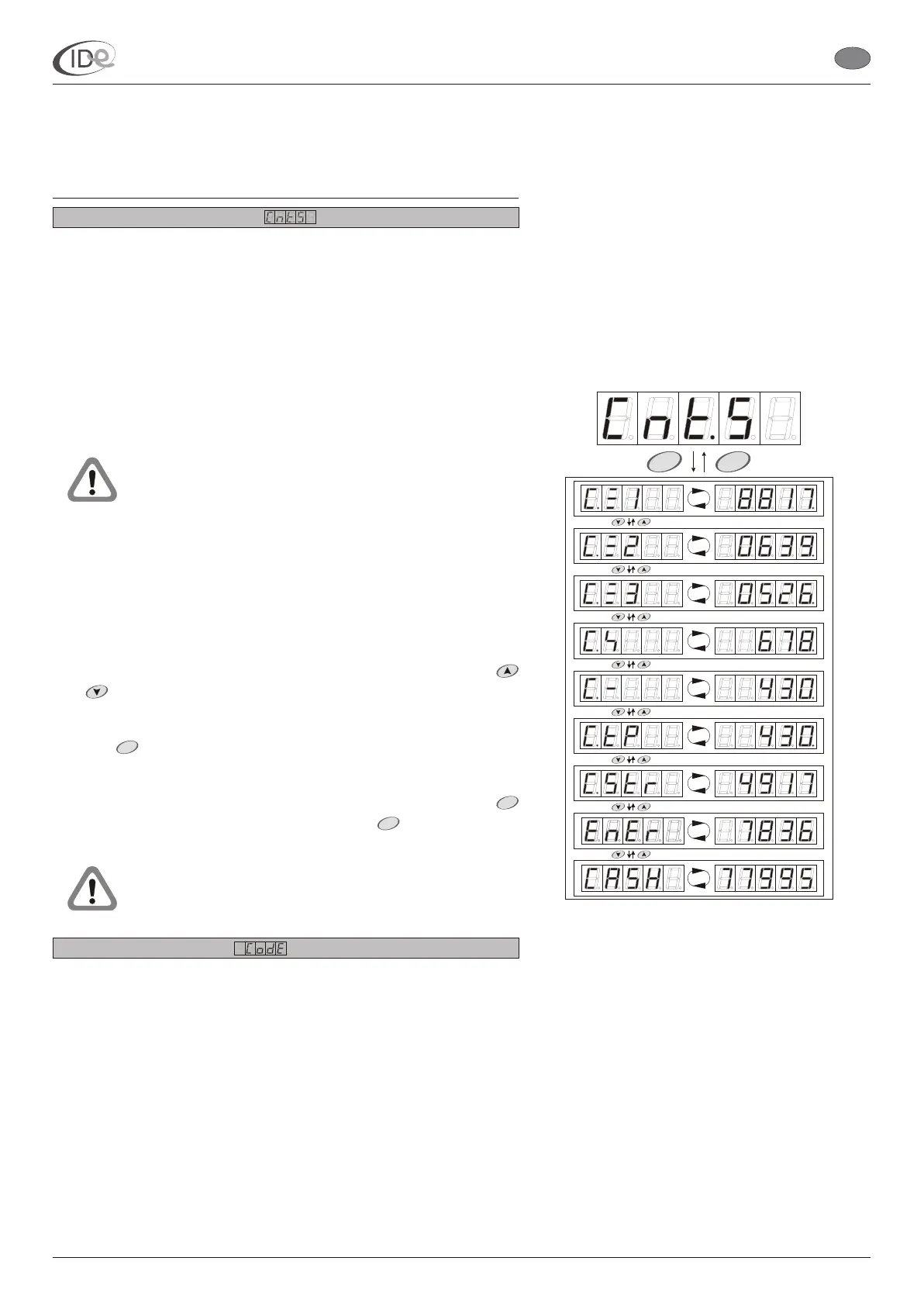
2.3.1. Counters presentation
The controller has 9 counters. In the Counters presentation submenu
it is only possible to browse the contents of the following counters:
Lamps counter 1 (see page 9);
Lamps counter 2 (see page 9);
Lamps counter 3 (see page 10);
(see page 10);
(see page 11);
Paid time counter (see page 11);
Clients counter (see page 12);
Electric energy counter (see page 12);
Takings total counter (see page 13).
In the Counters presentation submenu it is possible to
browse the counters, which were activated in the No
code access submenu (see page 20).
All counters are also available in the Counters submenu
(see page 8) and Statistics submenu (see page 12). In
these submenus it is possible to browse and delete
counters contents.
To browse the contents of the accessible counters:
1. When the controller is in the programming mode (see page 5), in the
Counters presentation submenu, select accessible counter with
buttons.
2. Press button.
To return to the Advanced functions submenu (see page 6), press
button. To leave the programming mode, press button or wait 60
seconds.
Step 2. does not apply to clients counter, electric
energy counter and takings total counter.
2.3.2. Protected settings
There are 5 submeuns in the Protected settings submenu, which
access to requires entering the code:
Counters (see page 8);
Statistics (see page 12);
Programming options (see page 14)
No code access (see page 20);
Code change (see page 21).
All new controllers have producer’s code (00000), which should be
changed by the sunbed owner (Code change, see page 21), which
prevents
Fans counter
Time delays counter
and The selected counter symbol and its contents is
displayed alternately.
The selected counter symbol and its contents,
expressed in minutes, is displayed alternately.
from entering the unauthorized changes in the controller’s
menu.
START
STOP
MENU
I.D.E. Systemy Elektroniczne 7
START
STOP
P
P
P
P
P
P
P
P
P
I.D.E. e1.01 sunbed controller
EN
PageVersion 1.1 07/2005
Part II Operating manual
2. Programming mode



 To Next Page