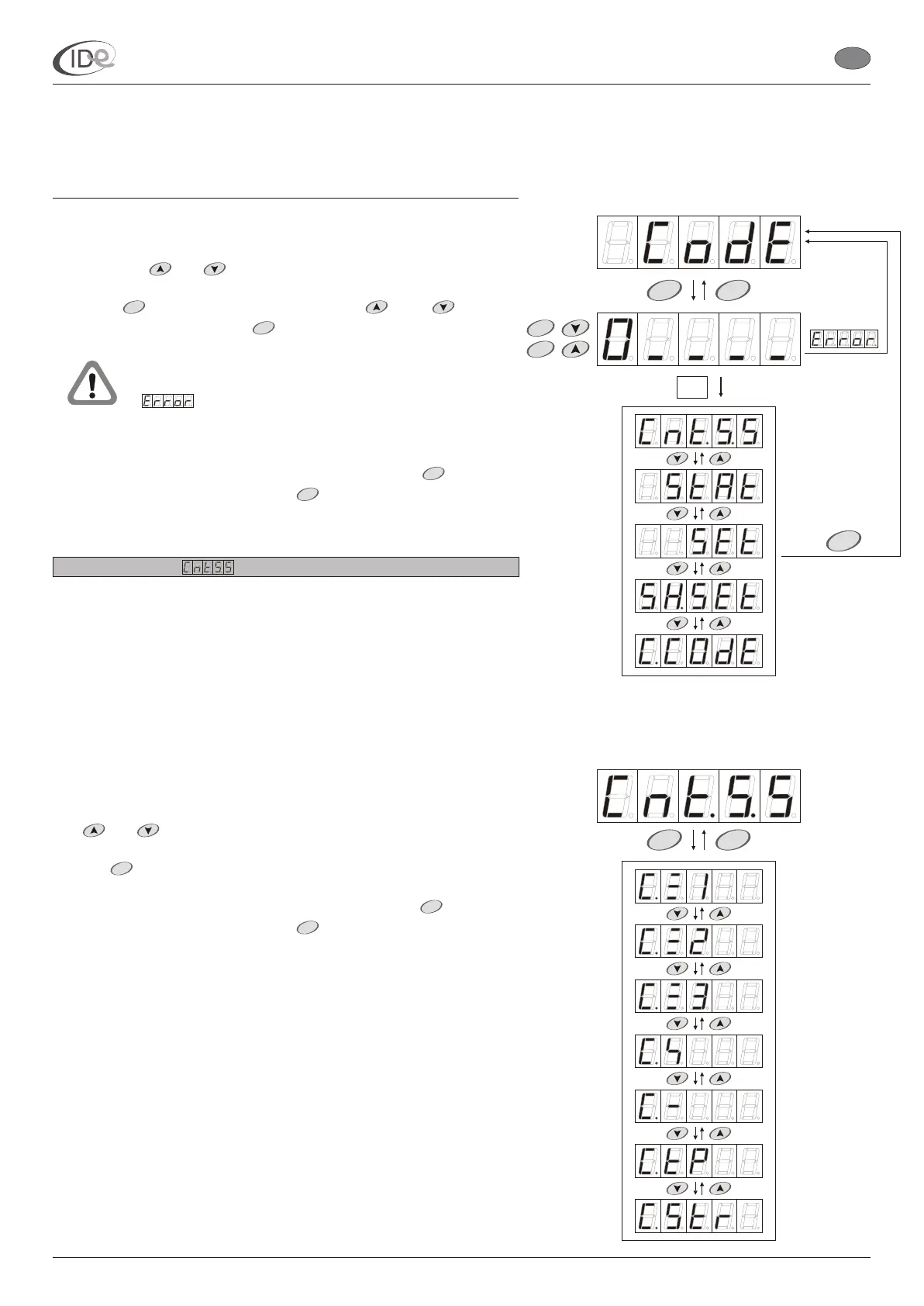
To access Protected setings submenu:
1. When the controller is in the programming mode (see page 5), in the
Advanced functions submenu (see page 6), select Protected settings
submenu with buttons.
2. Press button. Enter the code with buttons,
confirming each number with button.
To return to the Advanced functions submenu, press button. To
leave the programming mode, press button or wait 60 seconds.
2.3.2.1. Counters
In the Counters submenu (see page 8) it is possible to browse and
delete the following counters:
Lamps counter 1 (see page 9);
Lamps counter 2 (see page 9);
Lamps counter 3 (see page 10);
Fans counter (see page 10);
Time delays counter (see page 11);
Paid time counter (see page 11);
Clients counter (see page 12).
To access Counters submenu:
1. When the controller is in the programming mode (see page 5), in the
Protected settings submenu (see page 7), select Counters submenu
with buttons.
2. Press button.
To return to the Protected settings submenu, press button. To
leave the programming mode, press button or wait 60 seconds.
and
and
and
If the entered code is proper, Counters submenu will be
displayed (see page 8). If the entered code is wrong,
will be displayed for a while. In such a case it is
necessarily to repeat entering the code.
START
START
STOP
MENU
START
STOP
MENU
START
STOP
START
STOP
T
STOP
START
STOP
I.D.E. Systemy Elektroniczne 8
I.D.E. e1.01 sunbed controller
EN
PageVersion 1.1 07/2005
Part II Operating manual
2. Programming mode



 To Next Page