Lamps counter 1
Lamps counter 1 (undeletable) shows real lamps operation time since
the installation.
Counter’s capacity: <0000h00m ; 9999h59m >
Default setting: 0000h00m
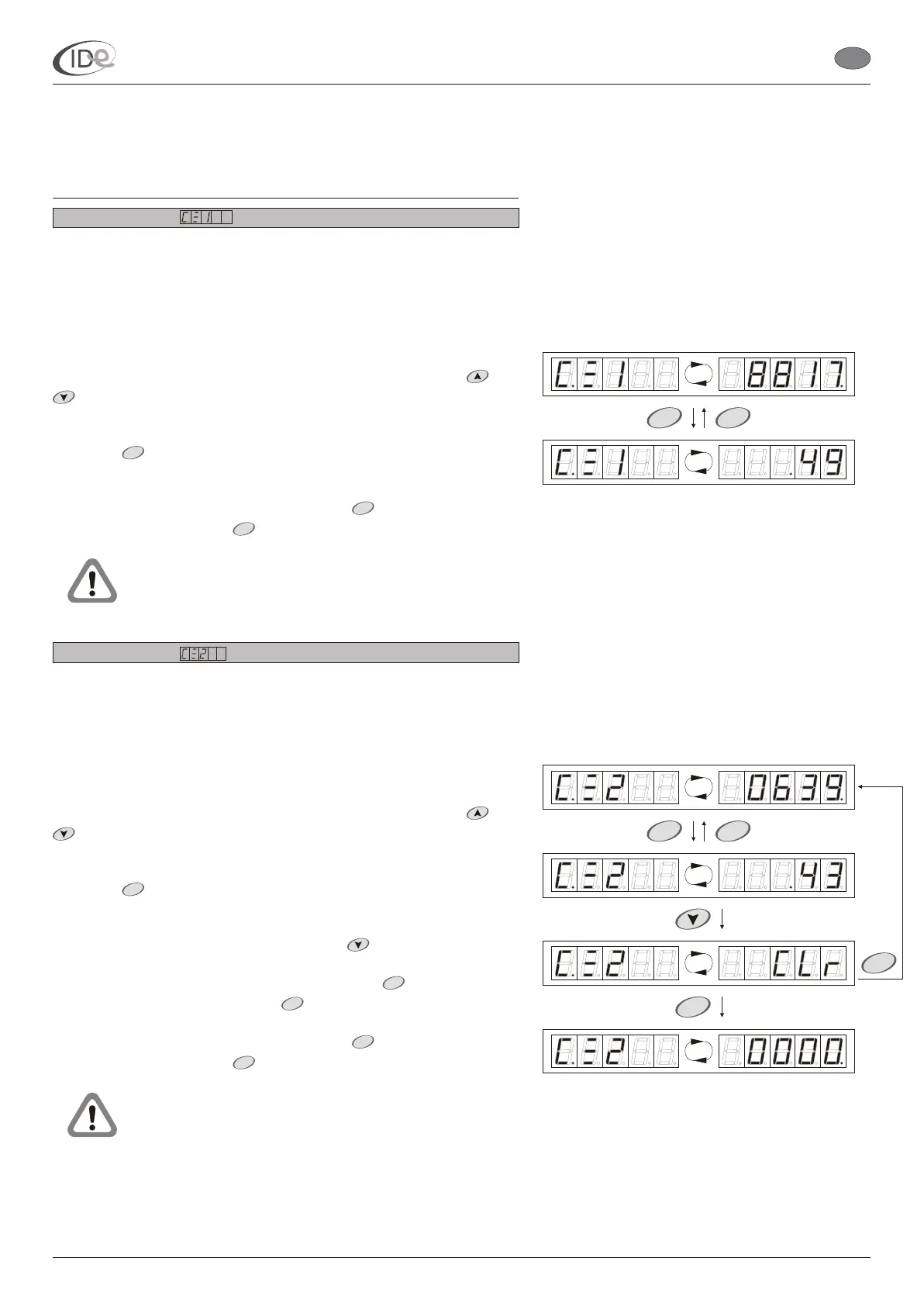
To browse lamps counter 1 contents:
1. When the controller is in the programming mode (see page 5), in the
Counters submenu (see page 8), select lamps counter 1 with
buttons. Lamps counter 1
2. Press button. Lamps counter 1
To return to the Counters submenu, press button. To leave the
programming mode, press button or wait 60 seconds.
Lamps counter 2
Lamps counter 2 (deletable) shows real lamps operation time since
the last deleting.
Counter’s capacity: <0000h00m ; 9999h59m >
Default setting: 0000h00m
To browse and/or delete lamps counter 2 contents:
1. When the controller is in the programming mode (see page 5), in the
Counters submenu (see page 8), select lamps counter 2 with
buttons. Lamps counter 2
2. Press button. Lamps counter 2
3. To delete lamps counter 2 contents, press button.
4. To delete lamps counter 2 contents, press button. To stop
deleting counter’s contents, press button.
To return to the Counters submenu, press button. To leave the
programming mode, press button or wait 60 seconds.
and
and
symbol and its contents, expressed in
hours, is displayed alternately.
symbol and its contents,
expressed in minutes, is displayed alternately.
The changes of the counter’s contents are saved
automatically in the long term memory after each minute,
during the session.
symbol and its contents, expressed in
hours, is displayed alternately.
symbol and its contents,
expressed in minutes, is displayed alternately.
The changes of the counter’s contents are saved
automatically in the long term memory after each minute,
during the session.
START
STOP
MENU
START
START
STOP
STOP
MENU
P
P
P
START
STOP
START
STOP
P
P
START
STOP
I.D.E. Systemy Elektroniczne 9
P
I.D.E. e1.01 sunbed controller
EN
PageVersion 1.1 07/2005
Part II Operating manual
2. Programming mode



 To Next Page