MiniPad – rPad User Guide
27
© 2015-2017 – Identix Inc. All Rights Reserved.
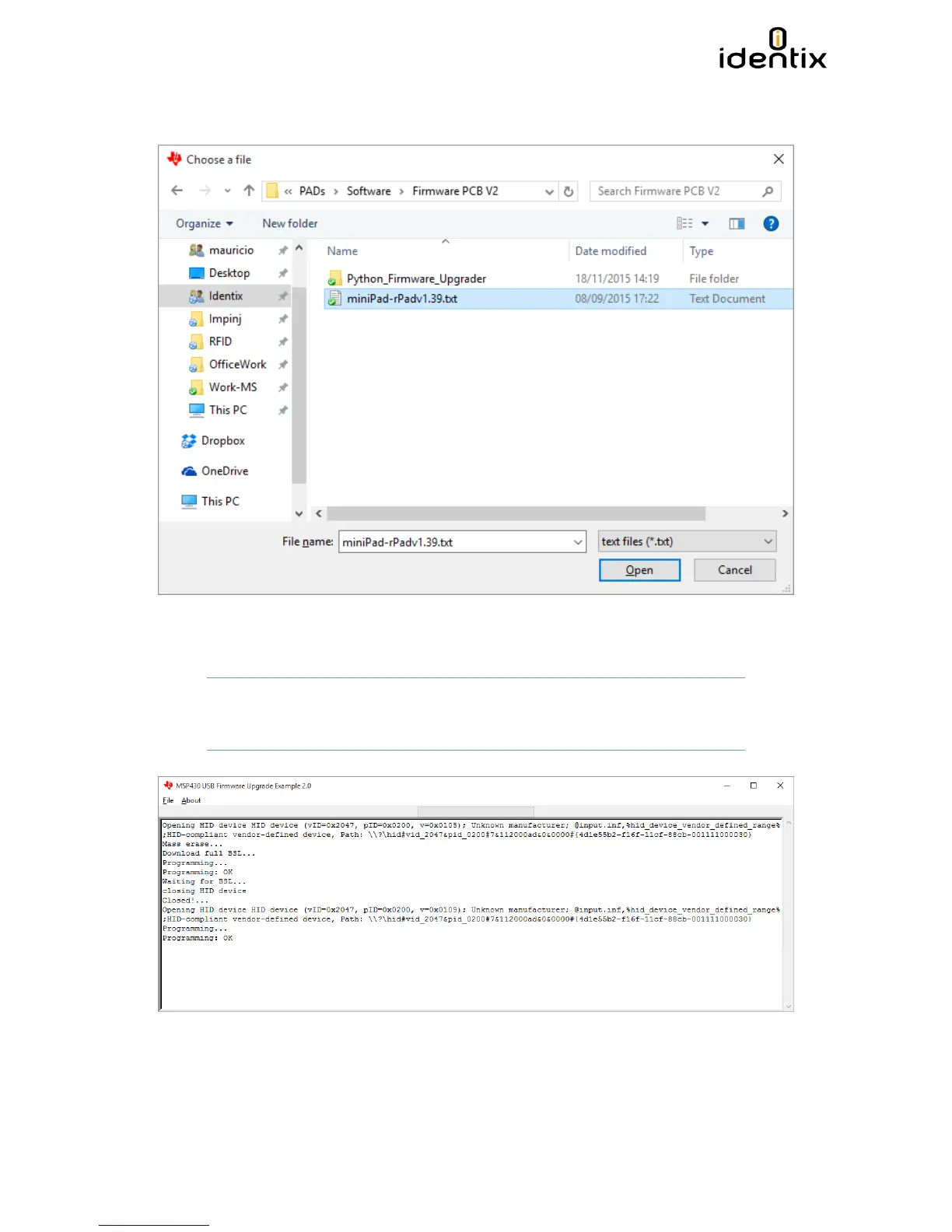
7) Select the new firmware file by the the menu “File / Open User Firmware”. In the example
blow the firmware file is “MiniPad-rPad1.39.txt”
8) When selecting the file, the firmware update process will start automatically. Once finished
the “Programming: OK” message will appear
Attention! DO NOT INTERRUPT THIS PROCESS, OTHEWISE YOUR DEVICE MAY
BECOME PERMANENTLY DEMAGED.


 To Next Page