MANUAL P/N:118253 PRINTED: 6/12/19
3. Operation
3.1. LED indications
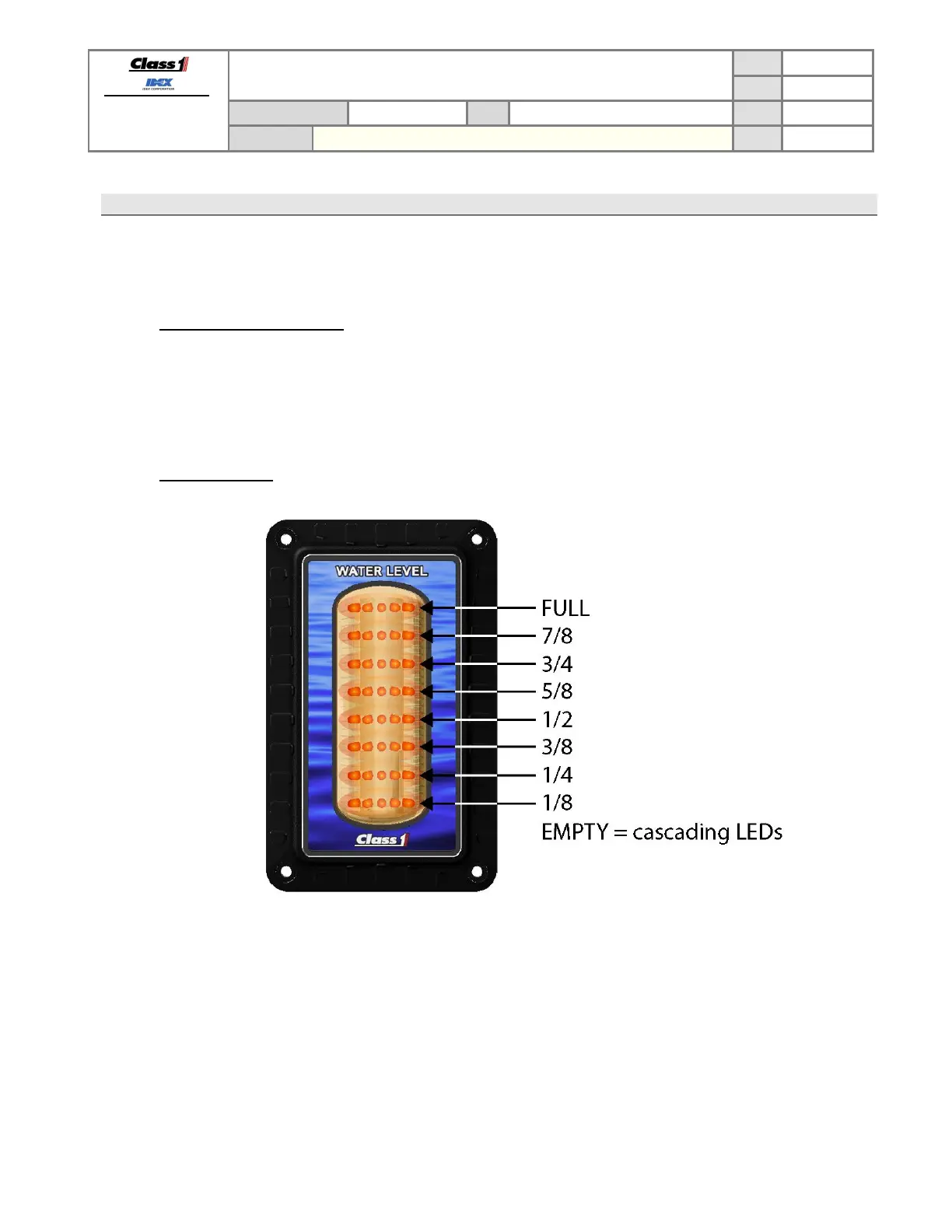
The ITL40 display uses 8 rows of LEDs to show the unit status, tank level indication (section 3.1.2), and error
indications (section 3.1.3).
3.1.1. Initial power ON indications
When the ITL40 is first powered up the display will…
1. Turn ON all of the LEDs then immediately cycle OFF each LED starting at the top row.
2. Display the custom scroll greeting (default is “CLASS 1”, but can be custom configured – section 3.8).
3. The LEDs will show the tank level indication (section 3.1.2) or error indication (section 3.1.3).
3.1.2. Level indications


 To Next Page