CardioPet* App for Android Mobile Device 27
3. (Optional) To record an additional ECG, tap Live ECG in the upper left corner of the screen.
• Patient ID must be unique. Using the patient ID from your practice management system is
recommended. Be sure to check with your practice management system provider to determine
whether a patient ID is in use. Settings may need to be configured to display hidden IDs.
• If your practice management system does not provide a patient ID, you can add a letter, a number,
or the patient’s name to the client ID to create a unique patient ID.
Add Patient window Confirm Patient window
Submitting an ECG to VetMedStat
1. To locate a previously recorded ECG, tap ECGs at the top right of the CardioPet app main screen.
2. Tap the desired ECG in the Recent ECGs list, and then tap Close.
3. When the desired ECG is visible on the screen, tap Start a Telemedicine Case at the bottom right
side of the app.
4. In the Upload window, select one of the following:
• Finish Now: To open vetmedstat.com, where you can complete the case immediately.
• Finish Later: To upload the ECG without opening vetmedstat.com. You must log on to
vetmedstat.com later to complete the case. Use this option if there is a case already started with
other image files.
• Cancel: Closes the window.
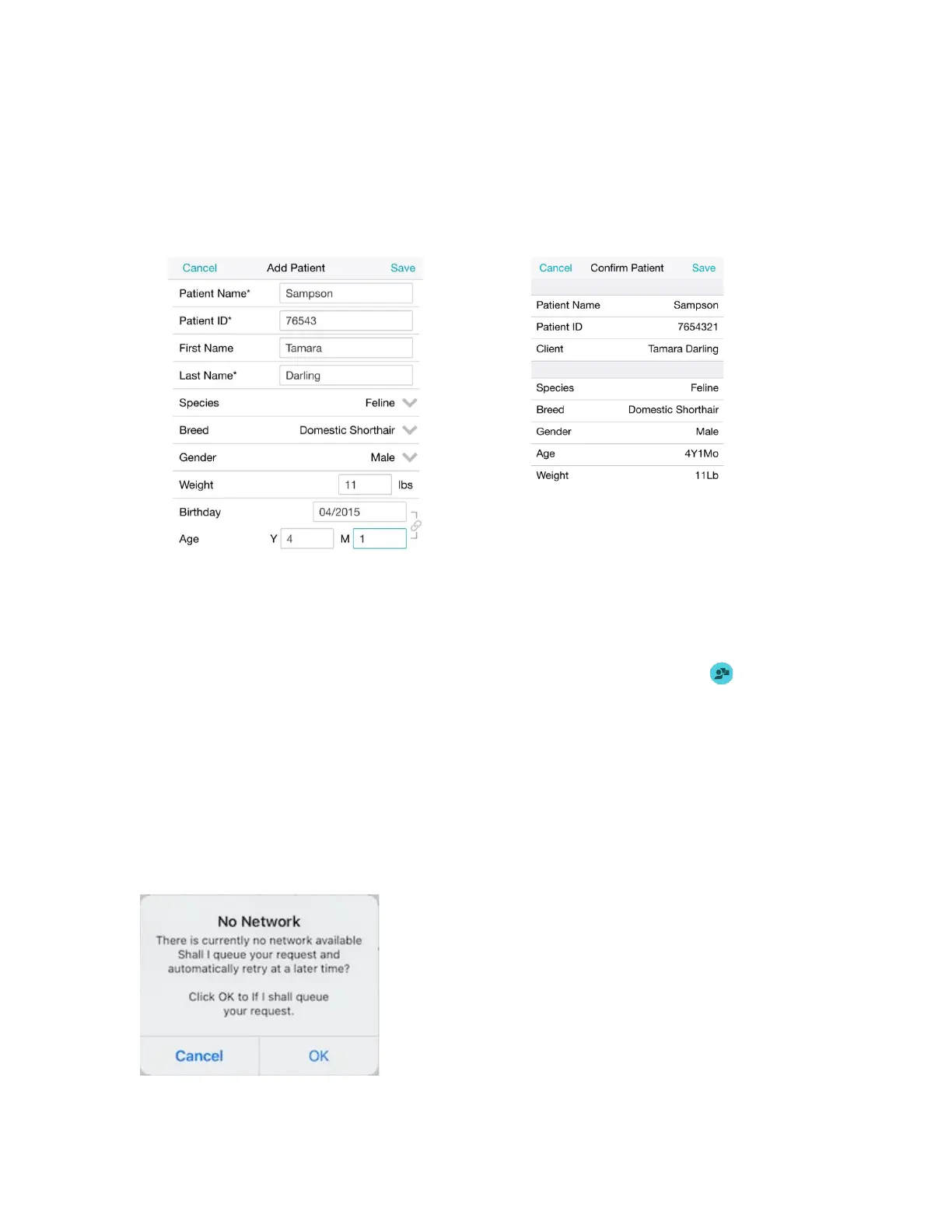
TIP: If there is no internet connection available when you tap an Upload option, a No Network error message
opens. Tap OK to queue the request for automatic retry later.


 To Next Page
 Loading...