CardioPet* Software for Windows* PC 15
9. Enter these settings:
Recording Time: Select the recording duration you prefer (30 or 60 seconds).
Weight Unit: Select the weight units you prefer (Kg or Lb).
Quality Indicator Species Selection: Select Always Ask Species unless all ECGs will be performed
on just one of the listed species. This feature will prompt a request for species before each ECG, which
allows CardioPet to record the best possible ECG.
10. Tap the back arrow at the top left side to exit Settings.
Note: In Settings, you can select About to find the CardioPet version, Terms of Use, and Privacy Policy.
Entering ECG viewer settings
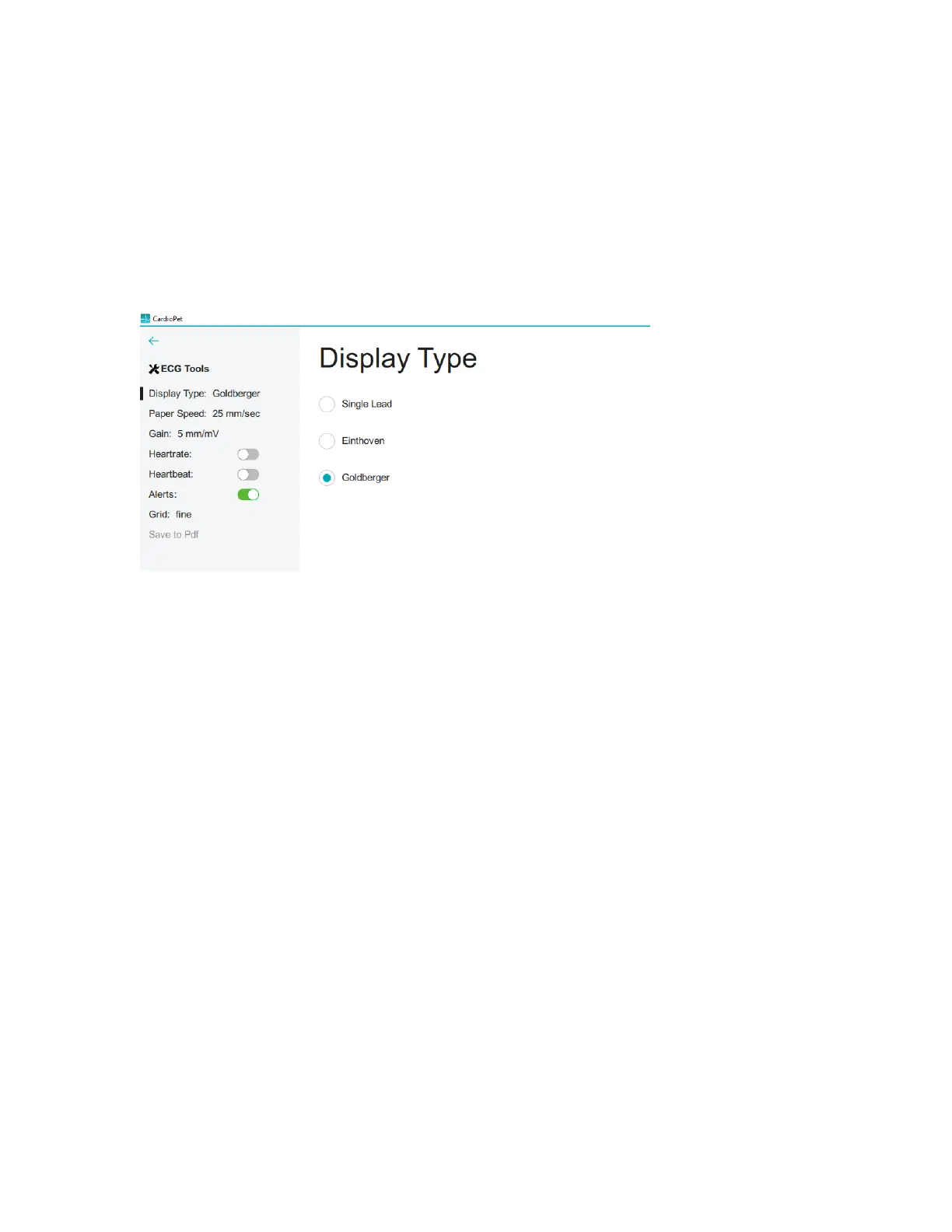
1. To access the ECG Viewer Settings screen, click ECG Tools at the top left side of the CardioPet app.
These settings apply to how the ECG is viewed onscreen and do not impact the saved ECG file.
2. Set the following items to your viewing preferences:
• Display Type: Select from Single Lead, Einthoven (3 leads), or Goldberger (6 leads)
• Paper Speed: Scroll to see all speed options and select the desired setting (50 mm/sec is
recommended).
• Gain: Select from 2.5 mm/mV, 5 mm/mV, or 10 mm/mV (recommended)
• Show Heartrate: When this feature is turned on, the CardioPet app shows a calculation of the
patient's heart rate in the top left corner of the app.
• Play Heartbeat: When this feature is turned on, the CardioPet app makes an audible beep to the
rhythm of the heart rate.
• Grid: Choose between fine, medium, coarse, or no gridlines behind the ECG tracing in the app.
3. Click the back arrow at the top left side of the screen.


 To Next Page
 Loading...