ECG Quality and Troubleshooting 47
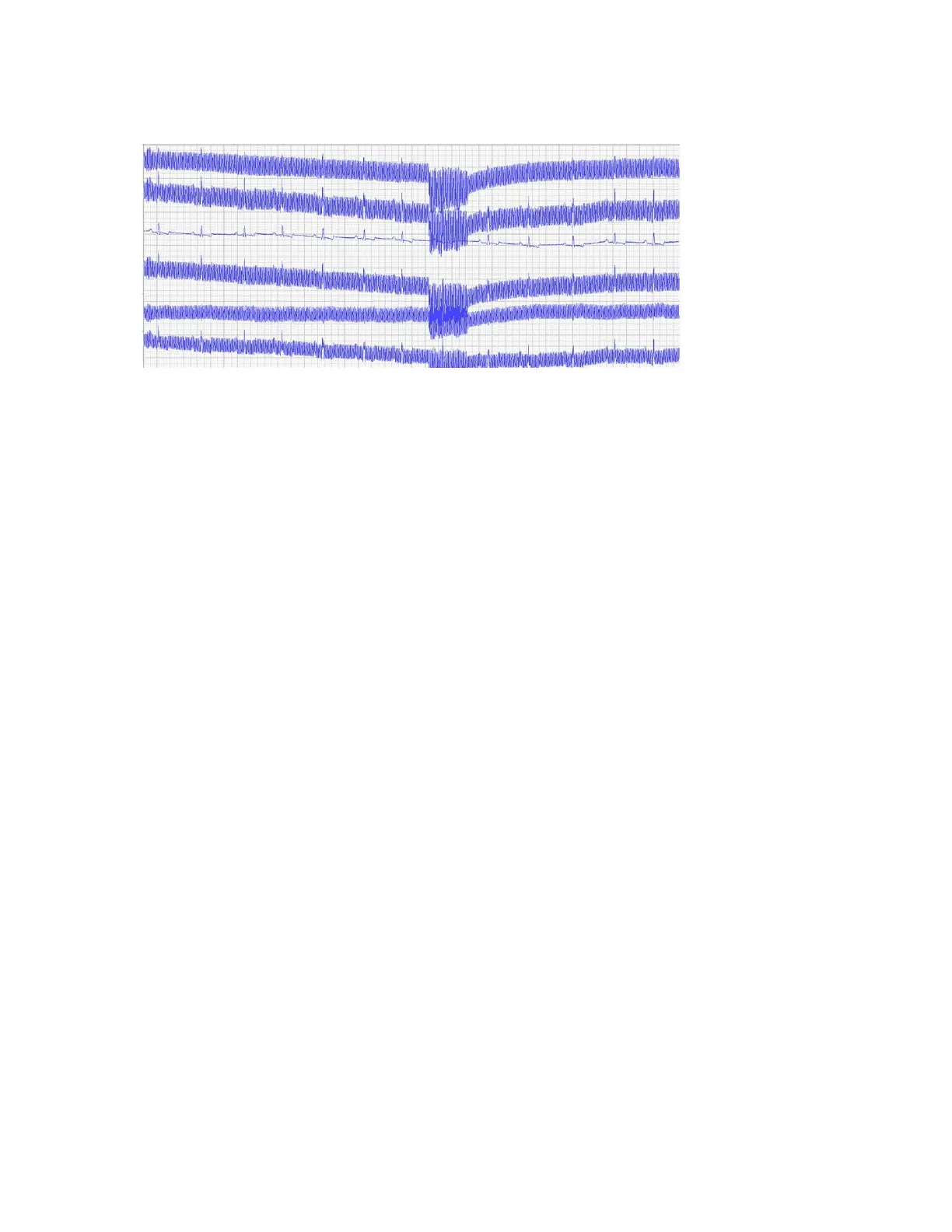
Blurry lines
Make sure clips are secure and have sufficient alcohol saturation for conduction.
Blurry lines
Small or absent P-waves
Record a chest lead if P-waves are small, inconsistent, or absent. See “Positioning clips for a chest lead,” for
more information.
Inverted P-waves
If the P-wave is not positive in leads I, II, and III, or negative in lead AVR, ensure the leads are correctly
plugged into the CardioPet* ECG Device and the clips are attached to the correct legs. See “Connecting the
batteries and cables” and “Preparing the patient” for more information.
Vertical red bar in the ECG tracing
A vertical red bar in the ECG tracing indicates a data integrity error. For example, the patient may be out of
the device’s transmission range. Try moving the device closer. Remove any obstacles between the device
and the software.
Crowded or overlapping complexes
Gain may be too high or feed too slow. Try a gain of 10 mm/mV and a feed of 50 mm/s. See “Adjusting the
ECG display” in the section for the computer or tablet you are using.
ECG tracing is not visible in the software
Windows* PC:
• Check that the wireless communication light is illuminated on the CardioPet device. If it is not, try
restarting the device.
• In Bluetooth* settings, remove the CardioPet device and then add it again. The pairing code is 3001.
• Make sure the correct serial number is in the CardioPet software (Settings > ECG Options).
• Restart the computer.
• If necessary, uninstall and reinstall the CardioPet software. Note: Some computers require
administrative rights for downloading software. If you receive an error when downloading the CardioPet
software, contact your system administrator or IT person for assistance.
Android* or iOS* device:
• Try enabling the connection to the CardioPet device again. Refer to the instructions in the section for
your tablet type.


 To Next Page
 Loading...