EasyManua.ls Logo

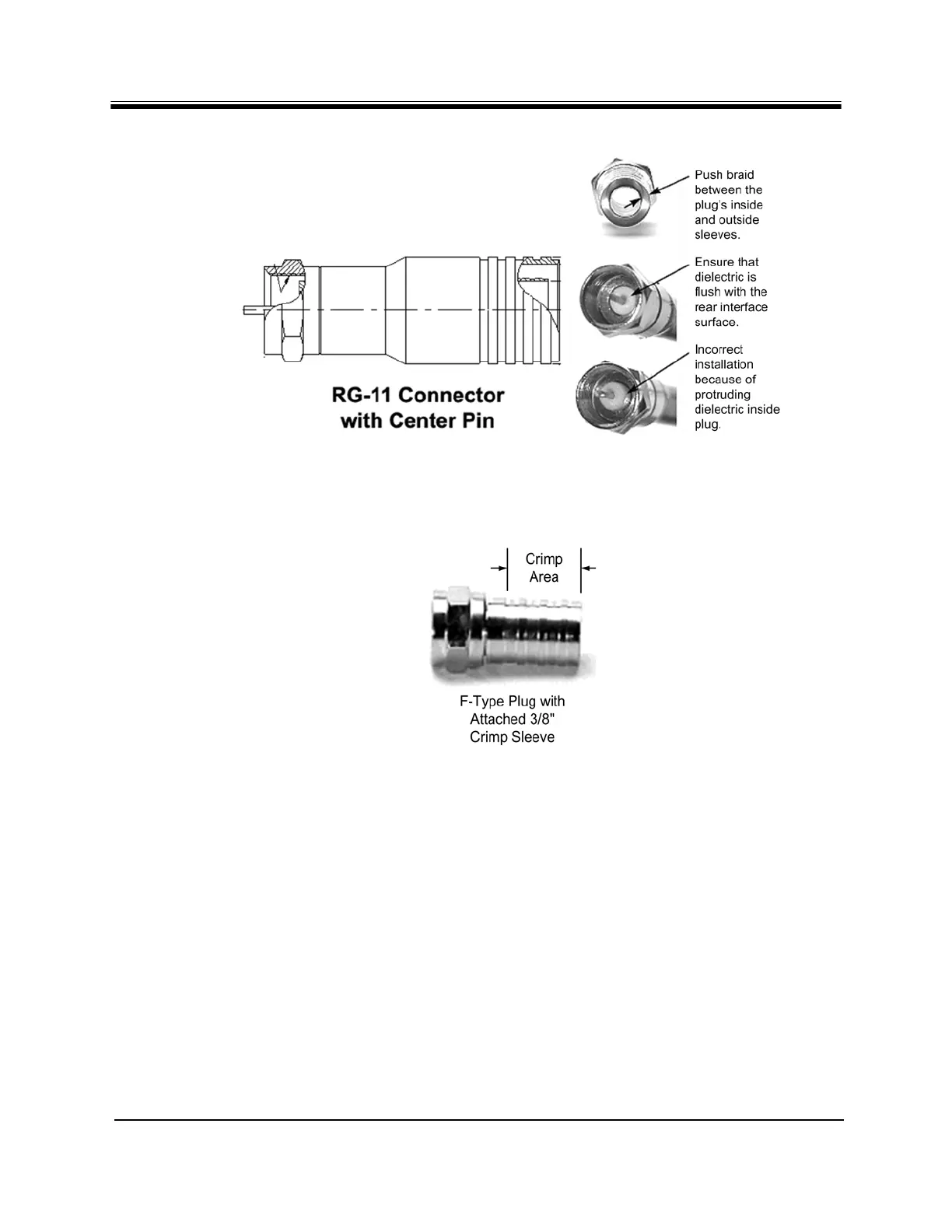
iDirect evolution x5 - Figure 11. Attaching the RG-11 Connector; Figure 12. Crimp Area for F-Type Plugs

iDirect evolution x5
68 pages
Print Icon
To Next Page IconTo Next Page
To Previous Page IconTo Previous Page
Loading...
iDirect Evolution X5 Satellite Router Installation and Safety Manual 27
Preparing the Coax Cables
Figure 11. Attaching the RG-11 Connector
10. Crimp the connector with the proper crimp tool such as CablePrep HCT-775 for RG-6 or
HCT-116 for RG-11as shown in Figure 13.
Figure 12. Crimp Area for F-Type Plugs


Table of Contents

Other manuals for iDirect evolution x5

Related product manuals