iDirect Evolution X5 Satellite Router Installation and Safety Manual 33
Front Panel LED Status Indicators
4.9 Front Panel LED Status Indicators
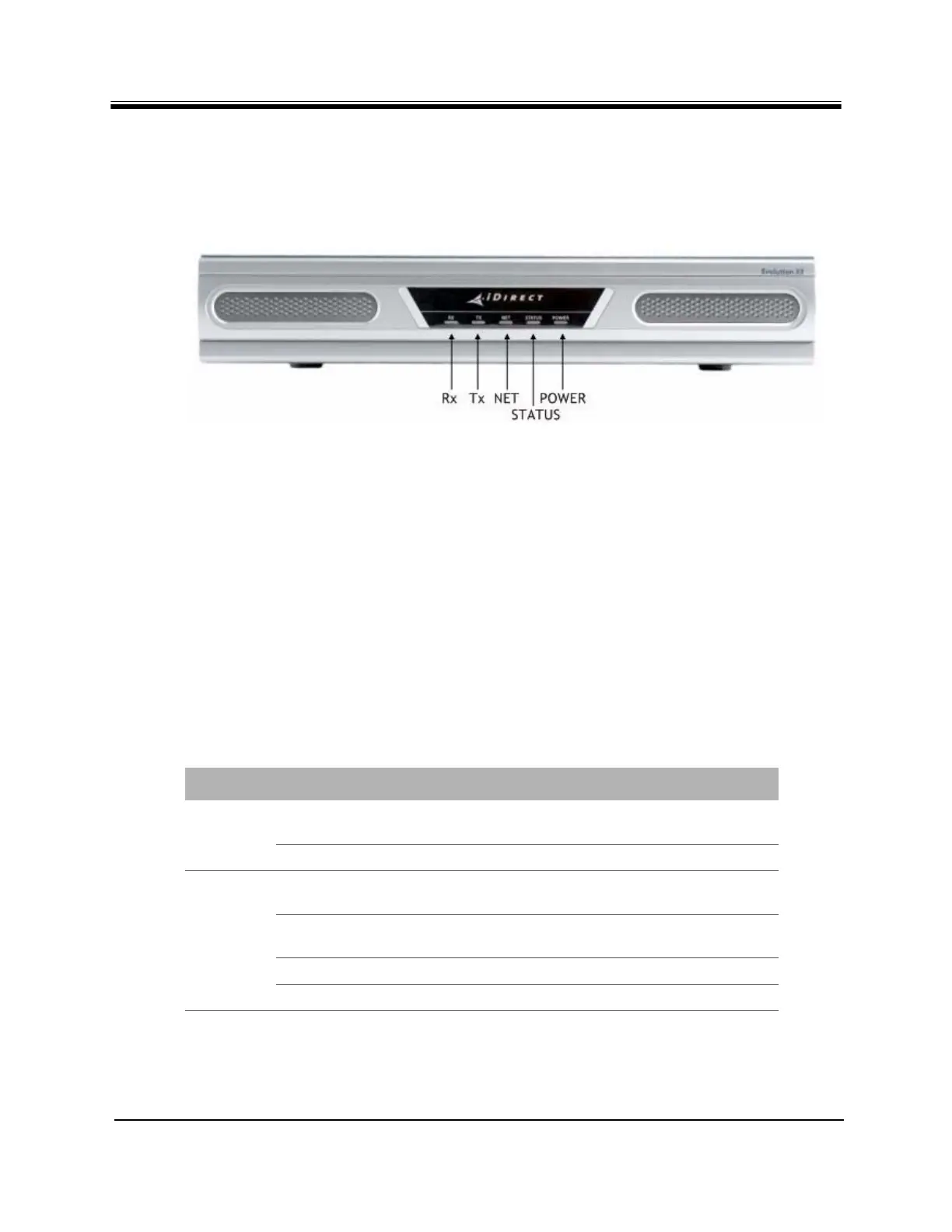
Once the IDU is powered up with the appropriate Options file, check the LEDs to ensure the
IDU is functioning properly. The front panel indicators are shown in Figure 17.
Figure 17. Front Panel Indicators
4.9.1 Front Panel Power and Network LED Status Indicators
For diagnostic purposes, the IDU chassis has five LED indicators located on the front panel.
•The Rx LED indicates the IDU receiver status.
•The Tx LED indicates the IDU transmitter status.
•The NET LED indicates the IDU network acquisition status.
•The STATUS LED indicates the IDU overall status.
•The POWER LED indicates whether the IDU is powered on or off.
The colors of the LEDs indicate the state of the IDU as defined in Table 13.
Table 13. Front Panel LED Indicators
LED Label LED Color Indicated Unit Status
PWR OFF The Satellite Router is powered Off or there is
a power supply problem.
GREEN The Satellite Router is powered On.
NET GREEN The Satellite Router has been acquired into
the network.
FLASHING GREEN The Satellite Router is attempting acquisition
into the network.
SOLID YELLOW The downstream SCPC is locked.
FLASHING YELLOW The downstream SCPC is not locked.



 To Next Page