iDirect Evolution X5 Satellite Router Installation and Safety Manual 31
Connecting AC Power to the IDU
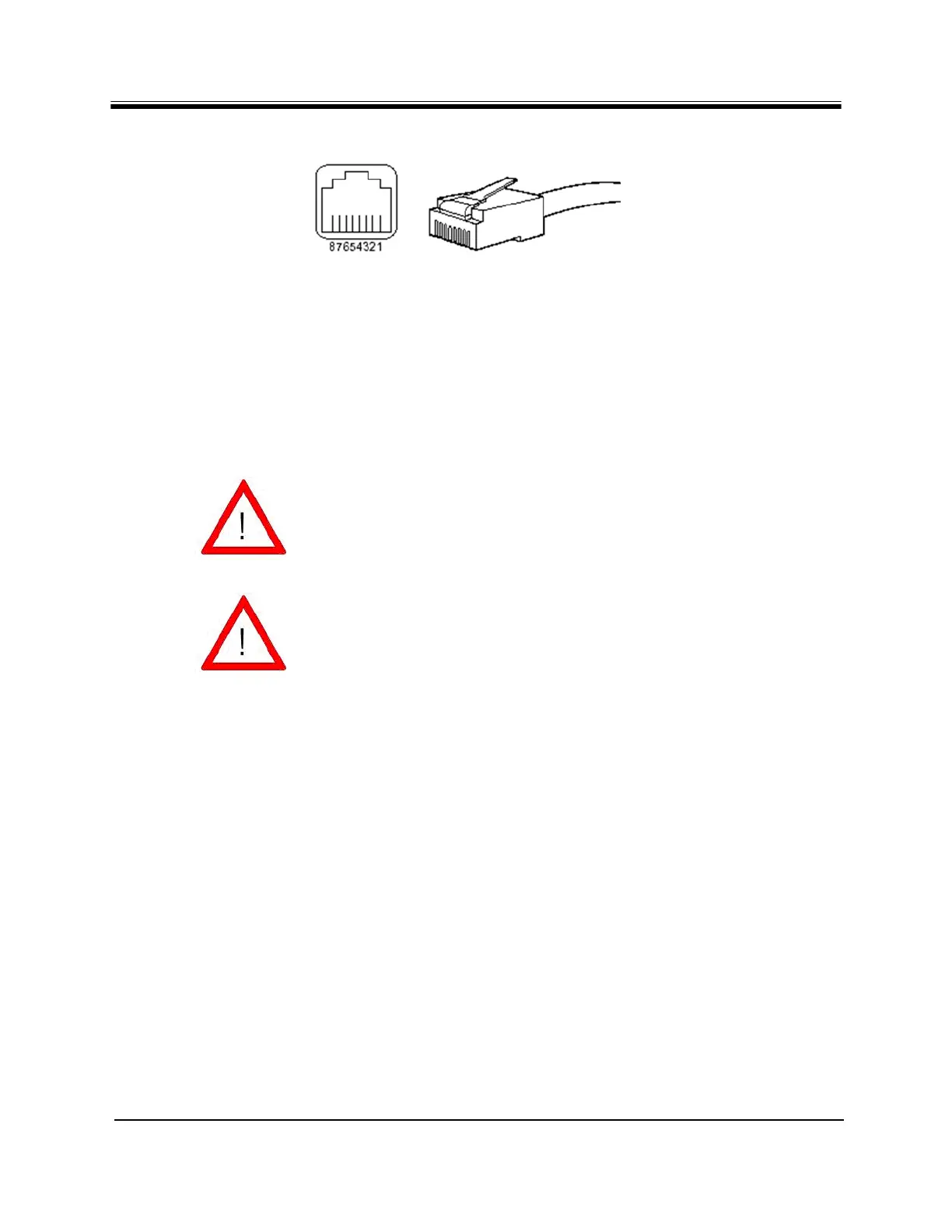
Figure 16. RJ-45 Cable Connectors, Plug and Receptacle
4.8 Connecting AC Power to the IDU
The IDU can be powered directly from the facility AC power source from 100 VAC to 240 VAC.
iDirect recommends that the chassis be powered from a low noise, low transient AC power
source.
4.8.1 Preparing Your PC/Laptop for Connection to the IDU
See Section 4.6, "Evolution X5 Satellite Router Rear Panel" on page 21 for more information
about the interface connectors.
Ensure that your PC/laptop:
• has iDirect’s iSite software installed
• includes a Network Interface Card (NIC) connected with a crossover cable to the 10/100
LAN port of the IDU
• has console terminal software, such as HyperTerminal installed
WARNING/CAUTION Improper AC power source rating, excessive
noise or transients, or undersized circuit
breaker will result in service interruption.
WARNING/CAUTION If you must remove power from the chassis,
you should disconnect power using the AC
power cord.



 To Next Page