GB
6 - USE AND OPERATION KID 70
6 - Pag. 10 / 14
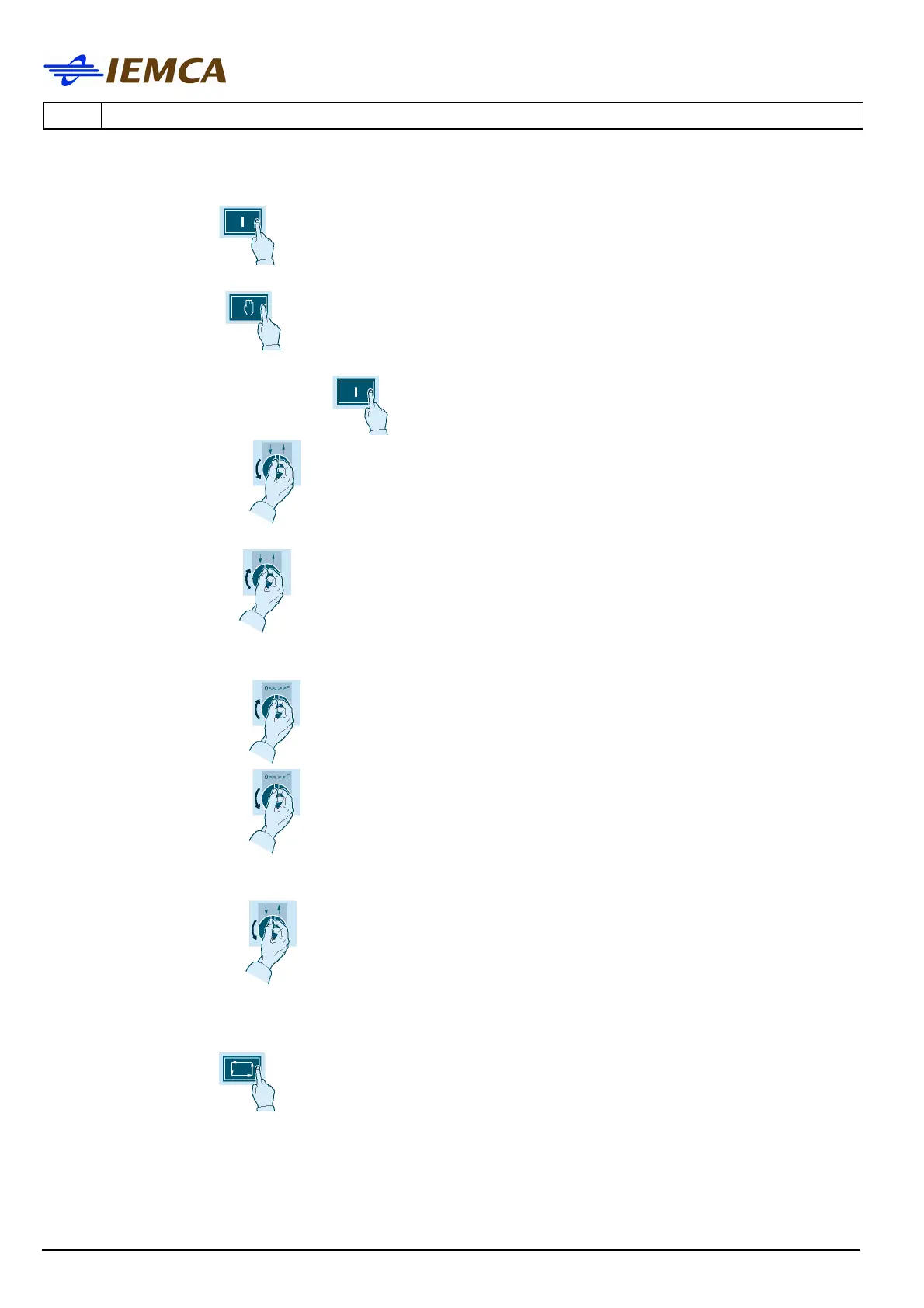
Bar loading into the lathe, when no bar (or remnant) is inside the lathe.
• Press this button on the bar feeder to start up the bar feeder and hold it down until
the button lights up.
• Press this button
to select "manual operation mode".
• Press rapidly this button twice
to set "bar feeder zero".
• Turn selector switch
and hold ot to the left: the bar selecting device, the bar drop
control device and the bar pusher are lifted.
• Turn slector switch
and hold it to the right: one bar is loaded and the guide channel
opens to allow first feeding.
• Turn selector switch
and hold it to the right: tha bar enters the lathe gripper.
• Turn selector switch
and hold it to the left: the bar pusher returns to its back
position.
• turn selector switch
and hold it to the left: the error on the display is removed while
the bar pusher and the guide channel are lowered.
• Select the desired workpiece feeding mode (parameter 29).
• Press this button
to start the automatic cycle.





 To Next Page