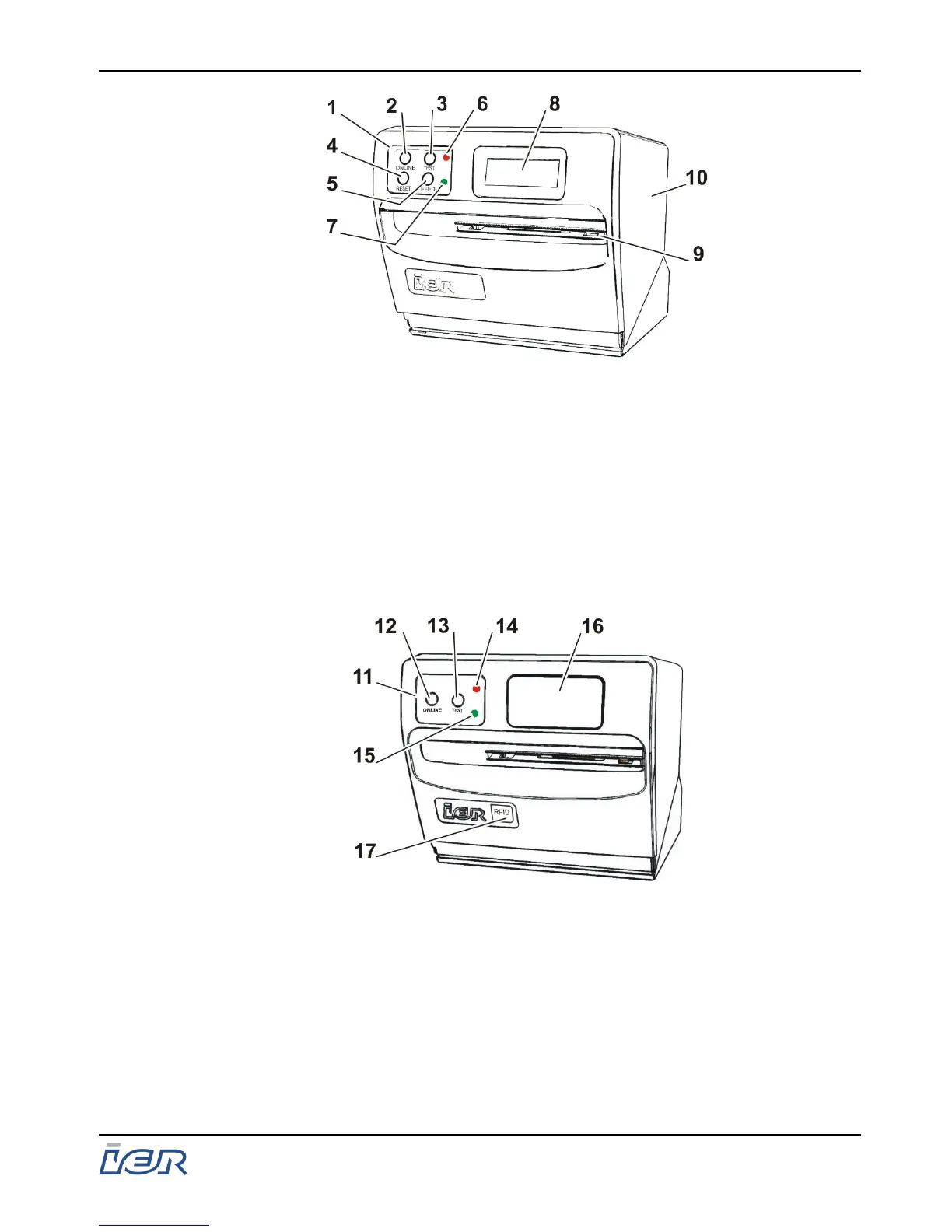
1 - Control panel
2 - Mode key
3 - Test document key
4 - Fault clear key
5 - Eject blank document key
6 - Red indicator lamp
7 - Green indicator lamp
8 - Display
9 - Ejection slot
10 - Protective cover
Figure 1.2
Front view - Version: Front panel with display and 4-key control panel.
11 - Control panel
12 - Mode key
13 - Test document key
14 - Red indicator lamp
15 - Green indicator lamp
16 - Display cover
17 - RFID sticker
Figure 1.3
Front view - Version: Front panel without display and 2-key control
panel
IER 400B
User Guide
Ce document est la propiété d'IER et ne doit pas être reproduit ou communiqué sans autorisation écrite.
This document is the property of IER and may not be reproduced or communicated without prior written authorization
Page 11
N0C402B Rev. 1
July 6, 2009



 To Next Page