3.2 INSTALLING FANFOLD MEDIA
3.2.1 Procedure
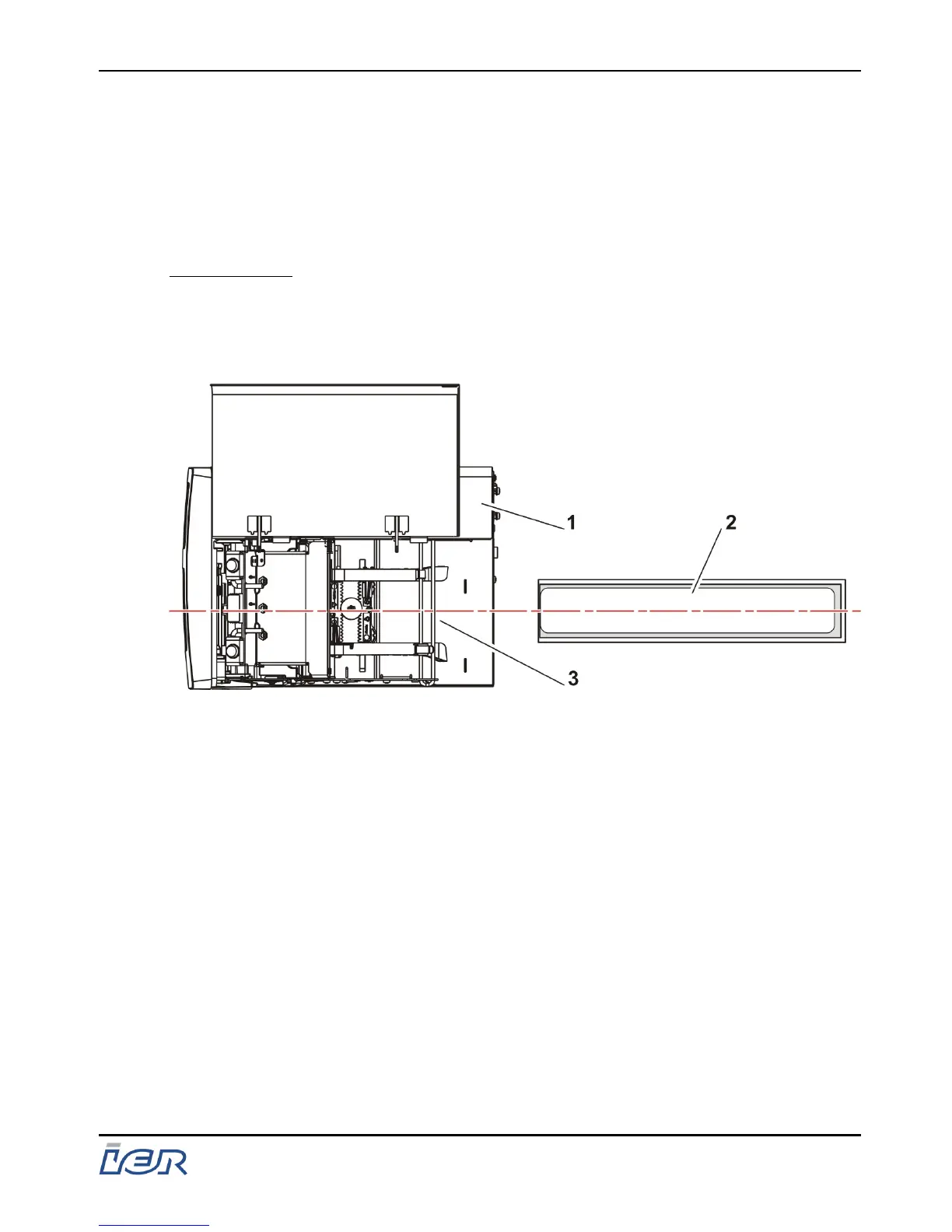
- Position a box of blank documents at the rear of the printer,
following the instructions below.
IMPORTANT: Place the box:
- parallel to the printer
- in the axis that documents are introduced,
- with the heat-sensitive side of the media facing up.
1 - Printer
2 - Box of fanfold media
3 - Paper intake
Figure 3.2
Positioning a Box of Fanfold Media
IER 400B
User Guide
Ce document est la propiété d'IER et ne doit pas être reproduit ou communiqué sans autorisation écrite.
This document is the property of IER and may not be reproduced or communicated without prior written authorization
Page 23
N0C402B Rev. 1
July 6, 2009



 To Next Page