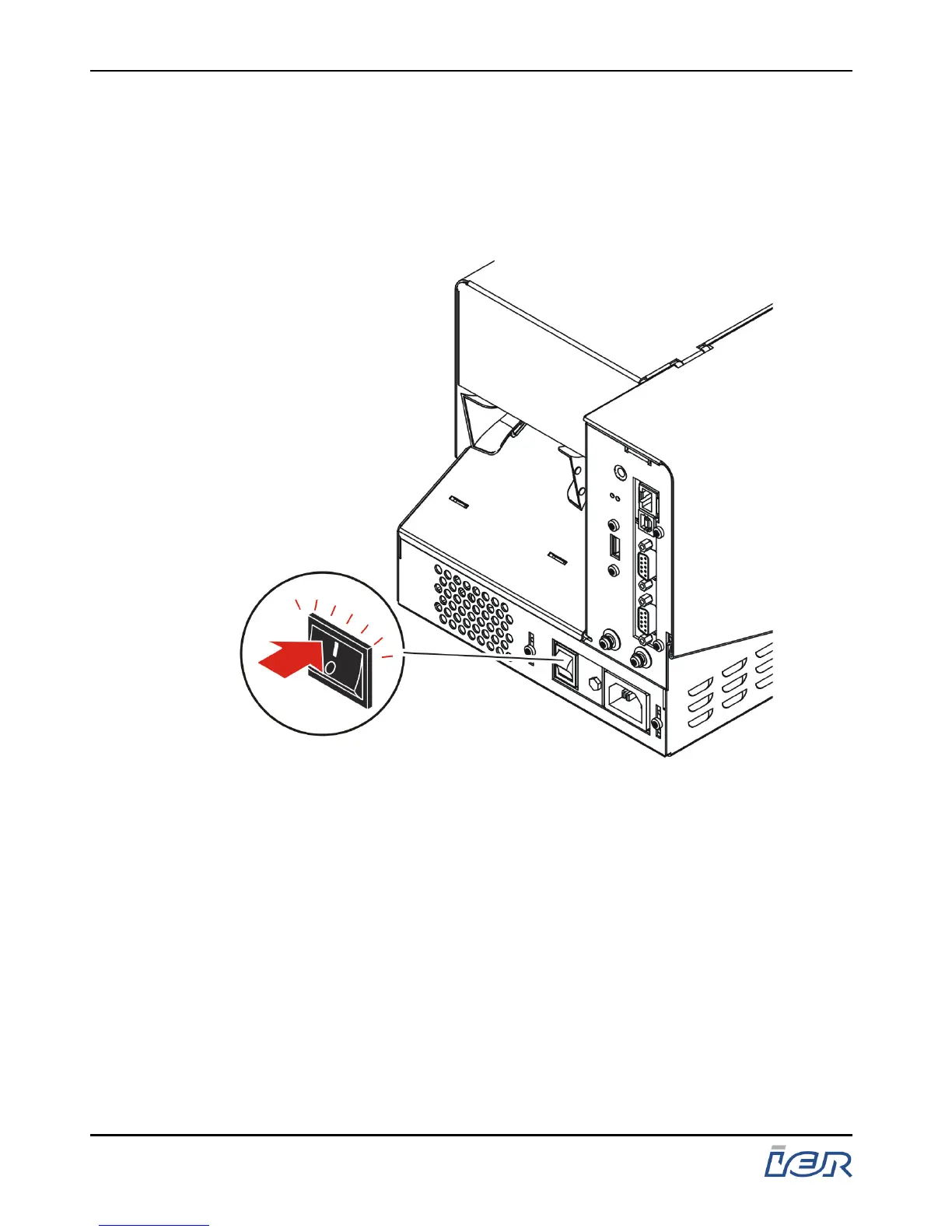
2.2 POWERING UP THE IER 400 PRINTER
2.2.1 Procedure
- At the rear of the printer, set the AC power switch to the
I-position.
Figure 2.3
Powering Up the IER 400 Printer
Printer initialization starts. The length of this process will take
several tens of seconds and can vary depending on the
application. The initialization being completed, the following will
occur, either:
- the green LED lights up while the red LED is blinking and a
sound signal is emitted to remind you to load media, if you have
not done so, or
- the green LED lights up to inform you that the printer is ready for
operation.
IER 400B
User Guide
Page 20
N0C402B Rev. 1
July 6, 2009
Ce document est la propiété d'IER et ne doit pas être reproduit ou communiqué sans autorisation écrite.
This document is the property of IER and may not be reproduced or communicated without prior written authorization



 To Next Page