■■
Setting the output function for S2
• Ensure you are in run mode temperature.
• Press the Mode/Enter button twice.
• Press the Learn/Set button for 5s, release when LED flashes.
• Press the Learn/Set button several times to shift the LED for the
requested output function.
• Press the Mode/Enter button briefly.
■■
Reset to factory settings
• Ensure you are in run mode flow.
• Press the Learn/Set button for
>15...<20s.
■■
The following applies to all setting procedures:
• The internal sensing, processing and output functions of the unit
continue as if in Run mode with the original parameter values
unless a new value is confirmed.
• If no button is pressed for 15s during the setting procedure, the unit
returns to the operating mode with the parameter values unchanged.
• If adjustment has not been possible, all the red LEDs flash. The unit
returns to the operating mode with the parameter values
unchanged.
■■
Locking / Unlocking:
The unit can be electronically locked to prevent unwanted adjustment
of the set parameters: Press both setting buttons for 10s (the unit
must be in Run mode). Indication goes out briefly (acknowledgement
of locking / unlocking).
28
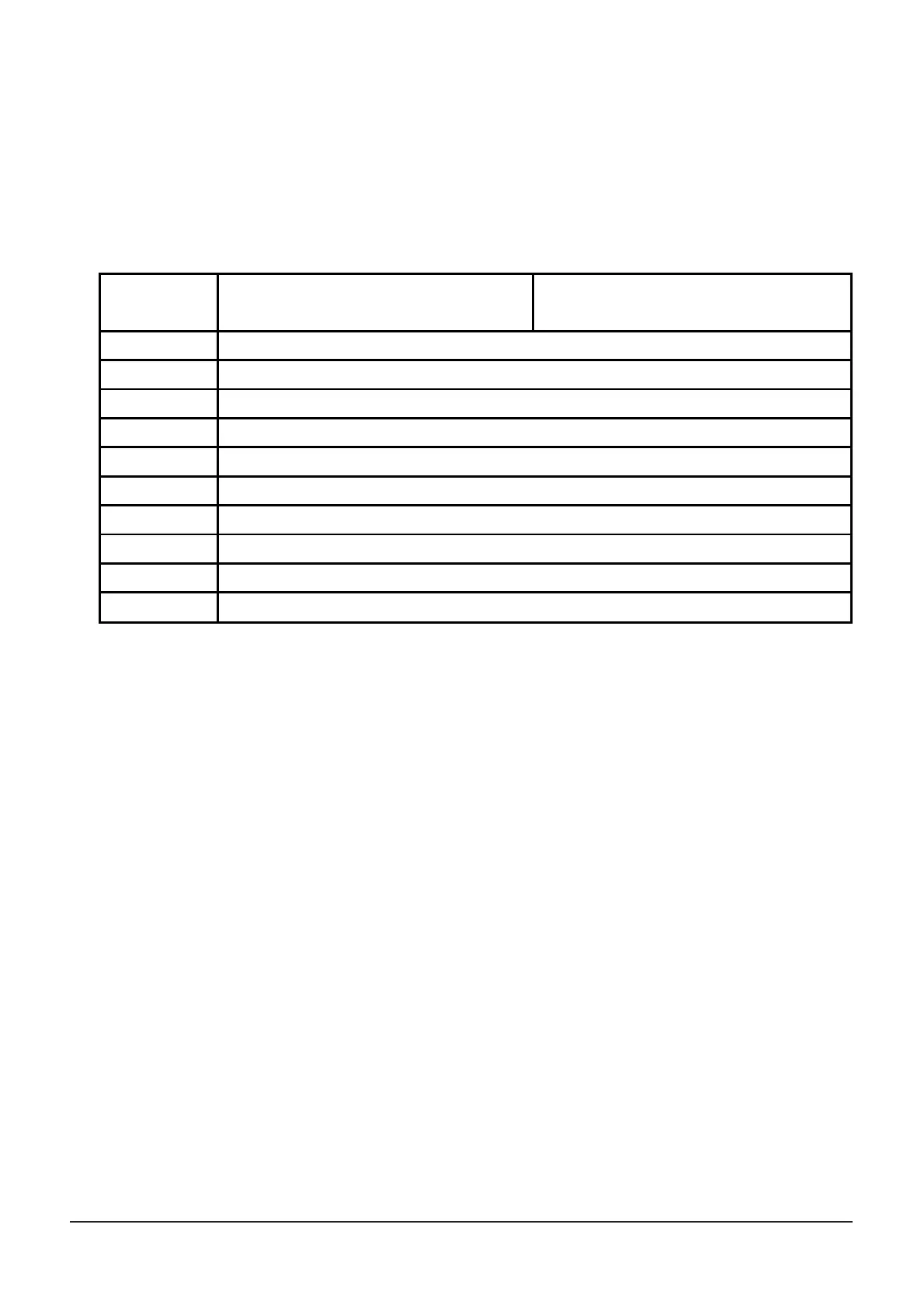
Logic
function
0
1
2
3
4
5
6
7
8
9
For use as N.O. function S2 is
switched when
For use as N.C. function S2 is
not switched when
temperature ≥ SP
Temp
flow ≥ SP
Flow
and temperature ≥ SP
Temp
flow ≥ SP
Flow
and temperature < SP
Temp
flow < SP
Flow
and temperature ≥ SP
Temp
flow < SP
Flow
and temperature < SP
Temp
flow ≥ SP
Flow
or temperature ≥ SP
Temp
flow ≥ SP
Flow
or temperature < SP
Temp
flow < SP
Flow
or temperature ≥ SP
Temp
flow < SP
Flow
or temperature < SP
Temp
temperature < SP
Temp












 To Next Page