33
ifm Device Manual SmartSPS AC14 with EtherNet/IP interface (AC1421, AC1422), Firmware 3.1.2 2015-11-30
Operation Page view
>
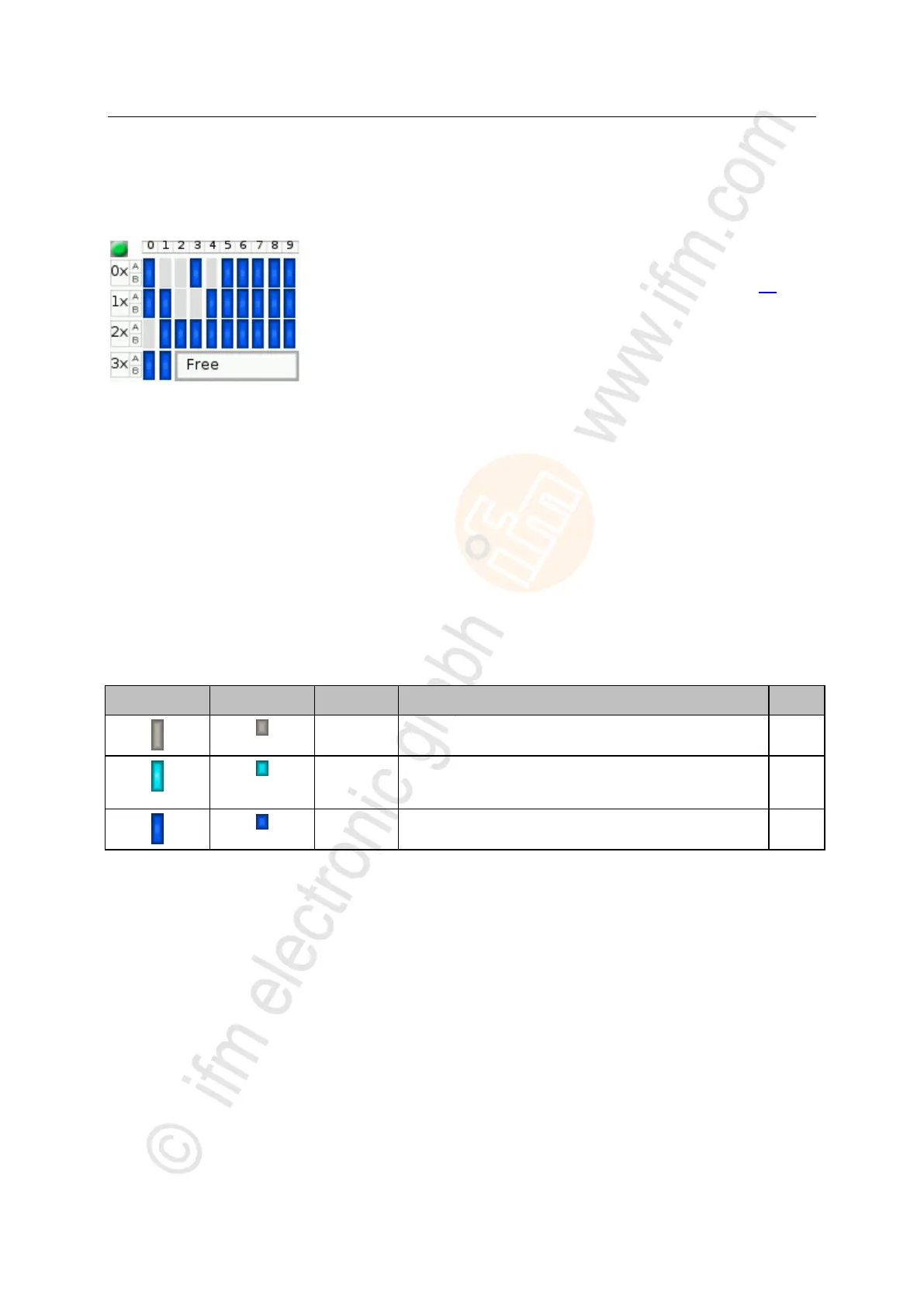
Overview of free slave addresses
6993
In this overview, the slave selector shows the free and occupied AS-i addresses.
> The symbol colour indicates the state of the AS-i address.
Meaning of symbols and colours:
→ Free slave addresses: colour code + symbols (→ page 33)
> The text field displays the status of the selected AS-i slave.
Possible status messages:
- Free
- Missing slave
Use:
1 Select the AS-i address
► Use the arrow keys [], [], [] and [] to select the desired AS-i address.
> The focus (= orange frame) is on the selected AS-i address.
> The info bar displays the selected AS-i address.
> The text field shows a status message for the selected AS-i address.
2 Activate the selected AS-i address
► Use [Select] function key to activate the selected AS-i address and go to the next menu page.
OR:
Use [Back] function key to cancel and leave the slave selector.
>
Free slave addresses: colour code + symbols
11239
Slave address is already used.
Address is free according to LDS (= no slave found), however:
address already belongs to a stored projection (= application
profile).
Address is free according to LDS (= no slave found).
Address is not used in a stored projection (= application profile).



 To Next Page