48
ifm Device Manual SmartSPS AC14 with EtherNet/IP interface (AC1421, AC1422), Firmware 3.1.2 2015-11-30
Menu Quick setup
>
5.2.2 Quick setup: Configure the operating mode of the AS-i masters
8974
Information regarding the operating modes of an AS-i master:→ Operating modes of the AS-i
master (→ page 137)
To configure the operating modes of the AS-i masters:
1 Select the menu page
►
► Select [Operation modes] tab.
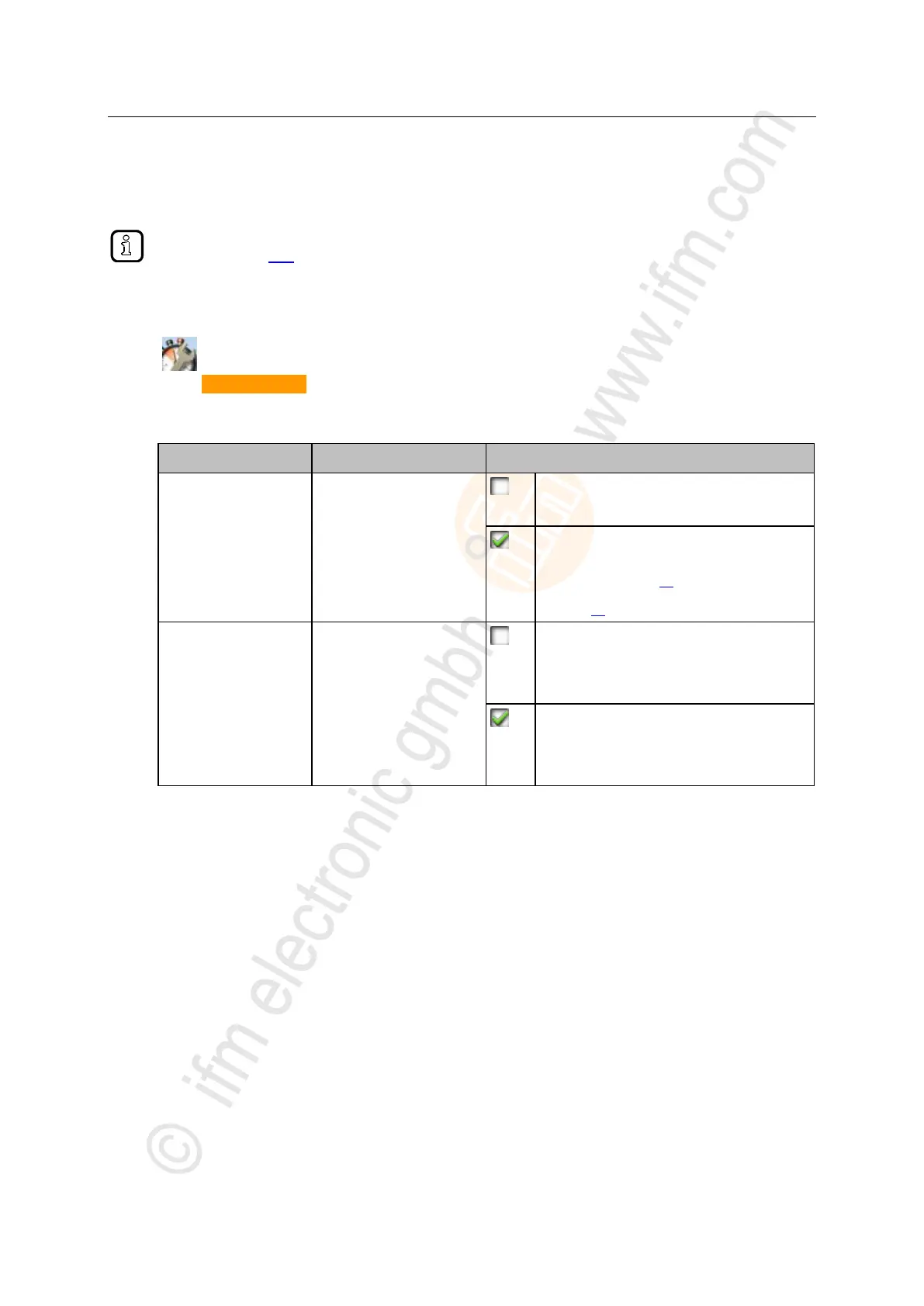
2 Configure the operating mode of AS-i master 1 and the behaviour of the connected AS-i slaves
> In group [AS-i master 1] , set the following parameters as required:
Active operating mode of the
AS-i master
Projection mode inactive:
AS-i network runs in protected mode (normal
mode)
Projection mode active:
AS-i network can be projected.
(→ Quick setup: Address the AS-i slaves connected to
AS-i master 1 (→ page 54) or → Quick setup:
Address the AS-i slaves connected to AS-i master 2
(→ page 55))
Behaviour of the AS-i slaves
when changing the operating
mode
Slave is reset when changing the operating
mode:
When changing the operating mode, the
AS-i slaves will be reset for a short moment
(reset or offline phase).
Slave is not reset when changing the operating
mode:
When changing the operating mode, the
AS-i slaves continue to operate without
interruption.
> Selected values are applied.
3 Optional: set the operating mode of AS-i master 2 and the behaviour of the AS-i slaves
► Repeat step 2 for the group [AS-i master 2].



 To Next Page