21
UK
For 2-wire operation those menu items referring to switching functions are
notactive(→8Menustructure);forsomemenuitemsthoseparameter
values referring to switching functions cannot be selected�
• If [SLoc] is displayed when attempting a modification of a parameter value,
the sensor is locked via software� This locking can only be removed via a
parameter setting software�
• When parameter setting with the user interface of the ifm Container program,
the values can be directly entered in the specified fields�
• ForIO-Linkparametersetting→device-specificparameterlistsat:www.ifm.com
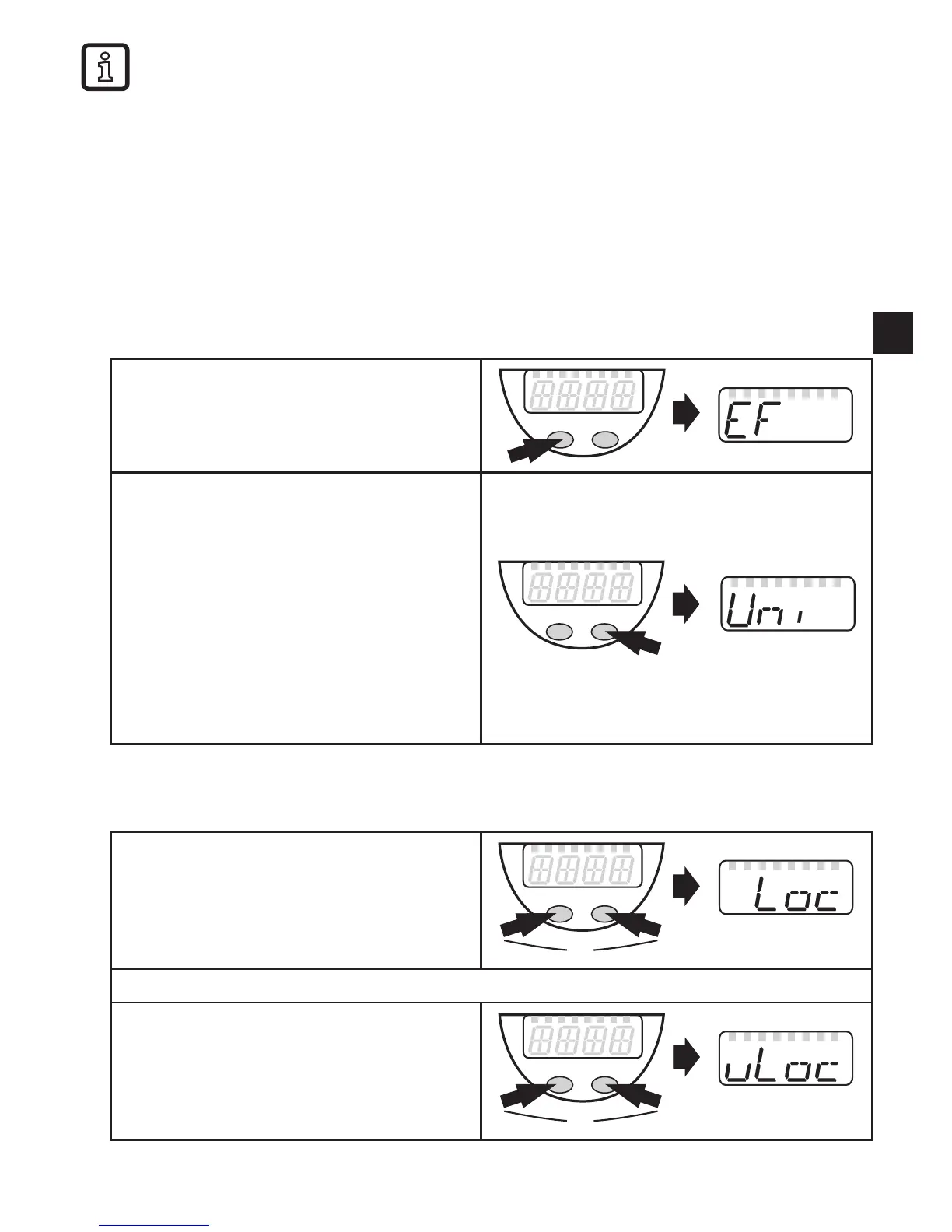
• Change from menu level 1 to menu level 2:
► Press [Mode/Enter] until [EF] is
displayed�
► Press [Set] briefly
> The first parameter of the submenu is
displayed (here: [Uni])�
If the menu level 2 is protected by an
access code, "Cod1" flashes in the display�
► Press [Set] and keep it pressed until
the valid code no� is displayed�
► Press [Mode/Enter] briefly�
On delivery by ifm electronic: no access
restriction�
• Locking / unlocking
The unit can be locked electronically to prevent unintentional settings�
► Make sure that the unit is in the
normal operating mode�
► Press [Mode/Enter] + [Set] for 10 s�
> [Loc] is displayed�
During operation: [Loc] is briefly displayed if you try to change parameter values�
For unlocking:
► Press [Mode/Enter] + [Set] for 10 s�
> [uLoc] is displayed�
On delivery: unlocked�



 To Next Page