CAUTION: Do NOT touch the inverter to avoid electric shock. When PV modules are exposed
to sunlight, it may generate DC voltage to the inverter.
3-5 Battery connection
CAUTION: Before connecting to batteries, please install separately a DC circuit breaker between
inverter and batteries.
NOTE: Please only use sealed lead acid battery, vented and Gel battery. Please check maximum
charging voltage and current when first using this inverter. If using Lithium iron or Nicd battery,
please consult with installer for the details.
NOTE: Put protections (battery switch, fuses) according to existing standards.
NOTE: It is possible to put inverters in parallel on the same battery (for more information, contact the
installer).
CAUTION: There are risks due to the voltage and the current of the battery. It’s necessary to
protect the borders of connecting.
CAUTION: It's very important for system safety and efficient operation to use appropriate cable.
Step 1: Make sure the nominal voltage of battery is around 48Vdc.
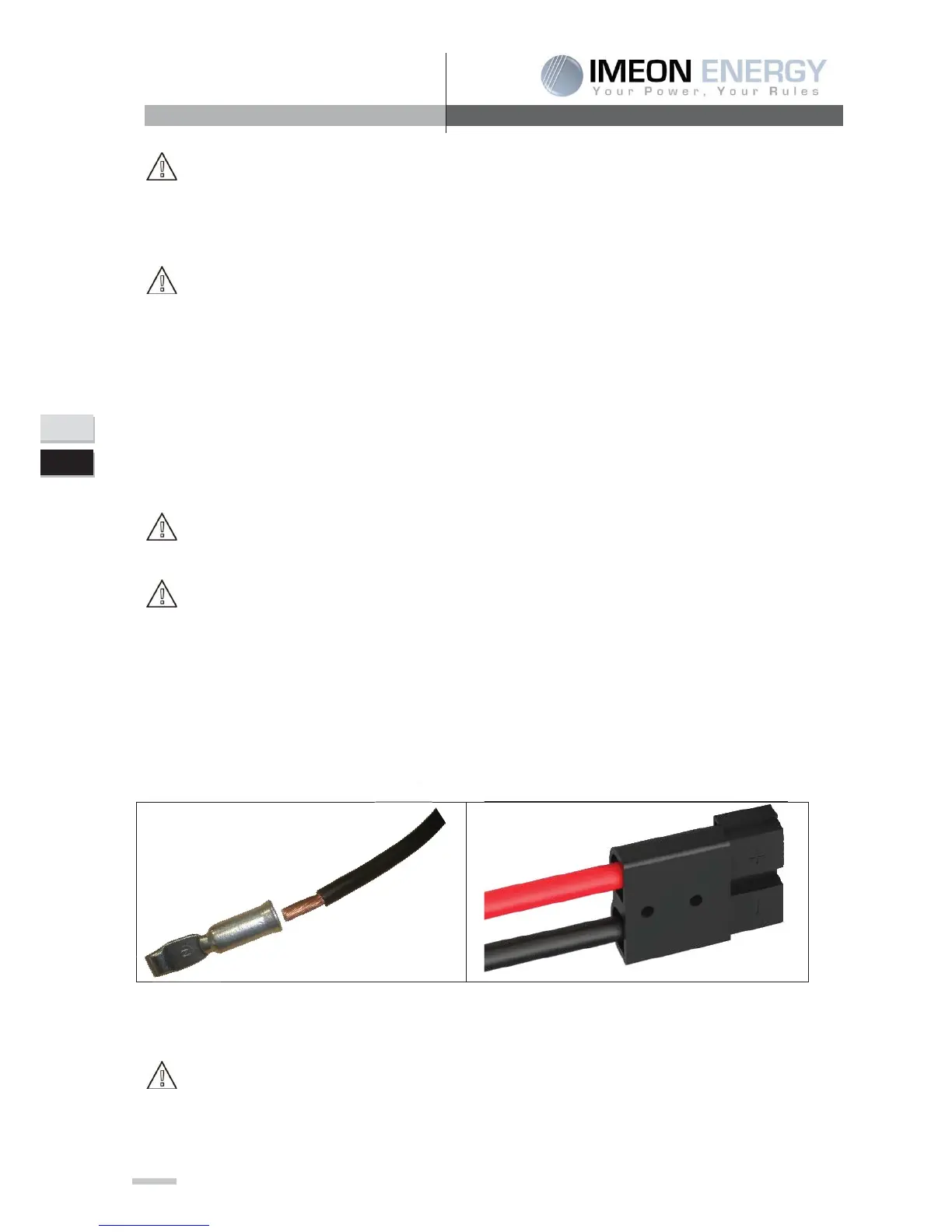
Step 2: Use two battery cables. Remove insulation sleeve 12 mm (a), insert into cable ring terminal
and crimp it for an area of 11 mm on 22 mm then join it into the connector (b).
Step 3: Connect battery connector to IMEON in “DC BATTERY” connector.
CAUTION: Batteries must be isolated via the battery switch (OFF position) to avoid any electric
arc which can be irreversible for the IMEON.


 To Next Page