4. Operating summary
Function of keys
On/Off switch
To increase value / use pointer up
To decrease value/ use pointer down
Interruption / return to menue item
Confirmation / select menue item
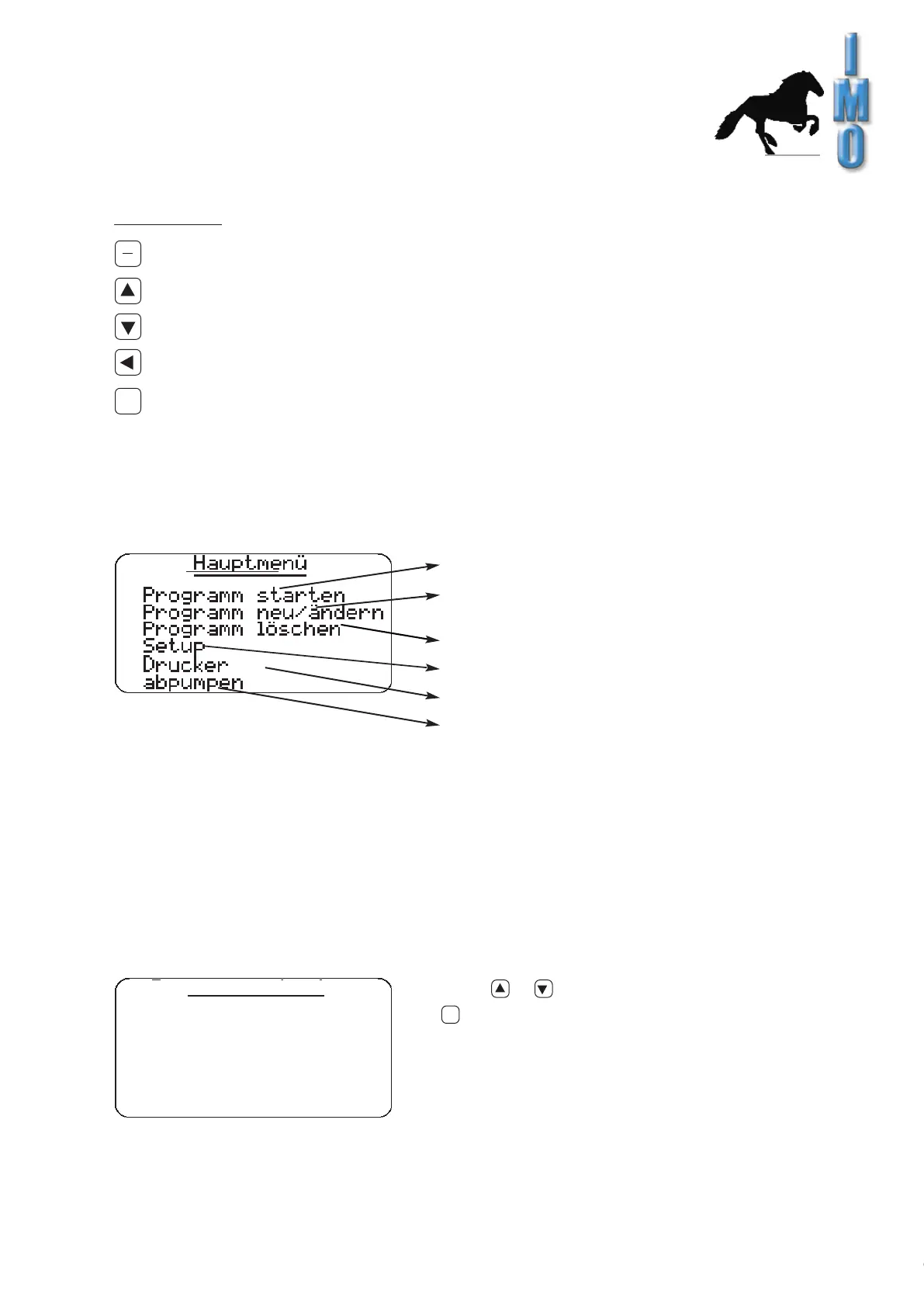
4.1 Main menue
4.2 Start Program
IMO GmbH Gässlesweg 6 D-75334 Straubenhard t Tel.: 070 82 491 80 Fax: 604 36 www.imo-ag.com info@imo-ag.com
11
GmbH
I
0
a
For selecting cleaning program and starting
Revise present cleaning program or construct a new one
Delete present program
Set up equipment
Display of network parameter, for example IP adress
Manual drain
Select or to choose stored programs and press
to start.
a
programme start
no. 1


 To Next Page