IMO GmbH Gässlesweg 6 D-75334 Straubenhardt Tel.: 070 82 491 80 Fax: 604 36 www.imo-ag.com info@imo-ag.com
15
GmbH
4.5.3 Monitor spray arm on / off
4.5.4 Detergent
4.5.4.1 List of detergent setting / altered
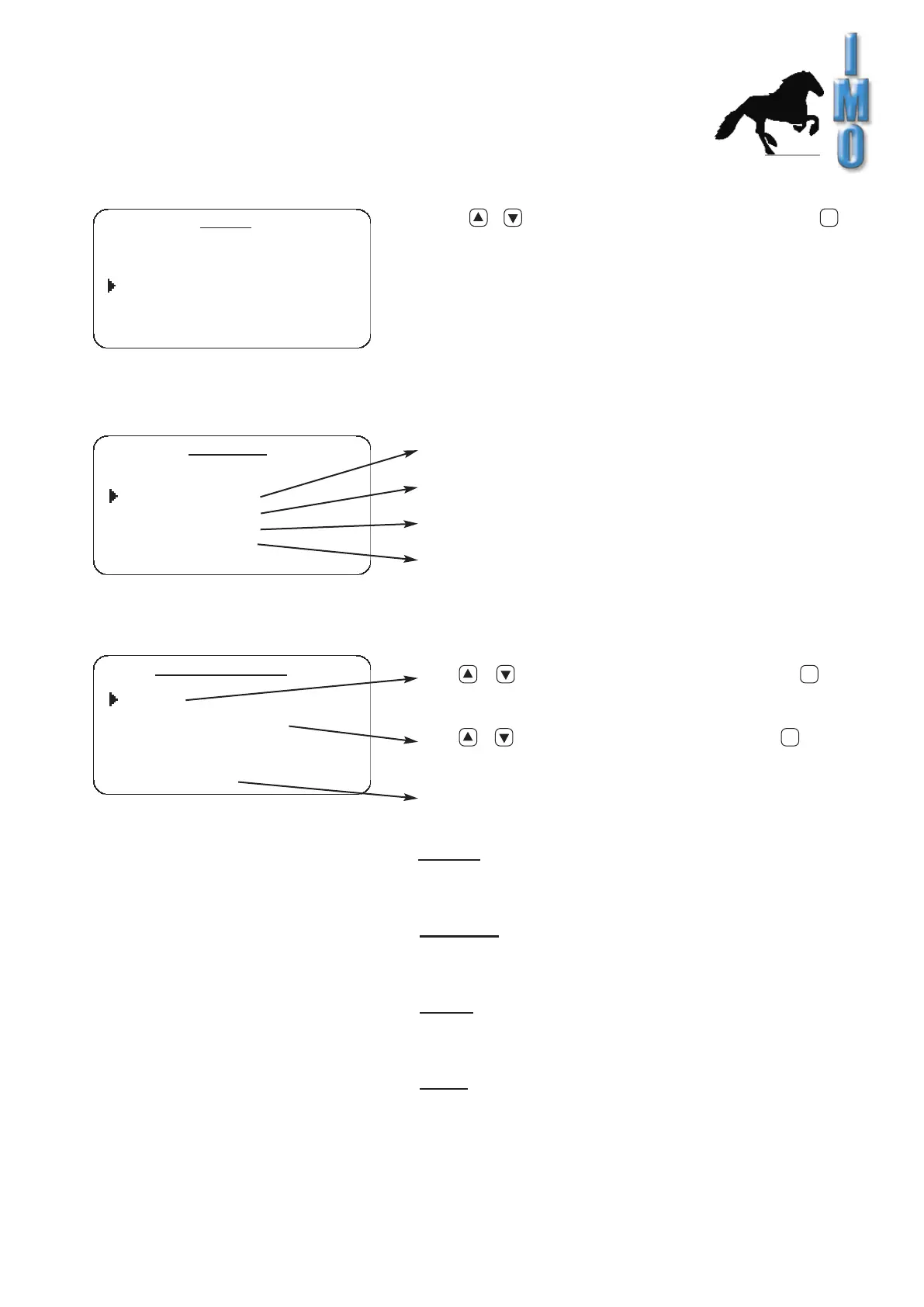
Select / to choose “spray-arm control” and enter
to shift.
Indication: Monitor spray arm should be regularly be activate,
otherwise the regulation of foam and resp. regocnition-blockade
of the lower spray arm don’t work.
Cleaner programs which use foaming resp. defoaming
can not be started, if the monitor spray arm is switched off.
Create or change register of detergents
Assign detergent from register to a dosing pump
Aspirate detergent manual
Indicate power off pump
Enter / to leaf through the memory and select
to choose an input.
Enter / to alter numbers and letters. Select for the
next input.
Kind of detergents in respect of his attributes will be tuned here.
Possible settings are:
foaming:
detergent produce foam, therefor it must be dosed
gradually during the cleaning process until a little “foam-carpet”
is formed.
defoaming:
detergent is for counteract foaming.
(f.e. A foaming cleaner is used at the same time)
During the cleaning process detergent will be dosed if necessary.
neutral:
detergent has no attributes as below. It will be dosed
proportional to the filled quantity of water.This proportion will be
setted by construction of the cleaning program.
empty:
register contains no detergent.
Indication: If the cleaner will be used in other cleaning
program, the modification interferes in the concerned program.
a
a
a
set up
time/date
language
Monitor spray arm: on
detergent settings
code changing
detergent
list of detergent
assign detergent
suck detergent
pump correction
list of Detergent
no.: 1
name: component A
type: neutral


 To Next Page