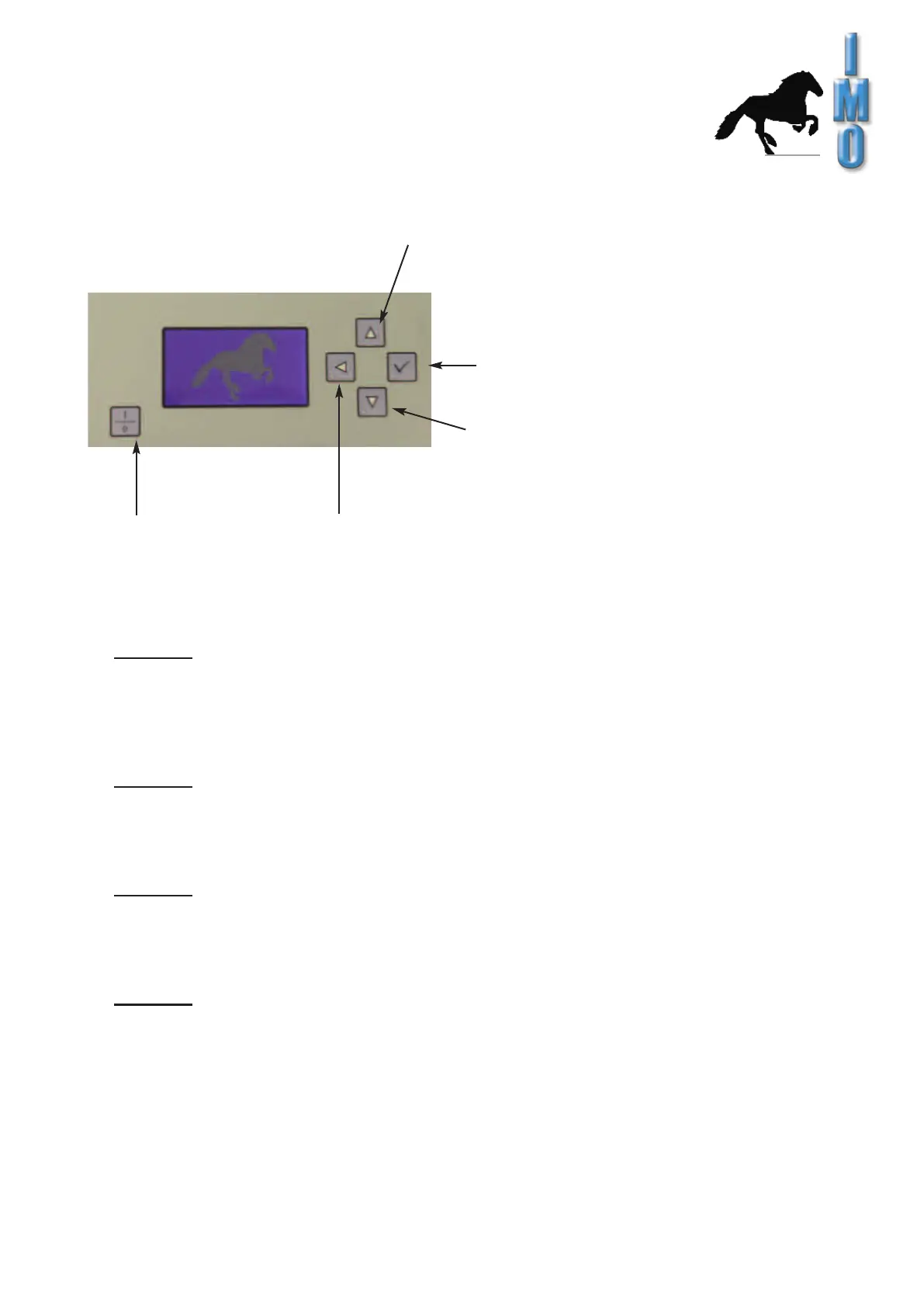
3.5 Operating Controll Front Panel
IMO GmbH Gässlesweg 6 D-75334 Straubenhardt Tel.: 070 82 491 80 Fax: 604 36 www.imo-ag.com info@imo-ag.com
9
GmbH
Following washing programs are setted ex work, but can be altered if required:
Program 1:
Cleaner: Component A+ and Mix 3
Program 2:
For cleaning pcb-boards with only colophony flux and drying afterwards.
Cleaner: Mix 3, ca. 40gr
Program 3:
Cleaner: Mix 3
Program 4:
Only drying
Pointer upward / increase value
Confirm / continue
Pointer downward / decrease value
Back / interruptionOn / off switch
3.5.1 Removing the upper support grid
For large items to be washed, the upper support grate with spray arm can simply be removed.
Then the entire interior height is available for cleaning.
To remove the upper support grate, pull it out as far as it will go, then lift slightly and
upwards at an angle. It is inserted in the opposite direction.
The water supply to the upper spray arm is automatically closed by a ball
valve during removal. This means that the complete spraying capacity is available at
the lower spray arm.
For cleaning printed circuit boards in general, also suitable for removing
of "no clean" flux residues.
With subsequent drying.
For cleaning lightly soiled objects, e.g. degreasing
and dust removal with subsequent drying.


 To Next Page