Getting Started 7
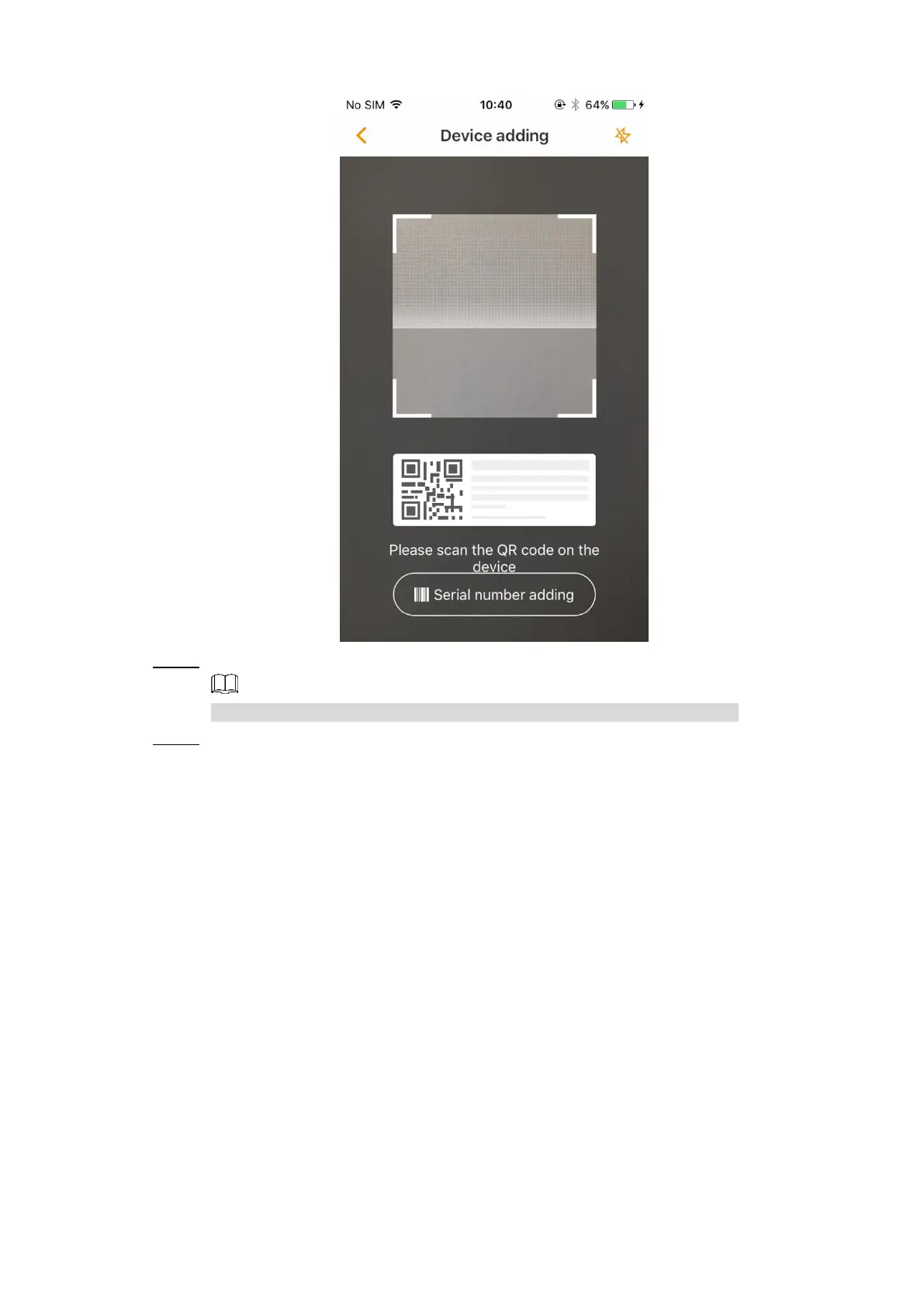
Device adding Figure 2-6
Scan the QR code on the label or enter the device SN manually. Step 4
You can tap the lightning sign on the upper right corner to open flashlight.
After scanning is finished, you need to configure the device password. See Figure 2-7. Step 5
The password is used to manage the access to your device and data, please keep it
properly and change it regularly for safety concerns. For detailed operation, see "3.3.1
Device."



 To Next Page