App Operation 13
Configure the camera and imou app. See "3.5 Configuring
imou App."
3.2 Live Interface
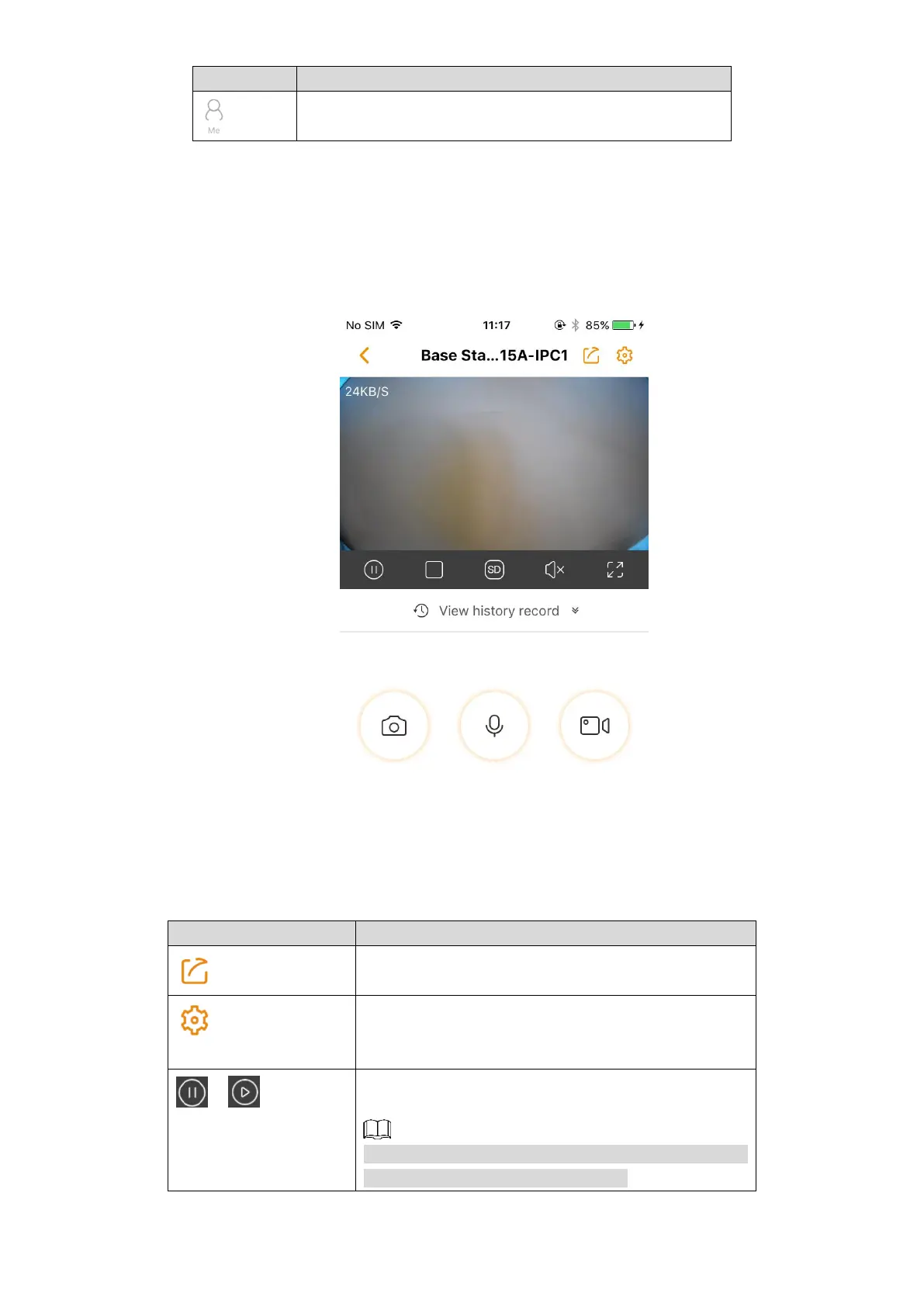
In the Device interface (Figure 3-1), select a device to enter the Live interface. See Figure 3-3.
Live Figure 3-3
For the detailed introduction, see Table 3-2.
Table 3-2 Live interface button
Share the camera with other account.
Configure the camera, including alarm, storage, and
rotate image, for more details, see "3.3 Configuring
Camera."
Pause the live stream, tap again to resume. The icon
switches with different status.
If under multi-channel mode, select a certain channel
first, and then perform the operation.



 To Next Page