App Operation 12
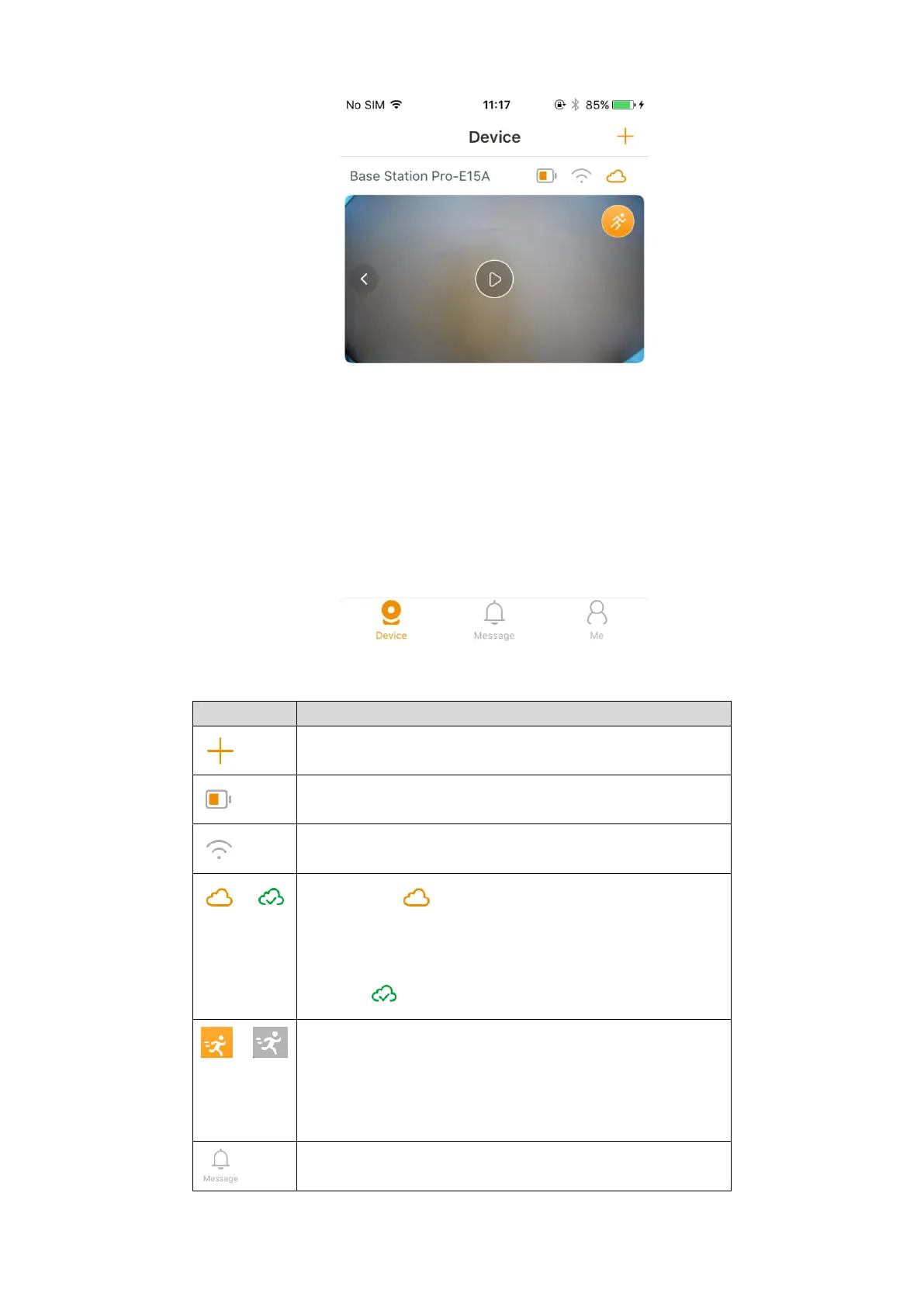
Paired camera Figure 3-2
For the detailed introduction, see Table 3-1.
Table 3-1 Device interface introduction
Add more devices to your account, for more details, see
"2.2 Adding Base Station."
Tap to view the camera battery status.
Tap to view the connection quality.
If the icon is , it means you are not using cloud
service, and you can tap to view the cloud service plans
and buy it. After the cloud service is activated, the icon
turns to .
Quick on-off switch for PIR detection.
Tap this icon, and then, the PIR detection of the
corresponding device is turned off, tap again to turn on,
and the icon switches with different status. For more
details, see "3.3.2 Alarm Information."
View motion detection video. See "3.4 Message."



 To Next Page