38
Finally, the name of the software channel is set. The default display will be “_CHANNEL 1”.
You may select any name, up to nine (9) characters, to define the channel. At least one (1) of
these nine (9) channels should be reserved for a numeric designation. A selection of names such
as “CHANNEL”, “CUTOFF”, “STATION”, “PUNCH”, “WEDGE”, etc., can be used to define
the channel. Please be aware that in the Tolerance Windows, only the first letter will show,
therefore Channel 1 would appear as C1 and Blow 2 would appear as B2. This might keep you
form picking two names which start with the same letters.
Entering Channel Names
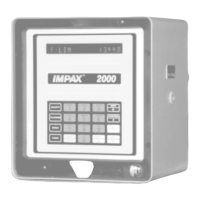
The keypad of the IMPAX 2000 with Version 58 software allows the entry of alphanumeric
characters for defining software channel names, and for the entry of tags (or identifiers) to be
used with IMPAXNET. It is used much like the telephone keypad.
The software channel names appear as the last step in Channel Definition (Function #3) and the
Tags are found in the tenth step of Machine Definition (Function #5). The default value for the
Channel Name is “CHANNEL 1” and the entry in Machine Definition is “DEFINE TAGS?” and
the default value is “TAG NUMBER”.
Whenever either of these default values appear, press the Clear key. This will present a row of
dashes over which the alphanumeric characters can be entered. Up to nine (9) characters can be
entered for a Channel Name and up to sixteen (16) characters can be entered for a Tag Name.
The last character on the display will tell you whether or not you are set up to enter letters or
numbers. There will be a “/\” present if the unit is set up to have numbers entered. There will be
a “[” present if numbers con be entered. You can switch between these two by pressing the
Shift/* key.
To enter an A, B, or C use the 1 key. By pressing it once an A will appear in the display,
pressing it twice will cause a B to appear, and pressing it three times will cause a C to appear. If
you press it a fourth time an A will appear once again.
The number 2 key is used to enter, D, E, and F, the number 3 key is used for G, H, and I, etc. All
26 alpha characters are represented in the 9 number keys and the 0 key can be used to represent
18 different punctuation characters.
The Next/No key accepts the character, the Back key erases and allows a new entry. Pressing
the Next/No key twice gives a space. When entering alpha characters, pressing a numbered key
that is different from the previously entered key automatically accepts the previous character. It
is not necessary however, to use Next/No for each character.
When you have the alphanumeric name entered exactly as you desire, then press the Enter/Yes
key to accept the entry.


 To Next Page