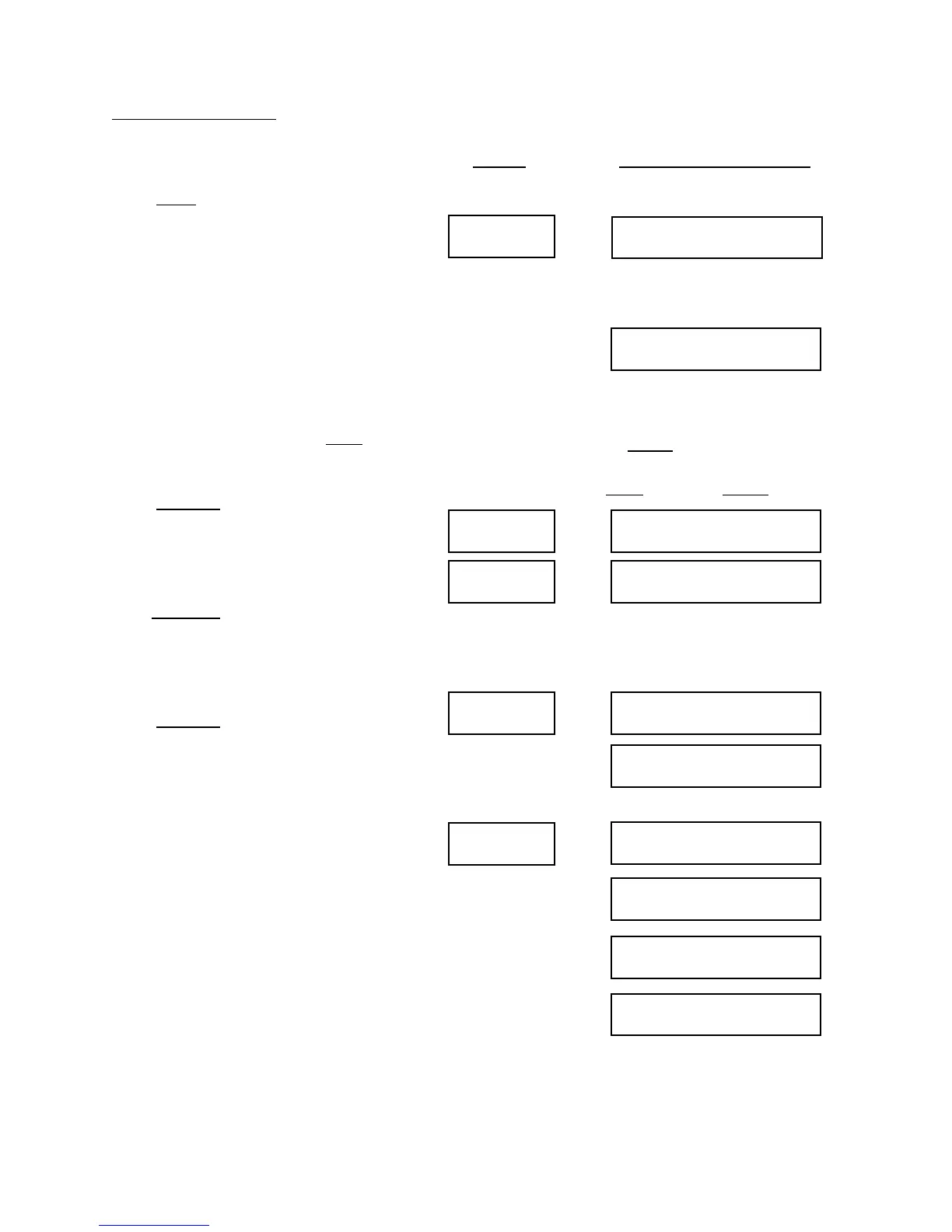
Error Displays
17
NO ERRORS
Error
CHANNEL X ERROR
(Date and time of error)
Next/No
ERROR XXXNext/No
Next/No
FORCE TOO HIGH
FORCE TOO LOW
Next/No
SINGLE HIT
LO COUNT
MED COUNT
HI COUNT
(messages are for example only):
Press Error. If there have been no
problems since the job began (or since
the Error display was last cleared,) the
display will show “NO ERROR”. If an
error is recorded on a multi-station
header, the display might show
“CHANNEL 3 ERROR”. This would
mean that the problem was detected on
the station connected to channel 3. On
a threadroller the display might show
“BKSTR HI LIM”, meaning a problem
on the backstroke. Pressing Next will
show the Date and Time of the Error.
Press Next/No. The display will show
“ERROR 750”. This means that the
most recent error stopped the machine
when the 750th part was made.
Press Next/No. The display will show
“FORCE TOO HIGH or “FORCE TOO
LOW”, indicating which of the control
limits was breached.
Press Next/No. The display will now
show “SINGLE HIT”. This means that
the force change was severe enough to
warrant stopping after just one hit. It
may instead show “LO COUNT”,
“MED COUNT”, or “HI COUNT”;
these tell how many parts were run
before the force difference became
severe enough to stop. HI COUNT
means a small change in force was
detected over an average of many
blows. Generally, a single blow fault is
due to a smashup, double feed, or other
sudden, severe problem. An error
detected over a larger number of blows
is often due to a chipped tool, hard
material, or other small change.
Press Display Will Show
If there have been no errors since the errors were
last cleared
If there have been errors since the errors were last
cleared
NOTE: These
displays will be
different if
exceptions are
turned on in Channel Definition. You can clear
the errors by pressing Enter when the “VIEW
ERRORS?” screen appears. Exceptions can be
cleared by pressing Next and then Enter.
XXX is the number of the part where
the most recent error occurred.
COULD BE
ANYONE
OF THESE:
(SINGLE HIT, LO
COUNT, MED
COUNT, OR HI
COUNT)


 To Next Page