Quantity Displays - cont.
15
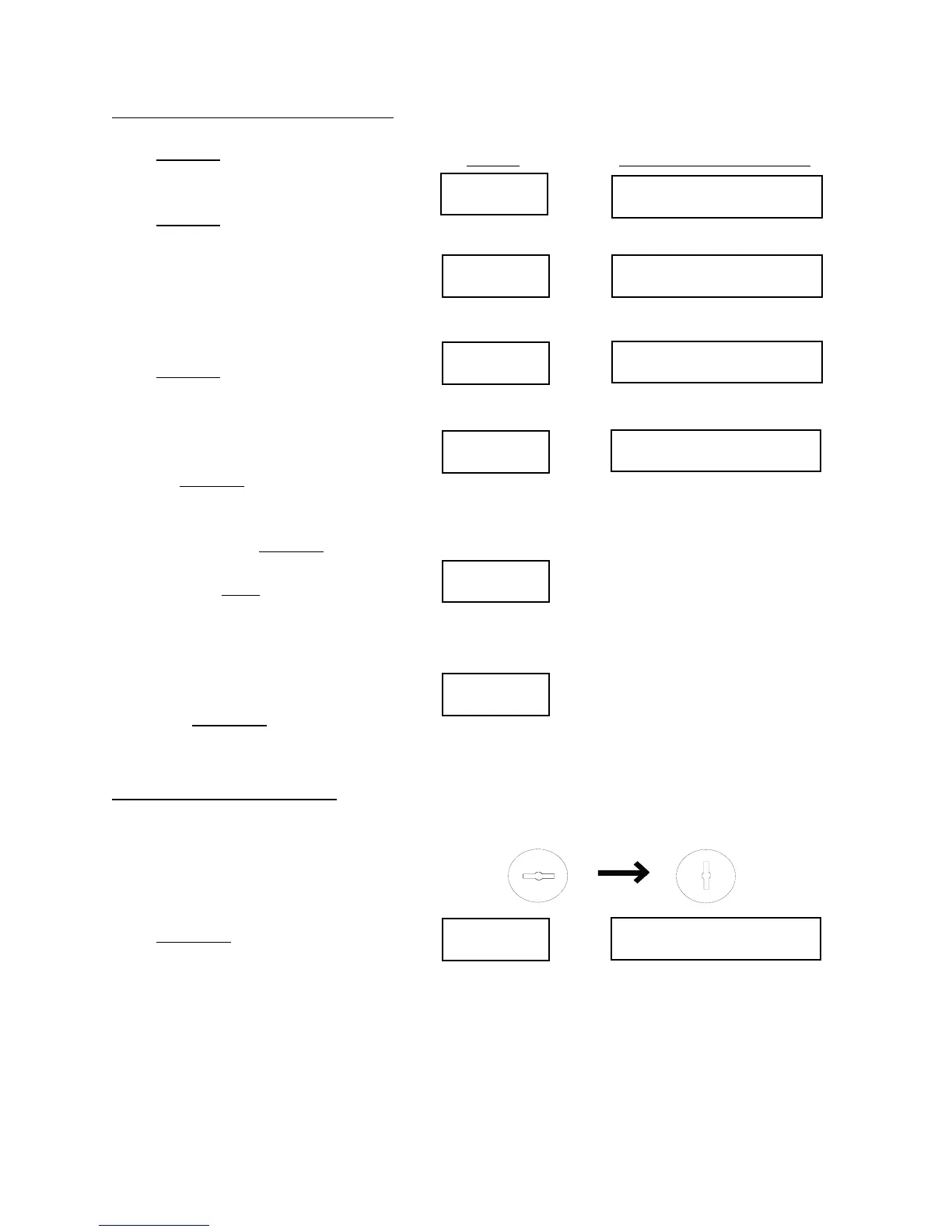
Next/No
(Date and Time)
Next/No TOTAL * 100000
Next/No
BREAK * 5000
Next/No
MADE * 750
Next/No
Enter/Yes
CHANNEL Y X(?)
Tolerance
Press Next/No and the display will
show the date and the time.
Press Next/No again and the display
shows “TOTAL * 100000”, which tells
the total number of parts to be made on
that job. (Note that parts MADE plus
parts TO GO add up to the parts
TOTAL.)
Press Next/No again and the display
shows “BREAK * 5000”, which means
that the BREAK counter is set up to
stop after every 5000 parts.
Pressing Next/No again brings the
display back to “MADE * 750”, which
brings up the first display again;
continuing to press Next/No takes you
through all the choices again. At any
time, pressing Back moves backward to
the previous choice in the order listed
above. You may select which counter
you wish to be displayed while the
machine is running. To do so, display
the chosen counter as explained above,
then press Enter/Yes. The selected
counter will remain visible.
Tolerance Displays:
(numbers are for example only)
Be sure the Supervisor’s Key is
removed or turned off (vertical).
Press Tolerance. The display will show
the tolerance setting for the first
channel. For instance, if it reads:
“CHANNEL 1 5(?)”, then the tolerance
setting for channel 1 is set to 5.
--You will know which tool the IMPAX
unit is referring to by the display: ex.
“STATION 1” or “BLOW 1”.
Press Display Will Show
To display chosen counter:
Keep pressing
until chosen counter appears.
Make sure the Supervisor’s Key is turned off
(to the left)
X is the tolerance setting for channel Y
X can be from 0 to 9, or *.


 To Next Page