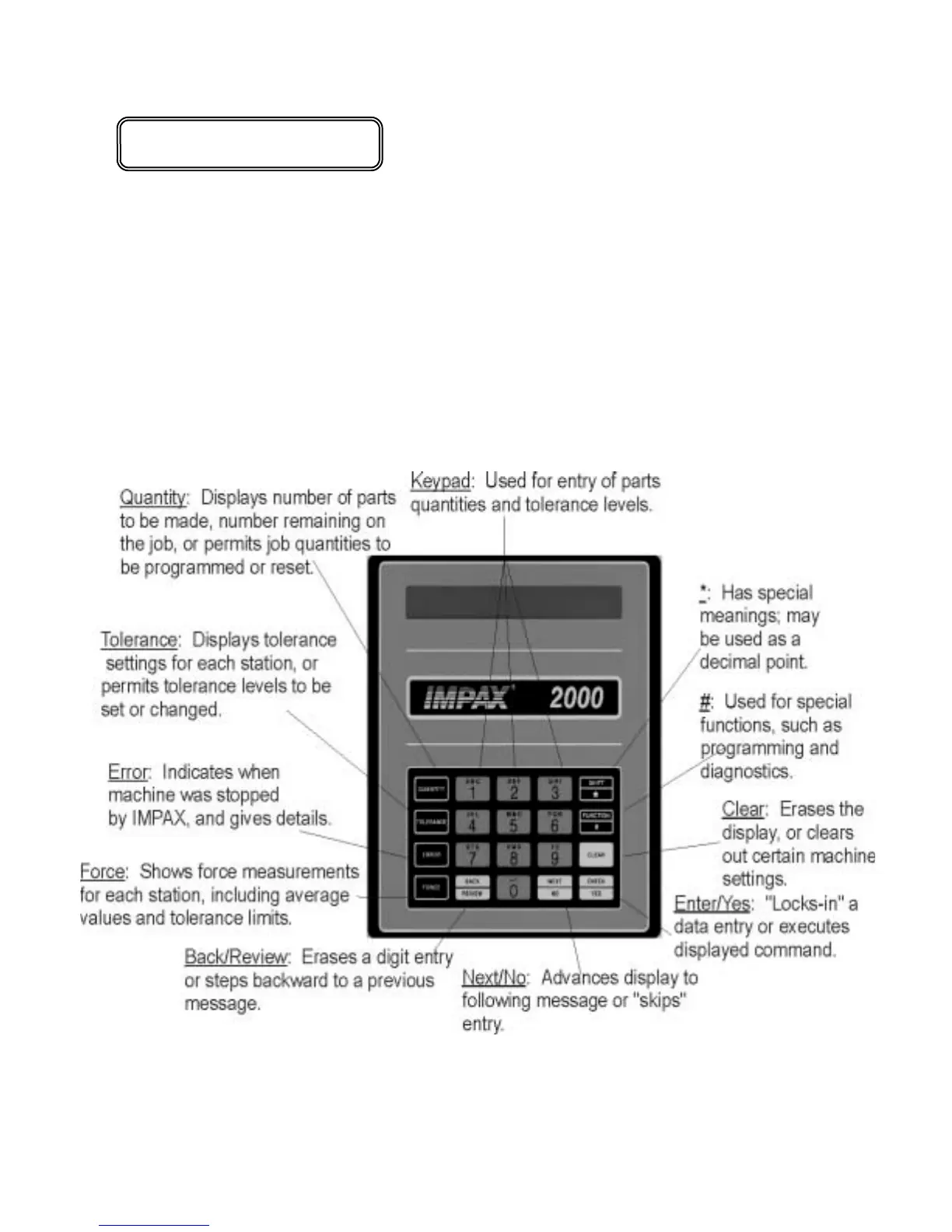
*Additional Keypad Reference on Page 52
CONTROL CONSOLE
The IMPAX Control Console contains a message display panel, a data entry keyboard, and a
locking keyswitch. The display panel shows information which is requested, or supplies
prompts or questions during operation. The Keypad* is used to enter commands or information,
and the keyswitch enables authorized users to program the unit. The function buttons may
operate differently depending on the position of the key switch. If the key is removed, IMPAX
will only display information. If the key is inserted, the Keypad can be used for programming
and diagnostics.
There are three kinds of buttons on the keypad. Functions buttons let you command IMPAX to
display or change things, Control buttons are used to enter commands and Data buttons let you
enter in numbers and codes.


 To Next Page