EasyManua.ls Logo

impro technologies HRB910 - User Manual

impro technologies HRB910
25 pages
Print Icon
To Next Page IconTo Next Page
Loading...
PLT-04815, Rev. A.1
Installation
MANUAL
Impro Biometric Reader HRB910, HRB911, HRB912, HRB913
Question and Answer IconNeed help?

Do you have a question about the impro technologies HRB910 and is the answer not in the manual?

Summary

Introduction to Impro Biometric Reader

Document Purpose

Explains the steps for installing and configuring the Impro Biometric Reader.

Intended Audience

Identifies personnel responsible for mounting, wiring, and configuring the system.

Related Products and Material

Lists compatible hardware modules and references other relevant documents and online resources.

IBR Specifications

Hardware and Platform Compatibility

Details system requirements and compatibility for IBR readers and Access Portal.

Context within Access Portal System

Illustrates how Impro Biometric Readers integrate into the Access Portal architecture.

IBR Hardware Installation

Mounting and Wiring

Instructions for physically mounting and connecting the Impro Biometric Reader.

Site Plan and System Connections

Guidance on site plan marking, wiring colour codes, and connection types.

Power Supply and Network Connections

Details power supply requirements and network connectivity options like Ethernet.

Wiegand Module and Settings Reset

Covers Wiegand module connections and procedures for resetting IBR settings.

Adding the Impro Biometric Reader

Install Device in Access Portal

Steps to add a new IBR device within the Access Portal software using scan and install.

Confirm Installation Details

Confirms the selected IBR details before completing the installation and verifies success.

Editing IBR Settings

Modify Device Name and Description

How to change the IBR's identification details within the Access Portal interface.

Biometric Reader Profile Settings

Accessing and modifying the IBR's operational behaviour through profile settings.

Setting IBR Authentication Mode

Choose and Save Authentication Mode

Selecting the required reading combination (e.g., Finger Only) and saving the configuration.

Enrolling Tagholders (People)

Navigate to Tagholder and Tags

Accessing the Tagholder section and initiating the process to add tags like fingerprints.

Enroll Card;PAC for Tagholder

Selecting enrollment tasks like 'Enrol Card' or 'Random PAC' and saving the details.

Enroll Fingerprint Data

Selecting the reader, device, and performing multiple scans for each finger.

Test Enrollment and View Transactions

Testing the enrolled finger and reviewing transaction logs for successful access events.

Biometric Scanning Best Practices

Finger Placement and Presentation

Guidelines for correct finger placement, pressure, and presentation on the sensor.

Getting Started with Access Portal

System Requirements

Specifies minimum hardware and software requirements for server and client installations.

Software Installation and Launch

Step-by-step guide to downloading, installing, and launching the Access Portal software.

Log In and Help Resources

Instructions for logging into Access Portal and accessing help and video tutorials.

Overview

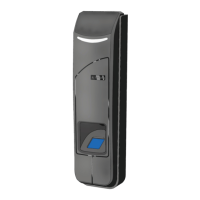
The Impro Biometric Reader (IBR) is a networked biometric/RFID reader designed for integration into an Access Portal access control system. It combines RFID card reading capabilities with fingerprint recognition, offering a secure and versatile solution for personnel access management.

Function Description

The primary function of the IBR is to provide secure access control by verifying the identity of individuals through either RFID cards, fingerprint scans, or a combination of both. It integrates seamlessly into the Access Portal system, acting as a crucial component for managing entry and exit points. The reader is designed to work with a Wiegand (and in future, OSDP) reader interface, connecting to Impro Cluster Controllers and Wiegand Reader modules which provide the necessary system interface to the Access Portal PACS (Personnel Access Control System). Network connectivity via Ethernet is essential for distributing fingerprint templates to the reader and for configuring its settings through the Access Portal software.

The IBR supports various authentication modes, allowing administrators to configure how users gain access. These modes include "Template on Card," "Card + Finger," "Finger Only," "Card Only," and "Card or Finger." This flexibility enables sites to tailor their security requirements to specific needs, from basic card-only access to highly secure biometric-only or multi-factor authentication.

When an individual presents an enrolled finger to the IBR, the device processes the biometric data and, if a match is found, will typically beep and flash green, indicating successful authentication. If the IBR is connected to a Wiegand Reader Module and integrated into Access Portal, this successful authentication can trigger the unlocking of a door. Conversely, if an unenrolled finger is presented, the IBR will beep and flash red, signifying a failed authentication attempt. These events are recorded in the Access Portal system's transaction logs, providing a comprehensive audit trail of all access attempts.

The IBR is designed to be part of a larger Access Portal system, which manages tagholders (people), access groups, areas, and access time patterns. The system allows for the enrollment of individuals, the allocation of tags (which can include Personal Access Codes or PACs), and the addition of fingerprint templates to each tagholder's profile.

Usage Features

The IBR is user-friendly, both for administrators configuring the system and for individuals using it for access.

For administrators, the Access Portal software provides a graphical user interface for managing the IBR. This includes:

  • Device Installation and Configuration: The software guides administrators through the process of adding new IBRs to the system. This involves identifying the device by its MAC address, selecting it from a list of discovered devices, and confirming the installation.
  • Device Naming and Description: Administrators can assign custom names and descriptions to each IBR, making it easier to identify and manage multiple readers within a site plan.
  • Authentication Mode Selection: The Access Portal interface allows for easy selection of the desired authentication mode (e.g., Finger Only, Card + Finger) for each IBR, adapting to varying security needs at different access points.
  • Tagholder Enrollment: The system facilitates the enrollment of new tagholders (people), where personal details are entered, and tags (including PACs) are assigned.
  • Fingerprint Enrollment: A guided enrollment wizard assists in adding fingerprint templates to a tagholder's profile. This process involves selecting the fingers to be enrolled and then presenting each chosen finger to the IBR sensor multiple times (typically three times) to capture sufficient data for a robust template. The wizard provides visual feedback during the scanning process, indicating when to place and lift the finger.
  • Transaction Monitoring: The Access Portal dashboard provides a "Transactions" screen to monitor all access events, including successful biometric matches and failed attempts, offering real-time oversight of system activity.

For end-users, the IBR is designed for intuitive interaction:

  • Fingerprint Scanning: Users are instructed to insert their finger (in one smooth movement) with the contact area centered on the sensor window. A gentle, even pressure should be applied to flatten the finger slightly and expose a usable area. Users must keep their finger still until the device indicates acceptance or rejection. The IBR's LED indicator bar changes color to provide visual feedback on its status, such as blue for "Finger Only" mode.
  • Card Presentation: For card-based authentication, users simply present their RFID card to the reader.
  • Visual and Auditory Feedback: The IBR provides both visual (LED flashes) and auditory (beeps) feedback to confirm successful or failed authentication attempts, making the access process clear and immediate for the user.

Maintenance Features

The IBR includes features that simplify maintenance and troubleshooting:

  • Network and User Settings Reset: In situations where IP access to the IBR is lost (e.g., due to an incorrect static IP address), the device offers a physical reset mechanism. By removing the IBR from its back plate, exposing hidden contacts, and shorting them for a specified duration while the unit is powered up, all network and user settings can be erased. This returns the IP address to its default, allowing for re-configuration. A long beep confirms the successful reset. It's important to note that firmware updates are not erased during this process.
  • Firmware Updates: While not explicitly detailed as a user-initiated maintenance feature, the mention that firmware updates are not erased during a reset implies that the IBR's firmware can be updated, likely through the Access Portal software, to introduce new functionalities or address issues.
  • Robust Design: The IBR is designed with an IP67 rating, indicating high resistance to dust and water ingress, and an IK08 rating, signifying strong resistance to external mechanical impacts. These ratings contribute to the device's durability and reduce the need for frequent physical maintenance in various environmental conditions.
  • Power Supply Considerations: The manual emphasizes the use of a separate 12VDC mains adaptor for the IBR, capable of supplying up to 2A. This recommendation helps ensure stable power delivery, preventing potential issues that could arise from insufficient or shared power sources, thereby contributing to the device's reliable operation and reducing maintenance related to power problems.
  • Wiring Colour Codes: The provision of detailed wiring colour codes and diagrams simplifies the initial installation and subsequent troubleshooting of connections, making it easier for technicians to identify and rectify wiring issues.
  • Site Plan Integration: The recommendation to apply fixed address labels to a site plan for each reader aids in physical identification and maintenance, especially in installations with multiple IBRs.

Overall, the Impro Biometric Reader is designed for robust, secure, and manageable access control, with features that support both efficient daily operation and straightforward maintenance.

impro technologies HRB910 Specifications

General IconGeneral
Reader Ports2
Users10, 000
Operating Voltage12VDC
Current Consumption500mA (max)
Inputs4
CommunicationTCP/IP, RS-485
Event Log50, 000 events