26
The Input Output Setup Variable (IOS)
Before we can travel any further down the road of “I/O Setup” we
must gain a solid understanding of the I/O setup variable: IOS.
The MicroLYNX I/O scheme is a powerful tool for machine
and process control. Because of this power, a level of
complexity in setup and use is found that doesn’t exist in
controllers with a less capable I/O set.
Each I/O line may be individually programmed to any one
of 8 dedicated input functions, 7 dedicated output func-
tions, or as general purpose inputs or outputs. The I/O may be
addressed individually, or as a group. The active state of the line
or group may also be set. All of these possible functions are
accomplished with the IOS variable
The IOS variable has three parameters when used to configure
the isolated digital I/O. These are:
1] I/O Line Type: Specifies the type of I/O that the
line or group will be configured as, i.e. general
purpose or dedicated function.
2] I/O Line Function: Either an input or an output.
3] Active State: Specifies whether or not the line will be
active HIGH or active LOW.
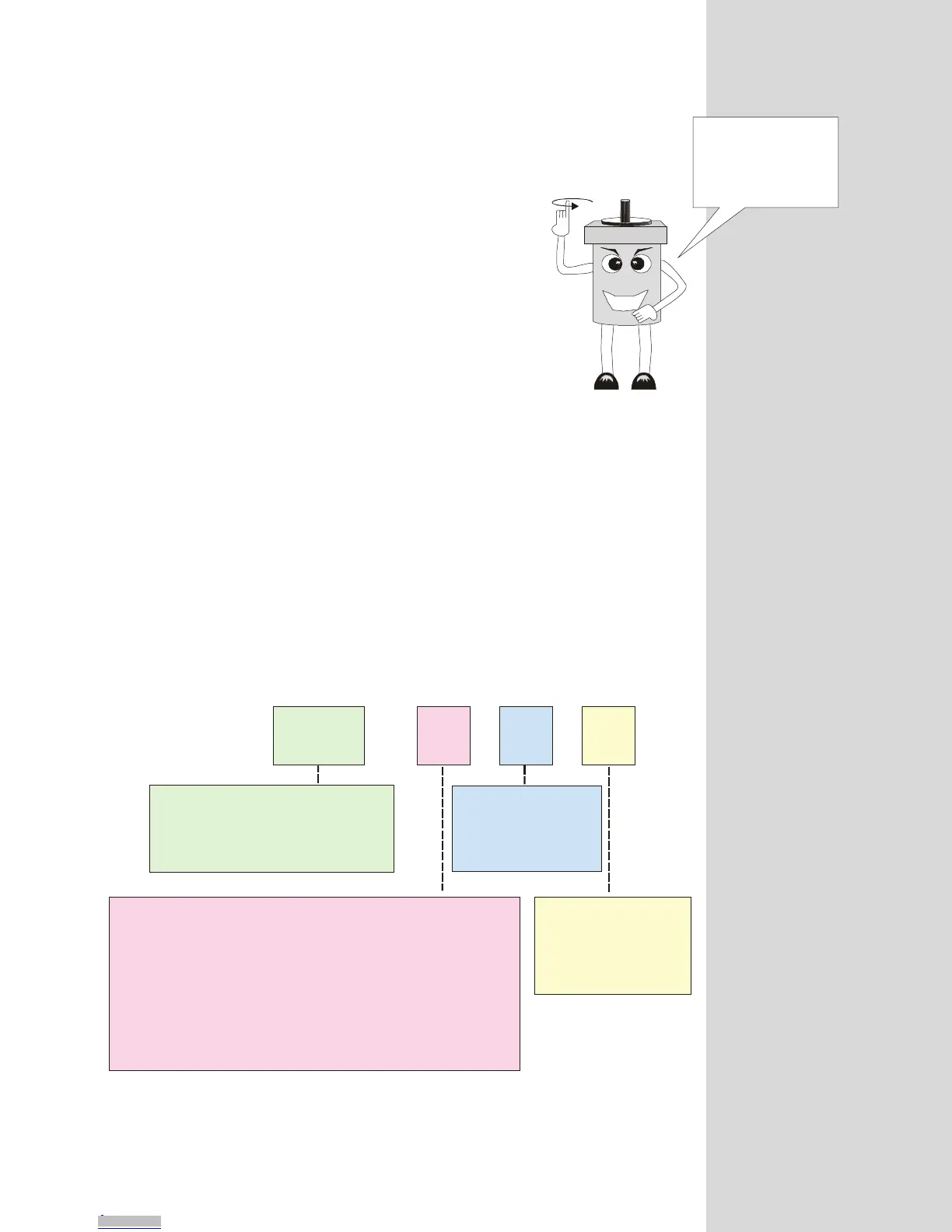
The default configuration of I/O group 20 is: 0,0,1. This means that by default
each line in group 20 is configured to be a General Purpose (0), Input (0), which
is active when HIGH (1). The following figure and exercises illustrate possible
configurations of the IOS.
IOS = , ,
XXX X X
To configure an entire I/O Group enter the
Group # (20, 30, 40 or 50) here!
To configure an individual I/O Line
enter the Line # (21-26, 31-36, 41-46,
or 51-56) here!
Enter I/O Line Type # Here
0 = General Purpose
9 = Start Input
10 = Stop Input
11 = Pause Input
12 = Home Input
13 = Limit Plus Input
14 = Limit Minus Input
15 = Status Output
16 = Jog Plus Input
17 = Jog Minus Input
18 = Moving Output
19 = Indexing in Progress Output
21 = Program Running Output
22 = Stall Output
23 = Error Output
24 = Program Paused
Define Line or Group
As Input or Output
0 = Input
1 = Output
Set the state
of the Line or Group
0 = Active Low
1 = Active High
Figure 8.3: The IOS Variable Settings
The three parameters
of the IOS variable
are the keys that unlock
the power of the
MicroLYNX I/O!
Downloaded from Arrow.com.Downloaded from Arrow.com.Downloaded from Arrow.com.Downloaded from Arrow.com.Downloaded from Arrow.com.Downloaded from Arrow.com.Downloaded from Arrow.com.Downloaded from Arrow.com.Downloaded from Arrow.com.Downloaded from Arrow.com.Downloaded from Arrow.com.Downloaded from Arrow.com.Downloaded from Arrow.com.Downloaded from Arrow.com.Downloaded from Arrow.com.Downloaded from Arrow.com.Downloaded from Arrow.com.Downloaded from Arrow.com.Downloaded from Arrow.com.Downloaded from Arrow.com.Downloaded from Arrow.com.Downloaded from Arrow.com.Downloaded from Arrow.com.Downloaded from Arrow.com.Downloaded from Arrow.com.Downloaded from Arrow.com.Downloaded from Arrow.com.Downloaded from Arrow.com.



 To Next Page