48
Program Examples
There are three program exercises we will use to illustrate the use of the Analog
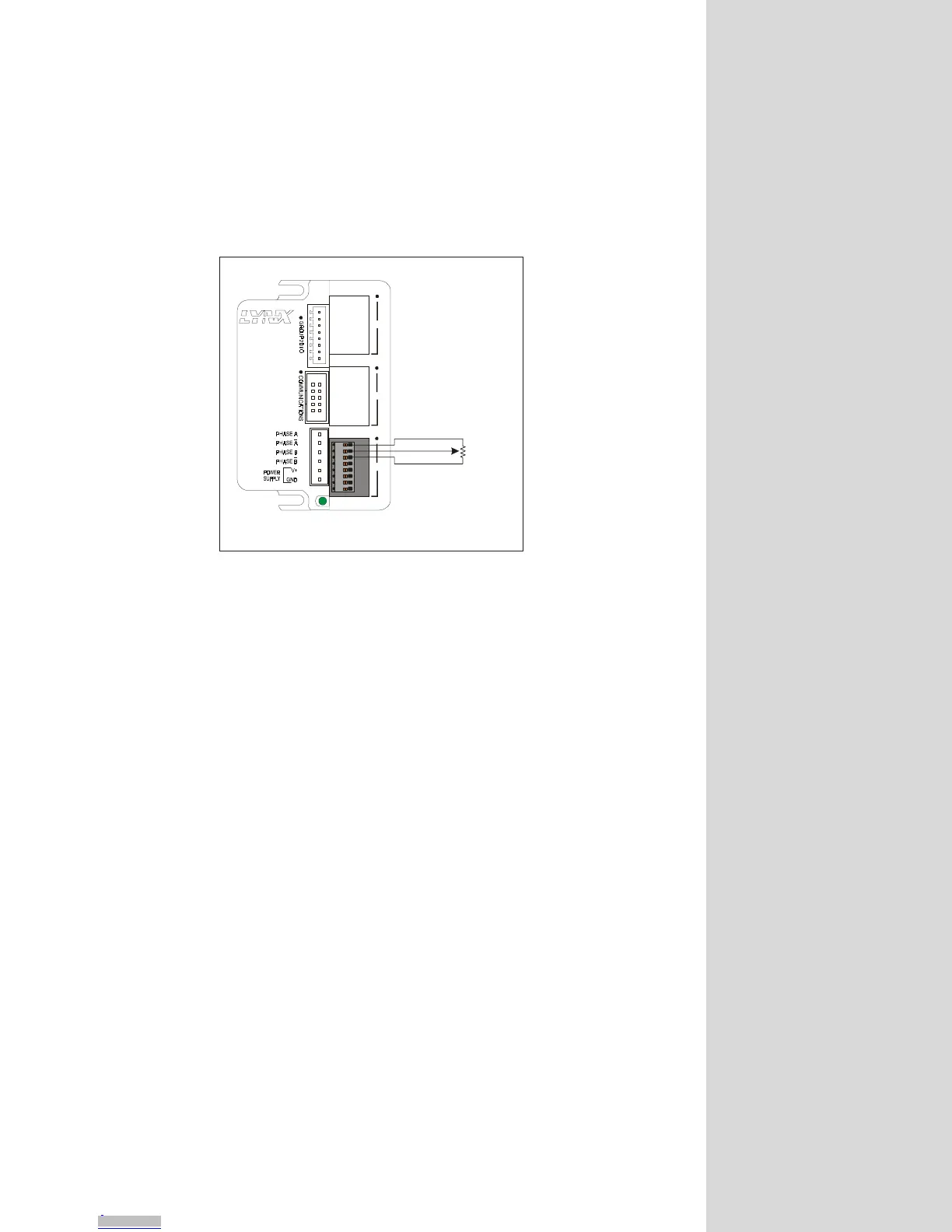
Input/Joystick Module. In each case a 1kΩ potentiometer is used to emulate a
sensor for analog input mode, and a joystick for velocity mode.
Use the connection configuration shown in figure 9.10 below, a joystick or a
sensor would be connected the same way.
Exercise 1: Velocity (Joystick) Mode
Here the potentiometer is emulating a joystick. Enter and execute the following
program. When the voltage on AIN 1 is roughly 100mV either side of 2.5 volts it
will be in the deadband range of the joystick. When less than 2.4 volts, the axis
will accelerate in the minus (-) direction. When more than 2.6 volts, it will
accelerate in the positive (+) direction. The velocity will increase as the voltage
decreases from 2.4 to 0, or increases from 2.6 to 5.0. This can be watched with a
multimeter. In this exercise both the axis velocity and position will display to the
terminal screen.
'****Parameters****
MSEL=256
MRC=100
MAC=100
MUNIT=51200
JSDB=100 ‘Joystick deadband =100 aunits
VM =10000 ‘max velocity 10,000 munits/sec
ADS 1=1000,2,1 ‘chan. 1,aunits=1000, joystick, linear law
JSE = 1 ‘enable joystick functions
'****Program****
PGM 1
PRINT "\e[2J"
LBL RUN
MICRO
TM
MicroLYNX
123
+5V Reference
EXPANSION BO ARD S
GND
AIN 1
1k
Potentiometer
Ω
Motor, Power and
Communications
Connections not
shown.
Figure 9.10: Analog Input Module Exercise Connection
Downloaded from Arrow.com.Downloaded from Arrow.com.Downloaded from Arrow.com.Downloaded from Arrow.com.Downloaded from Arrow.com.Downloaded from Arrow.com.Downloaded from Arrow.com.Downloaded from Arrow.com.Downloaded from Arrow.com.Downloaded from Arrow.com.Downloaded from Arrow.com.Downloaded from Arrow.com.Downloaded from Arrow.com.Downloaded from Arrow.com.Downloaded from Arrow.com.Downloaded from Arrow.com.Downloaded from Arrow.com.Downloaded from Arrow.com.Downloaded from Arrow.com.Downloaded from Arrow.com.Downloaded from Arrow.com.Downloaded from Arrow.com.Downloaded from Arrow.com.Downloaded from Arrow.com.Downloaded from Arrow.com.Downloaded from Arrow.com.Downloaded from Arrow.com.Downloaded from Arrow.com.Downloaded from Arrow.com.Downloaded from Arrow.com.Downloaded from Arrow.com.Downloaded from Arrow.com.Downloaded from Arrow.com.Downloaded from Arrow.com.Downloaded from Arrow.com.Downloaded from Arrow.com.Downloaded from Arrow.com.Downloaded from Arrow.com.Downloaded from Arrow.com.Downloaded from Arrow.com.Downloaded from Arrow.com.Downloaded from Arrow.com.Downloaded from Arrow.com.Downloaded from Arrow.com.Downloaded from Arrow.com.Downloaded from Arrow.com.Downloaded from Arrow.com.Downloaded from Arrow.com.Downloaded from Arrow.com.Downloaded from Arrow.com.



 To Next Page