VGC
TM
SEQUENTIAL VALVE GATE CONTROL
INSTRUCTION MANUAL
©INCOE® CORPORATION 2/2009
Pg.
www.incoe.com
2.9 OPTION POSITION CONTROL OF PINS
The option position control can be fitted on VGC
Sequential Valve Gate Control cabinet to show
the actual pin position of each valve gate (open or
closed).
An extra function called CONFIG is shown if the
option is used. This function enables the position
control of the pins.
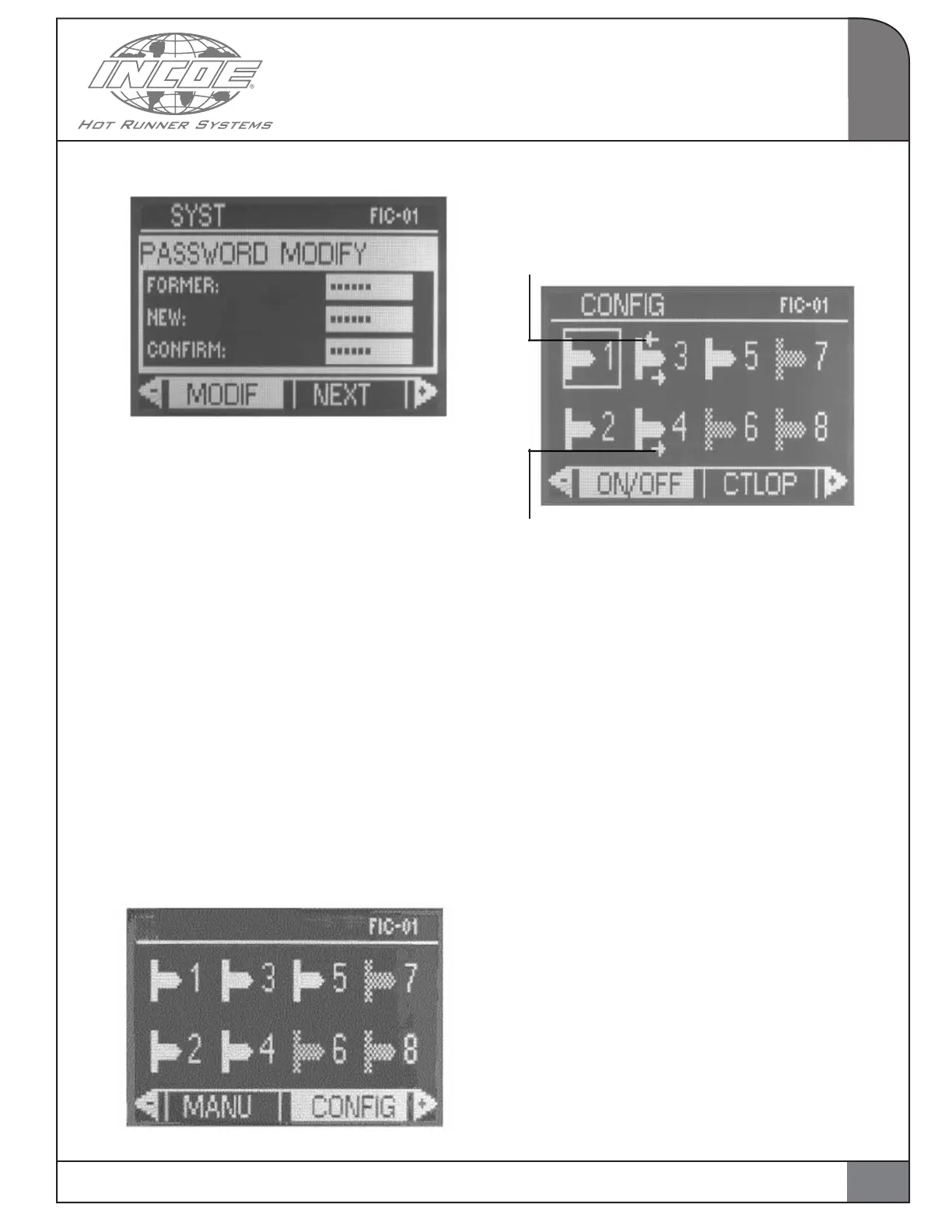
Select and validate CONFIG on a white background
from the main page shown below.
Press validate.
The page below is displayed:
This arrow confirms the pin is controlled
on opening
This arrow confirms the pin is controlled on closing
Important Notice: Use up an down arrows like in
manual mode to select a valve gate output. Left and
right arrows enable control ON / OFF, on opening
(CTLOPN), on closing (CTLCLO), select a single
valve gate (SELECT) or select all valve gate(ALL).
ON/OFF: To switch on or off the
corresponding valve gate.
CTLOPN: To enable or disable position control
on opening. Control open
CTLFER: To enable or disable position control
on closing. Control closing
SELECT: To select or unselect a valve gate
output.
ALL: To select or unselect all valve gate
outputs in the CONFIG page.
OPERATION
2
Follow the procedure as explained.
Enter old password.
Enter new password.
Confirm new password.
Important Notice: Please use the contact
information if the password has been forgotten. A
new procedure will be provided to go back to the
factory setting.
17


 To Next Page