VGC
TM
SEQUENTIAL VALVE GATE CONTROL
INSTRUCTION MANUAL
©INCOE® CORPORATION 2/2009
Pg.
www.incoe.com
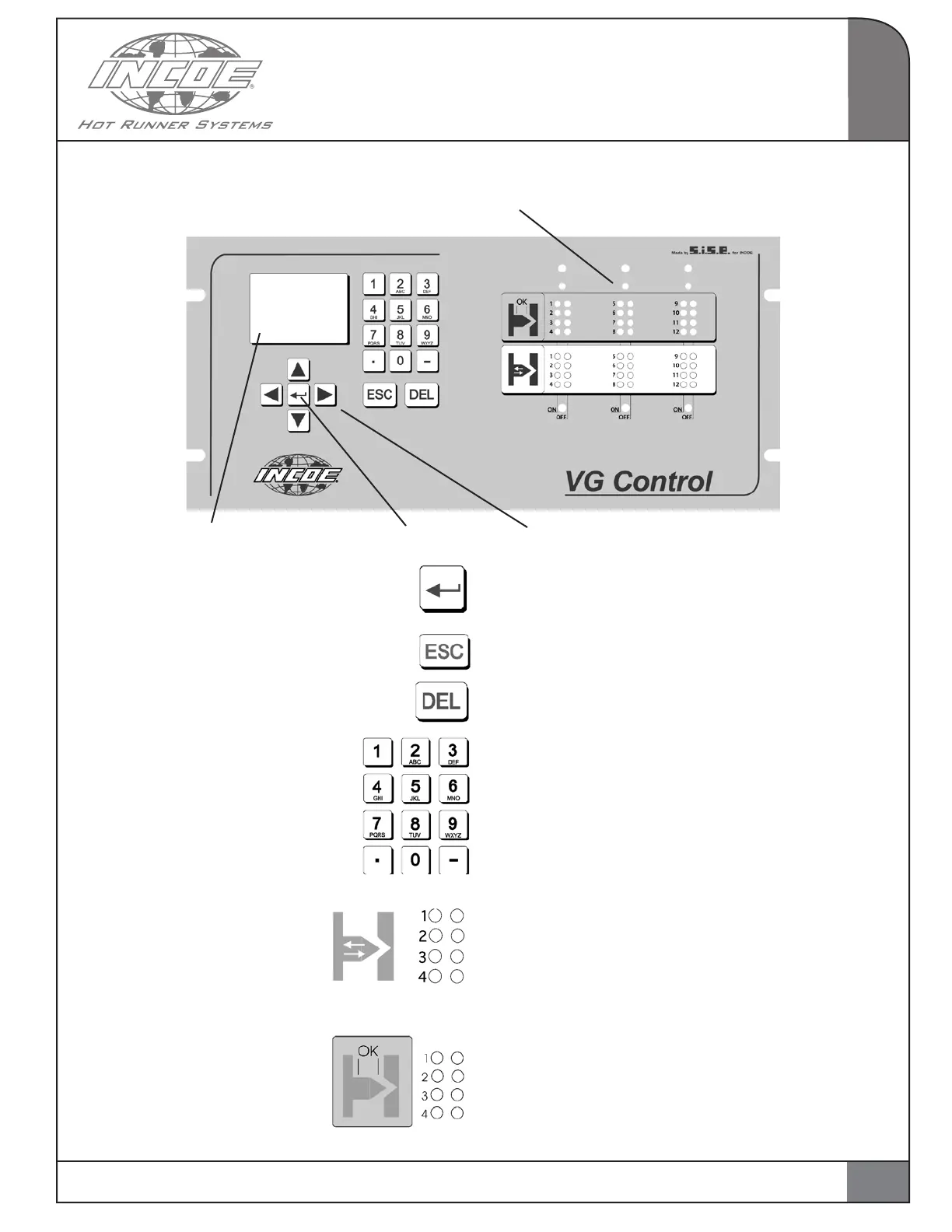
1.11 MAN – MACHINE INTERFACE
OPERATION
1
LCD screen Validate key Direction arrows
Key to validate.
Escape key
Key to erase partially or completely an input.
Alpha-numerical keyboard for inputs.
Display of commands to valve gates :
Command open : green LED on the left is lit.
Command close : red LED on the right is lit.
OPTION :
Display of position control of limit switches :
Control open : green LED on the left is lit.
Control close : red LED on the right is lit.
LED for communication control card - CPU
7


 To Next Page