EasyManua.ls Logo

INCOE VGC - Page 21

INCOE VGC
25 pages
Print Icon
To Next Page IconTo Next Page
To Previous Page IconTo Previous Page
Loading...
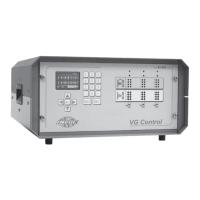
VGC
TM
SEQUENTIAL VALVE GATE CONTROL
INSTRUCTION MANUAL
©INCOE® CORPORATION 2/2009
Pg.
www.incoe.com
TROUBLESHOOTING
3
Default
Green LED for open-
ing or red LED for
closing does not light
2 gates are con-
trolled simultane-
ously when only one
should be controlled
Machine alarm when
cabinet is switched
off
Signal
Go to alarm page
where the alarm is de-
scribed (for instance:
Alarm on hydraulic
power pack, etc….)
The 2 LED’s for com-
mands to open or
close are lighted
simultaneously when
only one should be
lighted.
Reading wrong value
for screw position by
the press.
Causes
• No hydraulic pres-
sure supplied
• Alarm switch acti-
vated.
• Fuse 6.3A on con-
trol card blown
• Check wiring of
the command wires
connector to the
solenoids.
• Check if fault on
control card.
• Plug A connected
to VGC Sequential
Valve Gate Control
cabinet.
Solutions
• Check wiring and if
the contact “hydraulic
power on” is connected
properly.
• Check if no alarm is
currently activated.
• Replace fuse on con-
trol card 6,3 A.
• Wire properly.
• Replace control card.
• Disconnect “A” con-
nector at backside of
VGC Sequential Valve
Gate Control cabinet.
20