5 | Operation INFICON
DANGER
Malfunction
If processes are controlled via the signal output, keep in mind
that by pushing the <SP> button the measurement signal is sup-
pressed and the corresponding threshold value is output instead.
This can cause malfunctions.
· Push the <SP> button only if you are sure that no malfunction
will cause.
Adjusting Setpoint <SP1>
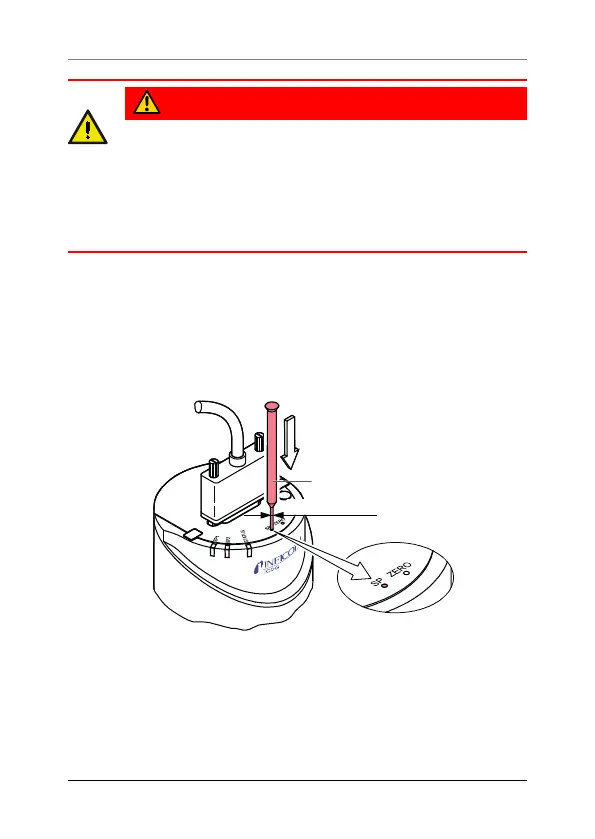
1 Push the <SP> button with a pin (max. ø1.1mm). The
gauge changes to the switching function mode and outputs
the current threshold value at the measurement signal out-
put for about 10s (LED <SP1> blinks).
max. ø1.1 mm
Press the button
2 For changing the threshold value, push the <ZERO> button
and keep it depressed. The threshold keeps changing from
the current value (ramp) until the button is released or until
the limit of the setting range is reached.
30 tina52e1-h (2024-09)








 To Next Page