EasyManua.ls Logo

Inficon TEK-Mate - User Manual

Inficon TEK-Mate
16 pages
Print Icon
To Next Page IconTo Next Page
Loading...
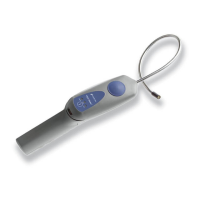
TEK-Mate
®
Refrigerant Leak Detector
OPERATING MANUAL

Other manuals for Inficon TEK-Mate

Questions and Answers

  • R
    Rebecca WilsonAug 13, 2025
    Why is my Inficon Security Sensors TEK-Mate not finding leaks?
    • N
      Nicole GibsonAug 13, 2025
      Your Inficon Security Sensors TEK-Mate might not be finding leaks because the sensor has reached the end of its useful life and needs replacement, or the power switch is set to LOW instead of HIGH. If the power switch is set to LOW, set it to HIGH and scan for the leak again.
  • K
    Karen LuceroAug 17, 2025
    What to do if my Inficon Security Sensors TEK-Mate responds slowly to a leak?
    • J
      Jim SilvaAug 17, 2025
      If your Inficon Security Sensors TEK-Mate responds slowly to a leak, the filter might be dirty or wet and needs replacing. Another possible cause is a failure in the pumping system. Turn the TEK-Mate on and listen for a high-pitched motor sound; if you do not hear the motor, it might indicate a problem. Also, ensure the sensor cover is properly installed.
  • J
    Jessica CastroAug 21, 2025
    How to fix false alarms on Inficon Security Sensors TEK-Mate?
    • K
      Kristen HolmesAug 21, 2025
      If your Inficon Security Sensors TEK-Mate is giving false alarms when the probe is moved, the sensor leads might be bent. Remove the sensor and inspect the leads. If necessary, straighten them carefully with needle-nose pliers and reinstall the sensor. Another cause might be moisture absorbed by the sensor during a long period without use. Run the TEK-Mate for at least 20 minutes to resolve this; the absorption of moisture does not affect the life or sensitivity of the sensor.
  • R
    Rachael PaulAug 25, 2025
    How to troubleshoot Inficon Security Sensors TEK-Mate that will not power up?
    • B
      Brandy MorenoAug 25, 2025
      If your Inficon Security Sensors TEK-Mate will not power up, the batteries are likely worn out and need replacing. Another possibility is that the batteries have been improperly installed; check their installation.
  • S
    Scott WilkersonAug 28, 2025
    How to stop false alarms on Inficon Security Sensors TEK-Mate when moving the probe?
    • M
      Mark SimmonsAug 28, 2025
      If your Inficon Security Sensors TEK-Mate is giving false alarms when the probe is moved or bumped, it could be due to bent sensor leads. Remove the sensor and inspect the leads. If necessary, straighten them with needle-nose pliers and reinstall the sensor. Another reason could be that moisture was absorbed by the sensor during a long period without use. Run the device for at least 20 minutes.
  • V
    virginia55Sep 1, 2025
    How to improve the sensitivity of Inficon Security Sensors TEK-Mate?
    • H
      hunterjudySep 1, 2025
      If your Inficon Security Sensors TEK-Mate isn't finding leaks, it could be due to a sensor that has reached the end of its life. Try replacing the sensor. Alternatively, the sensitivity might be set too low. Ensure that the sensitivity is set to HIGH and try scanning for leaks again.
  • S
    Sophia RobersonSep 4, 2025
    Why does my Inficon Security Sensors TEK-Mate give false alarms?
    • R
      Robert HamiltonSep 4, 2025
      If your Inficon Security Sensors TEK-Mate is giving false alarms when the probe is moved, it could be due to bent sensor leads. Remove the sensor and inspect the leads. If necessary, straighten them carefully with needle-nose pliers, and then reinstall the sensor. It may also be caused by moisture absorbed by the sensor during a long period without use. Try running the TEK-Mate for at least 20 minutes.
  • K
    Kara AyersSep 9, 2025
    What to do if Inficon Security Sensors TEK-Mate responds slowly?
    • F
      fshawSep 9, 2025
      If your Inficon Security Sensors TEK-Mate responds slowly to a leak, it might be due to a dirty or wet filter. Try replacing the filter. Another cause could be a failure in the pumping system. Turn on the TEK-Mate and listen for a high-pitched motor sound; if you don't hear it, return the TEK-Mate to your wholesaler for evaluation. Also, ensure the sensor cover is properly installed.

Summary

Declaration of Conformity

TEK-Mate Features and Specifications

TEK-Mates Features

Overview of the TEK-Mate's key features and technological capabilities.

Specifications

Detailed specifications including usage, sensitivity, operating temperature, and power requirements.

TEK-Mate Operation and Setup

Getting Started

Initial setup procedures, including battery installation and sensor setup.

How to Install or Change the Sensor

Step-by-step guide on installing or replacing the specialized sensor for the TEK-Mate leak detector.

How To Find Leaks

Detailed procedure for locating refrigerant leaks using the TEK-Mate, including probe movement and sensitivity settings.

How To Change the Filter

Procedure for replacing the foam filter at the probe tip when it becomes plugged.

Cleaning The TEK-Mates Housing

Guidelines for cleaning the exterior housing of the TEK-Mate using household detergent or isopropyl alcohol.

Troubleshooting and Support

Disposing Of The Alkaline Batteries

Guidelines for the proper disposal of alkaline batteries according to regulations.

Troubleshooting

Guidance on diagnosing and resolving common problems encountered with the TEK-Mate leak detector.

Return Authorization Procedure

Steps to follow for returning defective TEK-Mates or parts for warranty evaluation.

Replacement Parts and Accessories

Information on ordering replacement parts and accessories for the INFICON TEK-Mate.

Warranty and Liability

Details on the product warranty, limitations, and INFICON's liability terms.

Special Information for Automotive Technicians

Inficon TEK-Mate Specifications

General IconGeneral
Detection MethodHeated Diode
Response TimeInstantaneous
Gas TypeRefrigerants
Sensitivity3 g/yr
Sensor TypeHeated Diode
Operating Temperature0°C to 50°C

Related product manuals