InfiNet Wireless R5000 Technical User Manual
Copyright © 2004-2006 by InfiNet Wireless Limited.
21
4. Spanners set
5. Connectors isolating set
• Raw rubber
• Thermal shrinkage tube
• Scissors
• Fan
• Mantling gun
6. Additional equipment
• GPS receiver or area map (with compass and alidade)
• Big zoom binoculars
2. InfiNet Wireless R5000-I/InfiNet Wireless R5000-IL
Installation guidelines
1. Unpack the equipment
2. Check items integrity
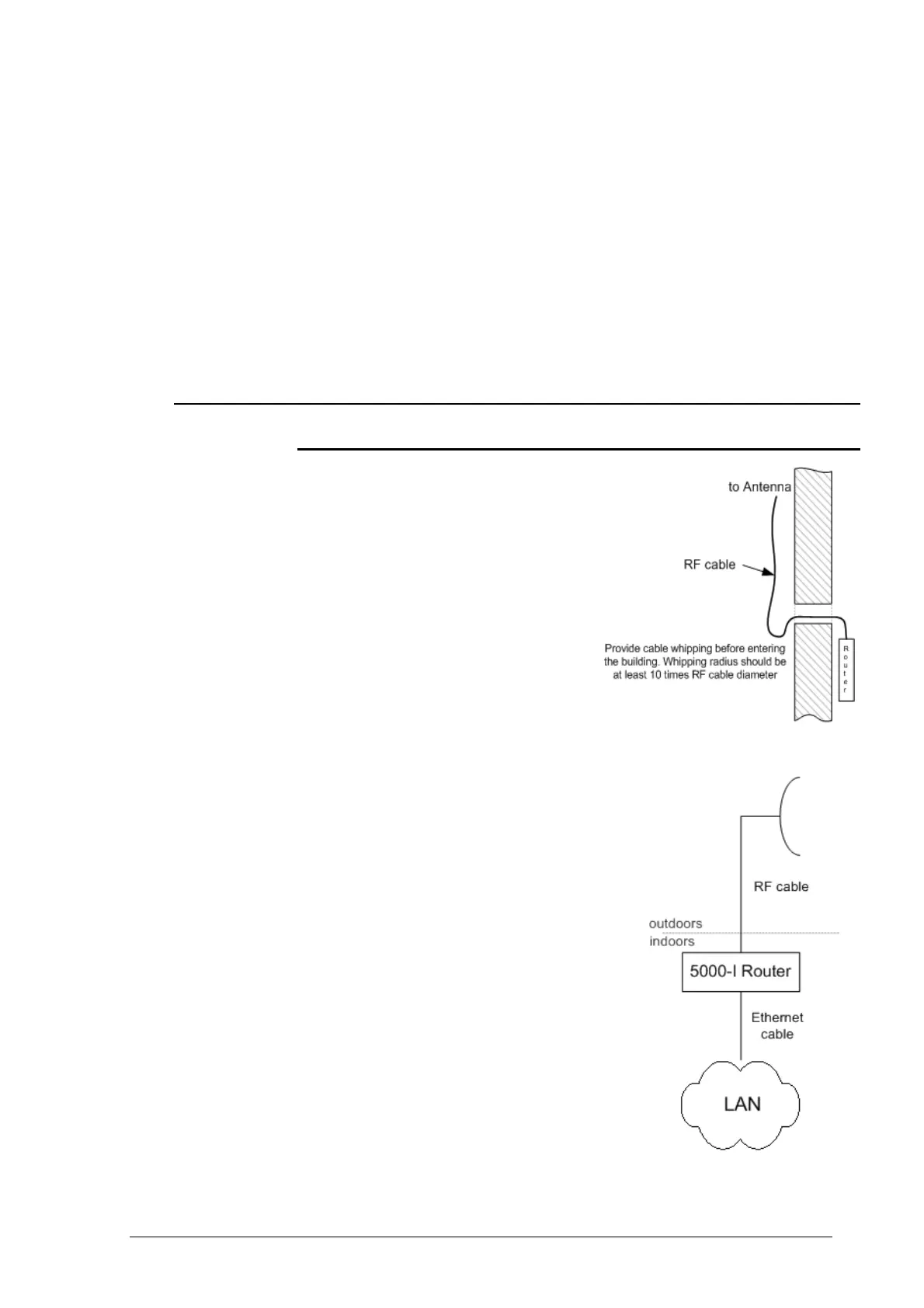
3. Prepare RF cable of the required
length
4. Install and isolate the connectors on
the RF cable
5. Install the Router on the mounting
bracket (if any) and tighten it
6. Once the antenna and antenna pole
(if any) are installed, metallic parts
of antenna that touch RF cable
must be isolated from the antenna
pole and building’s grounding contour. Antenna’s position must be lower
than the highest antenna pole point at least by 2 antenna heights. If
antenna is NOT DC-shorted (see antenna
technical documentation), the additional
lightning arrestor must be used which is
placed between the Router and antenna and
is grounded to the Router grounding
contour. It is preferable that lightning
arrestor is installed indoors right before the
RF cable connects to the Router.
7. Connect RF cable to the antenna. Twist the
connector tightly
8. Connect RF cable to the Router previously
having touched RF cable connector case
with connector case
9. Isolate RF connectors from both sides (the
Router and the antenna)
10. Provide grounding for the Router
11. Connect Ethernet cable to the Router
12. Provide power supply for the Router
13. Connect to the Router using Telnet protocol



 To Next Page