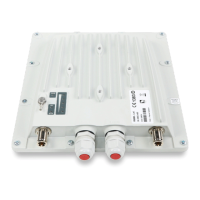
InfiNet Wireless R5000 Technical User Manual
Copyright © 2004-2006 by InfiNet Wireless Limited.
i
Table of contents
I. GETTING STARTED .......................................................................................................... 3
1. Scope of document ........................................................................................................... 3
Getting started .............................................................................................................. 3
Hardware description...................................................................................................... 3
Installation procedure ..................................................................................................... 3
Device configuration procedure ....................................................................................... 3
Link configuring ............................................................................................................. 3
Services, features and tools............................................................................................. 3
Recommendations.......................................................................................................... 3
Supplementary information ............................................................................................. 4
2. General products description .............................................................................................. 4
3. Abbreviations ................................................................................................................... 5
4. Document marks .............................................................................................................. 5
5. Warranty terms ................................................................................................................ 5
6. Additional information ....................................................................................................... 6
II. HARDWARE DESCRIPTION ............................................................................................. 7
1. Power supply units (IDU) ................................................................................................... 7
IDU-5000-SCR ............................................................................................................... 7
IDU-5000-RJ ................................................................................................................. 8
IDU-5000-CPE ............................................................................................................. 10
IDU with E1/T1 ports.................................................................................................... 11
2. R5000 series .................................................................................................................. 14
InfiNet Wireless R5000-I ............................................................................................... 14
InfiNet Wireless R5000-IL ............................................................................................. 15
InfiNet Wireless R5000-O ................................................................................................ 3
InfiNet Wireless R5000-M/ R5000-S ................................................................................. 4
InfiNet Wireless R5000-L ................................................................................................ 6
III. INSTALLATION PROCEDURE ........................................................................................... 7
1. Installation preparations .................................................................................................... 7
Required components and accessories .............................................................................. 7
Antenna placement ........................................................................................................ 7
Antenna poles usage ...................................................................................................... 8
Poles with Stretching ...................................................................................................... 8
Wall Mounted Pole ......................................................................................................... 8
Antenna Poles Requirements ........................................................................................... 8
Grounding ..................................................................................................................... 8
Grounding when using IDU-5000-CPE .............................................................................. 9
Antenna alignment ....................................................................................................... 10



 To Next Page