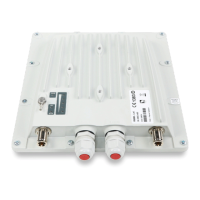
InfiNet Wireless R5000 Technical User Manual
Copyright © 2004-2006 by InfiNet Wireless Limited.
ii
Precaution measures .................................................................................................... 11
Service cable soldering procedure .................................................................................. 12
«Screw Lock» connectors hermetic sealing ..................................................................... 17
Tools to be available at the installation site ..................................................................... 20
2. InfiNet Wireless R5000-I/InfiNet Wireless R5000-IL ............................................................ 21
Installation guidelines ................................................................................................... 21
Slides installation ......................................................................................................... 22
Rack mounting ............................................................................................................ 22
Legs mounting ............................................................................................................. 22
3. InfiNet Wireless R5000-O ................................................................................................. 23
Installation guidelines ................................................................................................... 23
Tube mounting for ODU ................................................................................................ 25
4. InfiNet Wireless R5000-L ................................................................................................. 25
Installation guidelines ................................................................................................... 25
Wall mounting ............................................................................................................. 27
5. InfiNet Wireless R5000-M/R5000-S ................................................................................... 27
Installation guidelines ................................................................................................... 27
Wall mounting kit assembling ........................................................................................ 28
Pole mounting kit assembling ........................................................................................ 29
Low diameter pole mounting kit assembling .................................................................... 30
6. Mounting kits assembling ................................................................................................. 31
Pole mounting kit MONT-5000-V.Pole-KIT for vertical mast ............................................... 31
Pole mounting kit MONT-5000-H.Pole-KIT for horizontal pole ............................................ 32
IV. DEVICE CONFIGURATION INSTRUCTIONS ................................................................... 34
1. Initial settings configuration procedure .............................................................................. 34
2. Router interfaces ............................................................................................................ 34
3. Command line interface (CLI) ........................................................................................... 35
4. Lost password recovery ................................................................................................... 35
5. Configuration manipulations ............................................................................................. 35
Printing and saving your configuration ............................................................................ 35
Import/export .............................................................................................................. 36
New firmware uploading ............................................................................................... 36
6. IP address formats .......................................................................................................... 37
7. Ethernet interface configuration........................................................................................ 37
8. Radio interface configuration ............................................................................................ 37
9. Routed Multiple Access protocol configuration .................................................................... 39
Basic mechanisms ........................................................................................................ 39
Base Station configuration ............................................................................................ 39
CPE configuration......................................................................................................... 41
Bitrate control.............................................................................................................. 42



 To Next Page