InfiNet Wireless R5000 Technical User Manual
Copyright © 2004-2006 by InfiNet Wireless Limited.
23
3. InfiNet Wireless R5000-O
Installation guidelines
1. Unpack the equipment
2. Check items integrity
3. Prepare RF-cables of the required length. For 5GHz devices the
recommended maximal RF cable length is 1 meter.
4. Install and isolate the
connectors on the RF cable
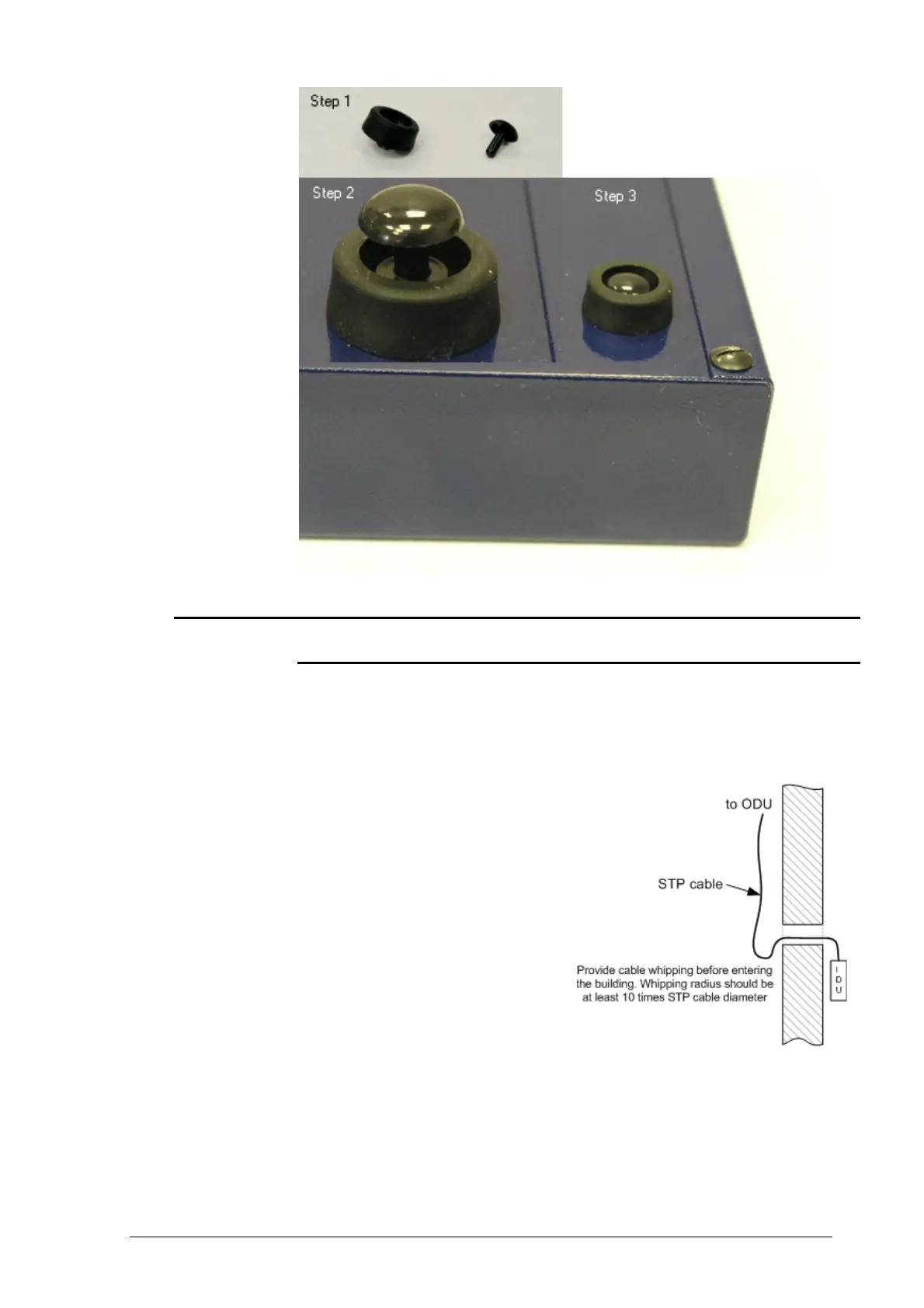
5. Determine the STP cable length
that is used to connect IDU and
ODU. The total cable length
between LAN (behind IDU) and
ODU should not be longer than
100 meters. Service cable
connecting IDU and ODU should
be STP Cat 5E cable.
6. Install (solder) connector for
ODU on the STP cable and
isolate it
7. If it is possible to lay STP cable
with a connector on the IDU side, install (solder) connector for IDU on the
STP cable and isolate it
8. Lay the STP cable “from top to bottom” – from ODU to IDU
9. If step 7 is not accomplished, after the STP cable has been laid, install
(solder) connector for IDU
10. Install ODU on the mounting bracket connectors down and tighten it



 To Next Page