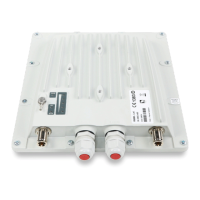
InfiNet Wireless R5000 Technical User Manual
Copyright © 2004-2006 by InfiNet Wireless Limited.
56
VII.GUI “InfiNet Wireless Router Manager”
1. Overall functionality overview
“InfiNet Wireless Router Manager” (“IWR Manager” for short”) is used for the
following purposes:
• View and change system parameters of the router
• View and change interfaces parameters of the router
• Obtain ARP table and routing table
• View interfaces statistics and interfaces current load statistics
• Setting up the router as a BS or/and CPE
• View CPEs parameters if the router acts as a BS
• View BS registration parameters if the router acts as a CPE
• Separate Telnet session for console management
The application is designed for OS Windows.
2. Application requirements
When using OS WANFleX for RMA version less than 4.30 run gui.exe
to start the application. When using OS version 4.30 and higher run
gui430.exe.
In order to run and properly use the application, the following requirements
must be met:
• InfiNet Wireless R5000, single-radio
• OS WANFleX version 3.36 or higher
• SNMP agent is running (snmp enable command)
• Before starting the application, not more than 3 session of Telnet should
be opened for this particular router
• Automatic screen messaging must be turned off (sys log off command)
3. User guide
In the authorization window please enter login, password, SNMP community
name, IP-address of the router. In case if one of the listed parameters is
incorrect, the user gets one of the following error messages:
• SNMP test failed. The message states that the application is unable to
work with the router using SNMP protocol. Amongst the reasons for this
error messages one can state the following:
o SNMP Community name is incorrect
o SNMP agent is not run on the router
• Client socket error. The error message means that the application
cannot establish the connection with the router using Telnet protocol.
The reasons may be the following:
o Login is incorrect
o Password is incorrect
o IP-address is incorrect or the router is not attainable via IP



 To Next Page