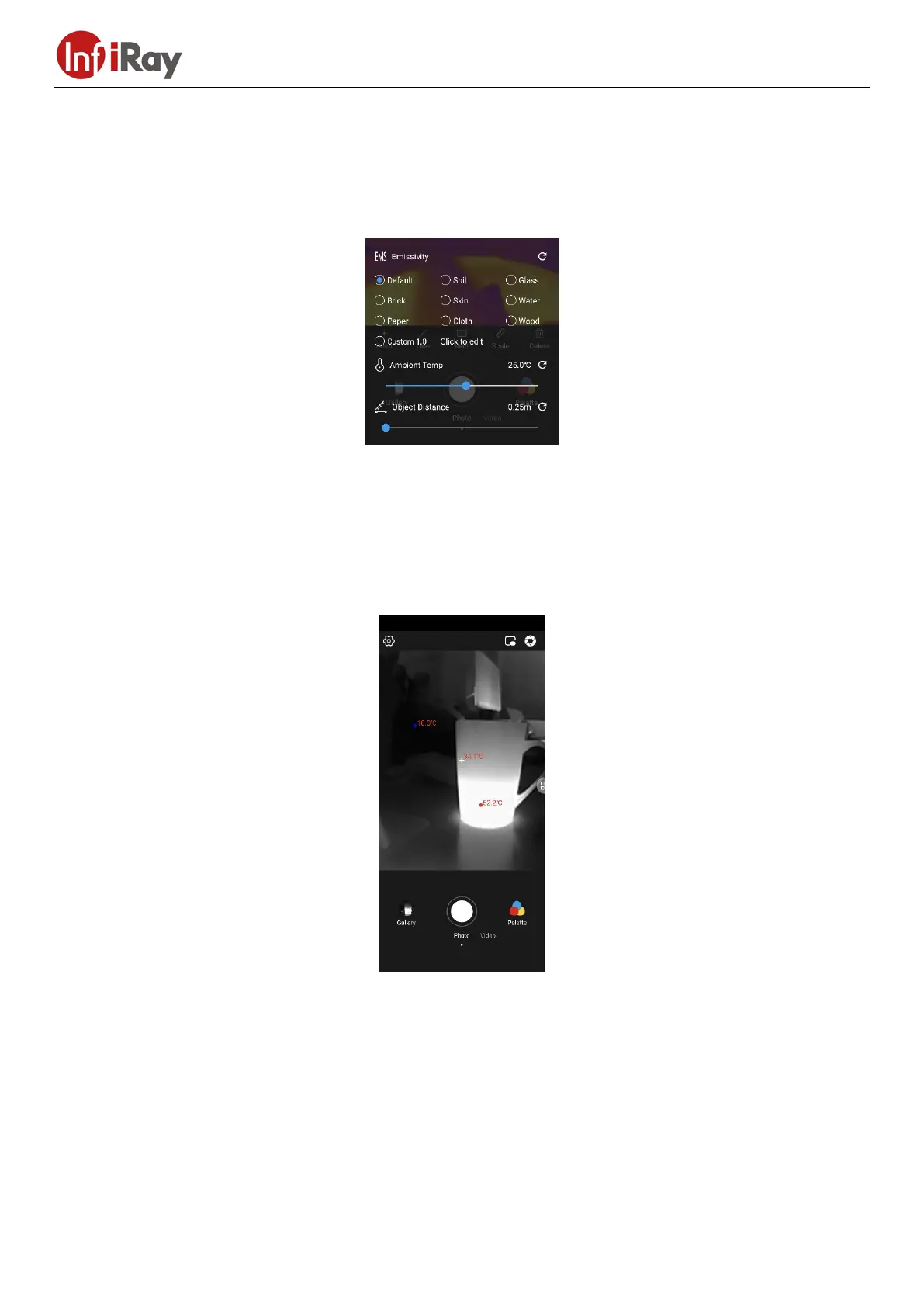
12
The allowed emissivity range is 0.01~1.00.
Distance correction: corrects temperature measurement based on the input distance to the measured object. The
allowed distance range is 0.25m~5m. For a distance greater than 5m, select 5m, but the measurement accuracy cannot be
guaranteed.
Ambient temperature correction: corrects temperature based on the input ambient temperature of the current device.
The allowed ambient temperature range is the temperature range supported by the device.
3.3.5 Temperature Display
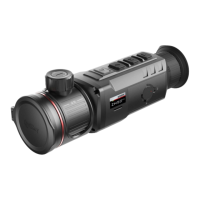
The temperature display function is only available in simple mode. Tap Temperature Display, and a cross icon will
appear in the center of the screen, and the highest temperature, lowest temperature and center point temperature of the
screen will be displayed in real time. Tap again, and the cross icon in the center of the screen will disappear.
3.3.6 Image Flip
In the InfraredImage Flip interface, users can flip the interface freely.






 To Next Page