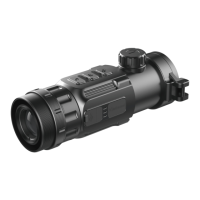
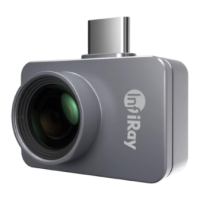
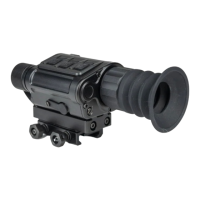
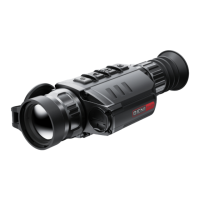
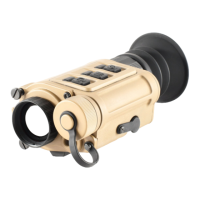
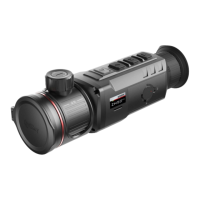
The InfiRay Outdoor Zoom V2 series thermal imaging monocular is a versatile handheld device designed for thermal observation, hotspot tracking, photographing, and video recording, with Wi-Fi connectivity. It is engineered to provide clear thermal images regardless of external light sources, making it suitable for both day and night use, even in harsh weather conditions such as rain, snow, fog, and haze. This device is not a toy and is intended for nature observation, remote hunting observations, and civil use.
Function Description
The core functionality of the Zoom V2 series lies in its thermal imaging capabilities, powered by a 12µm self-developed detector and a 50Hz high frame rate, ensuring high image quality. It features a dual-FOV lens that allows for fast manual field of view (FOV) switchover. Users can utilize the wide FOV for initial target search and then switch to the narrow FOV for target confirmation, significantly facilitating target identification. The device is equipped with a FHD OLED display (1440×1080) and an eyepiece supporting 20x zoom, complemented by digital zoom options (1x/2x/3x/4x).
For data management, the monocular includes a built-in 32GB memory space, enabling users to capture photographs and record videos. The built-in Wi-Fi module supports connection to the InfiRay Outdoor App, allowing for real-time image transmission, remote device operation, and program updates via a smartphone or laptop. The device also includes an Ultraclear mode, which enhances image contrast, making it particularly effective in challenging weather conditions. Additional features include Picture-in-Picture (PIP) functionality, defective pixel correction, and a convenient operation interface.
The Zoom V2 series is powered by a replaceable IBP-1 Li-ion battery pack, offering up to 10 hours of operation at 22°C. It can be charged using the included battery charger or directly via its USB Type-C port. The device also supports external power supply, such as a power bank, and can charge the internal battery simultaneously.
Usage Features
Operating the Zoom V2 is designed to be intuitive. Users can power on the device by pressing and holding the Power button (5) and then adjust the eyepiece diopter ring (10) for a clear image. The lens focus ring (2) allows for focusing on objects at various distances.
The device offers various image modes (white-hot, black-hot, red-hot, pseudo-color, and highlight) and allows for adjustment of display brightness, image sharpness, and image contrast through a shortcut menu. Calibration modes, including automatic and manual shutter calibration, are available to maintain image quality. The defective pixel correction function helps eliminate visible light or dark spots on the display.
For capturing moments, a short press of the Down button (8) takes a photo, while pressing and holding it initiates video recording. The device's built-in microphone is automatically enabled during video recording. Captured images and videos are saved in the internal memory and can be accessed by connecting the device to a computer.
The stadiametric rangefinder function, activated by pressing and holding the Up (6) + M (7) buttons, displays two horizontal lines for measuring and icons of three pre-configured objects (deer, wild boar, hare) to estimate distances. The hotspot tracking function, enabled by pressing and holding the M (7) + Down (8) buttons, automatically tracks the hottest object in the image with a blue box.
Wi-Fi connectivity allows users to connect the monocular to the InfiRay Outdoor App, enabling remote control and access to additional features. The app also allows for changing the Wi-Fi name and password and synchronizing the device's date and time with the phone.
Maintenance Features
Regular maintenance is crucial for the longevity and optimal performance of the Zoom V2. Technical inspection should be performed before each use, checking the exterior for cracks, lenses and eyepiece for damage or stains, and the battery for full charge and clean electrical contacts.
Maintenance should be carried out at least twice a year. This includes wiping metal and plastic parts with a cotton cloth, using silicone grease for cleaning, and cleaning electric contacts and battery slots with a non-greasy organic solvent. The glass surfaces of the eyepiece and lens should be cleaned carefully, preferably using a non-contact method for dust and sand, followed by a specialized wiping tool and solvent for optical surfaces.
The device also supports firmware updates, which can be performed by copying the downloaded firmware program to a specific folder on the device's internal storage and then initiating the update through the settings menu. The factory reset option allows users to restore the device to its default settings, which can be useful for troubleshooting or preparing the device for new users. Information about the device's product model, GUI version, FPGA, PN, SN, and hardware version number can be viewed in the settings menu.


 To Next Page
 General