The interface
is subject to
model’s speci-
cations.
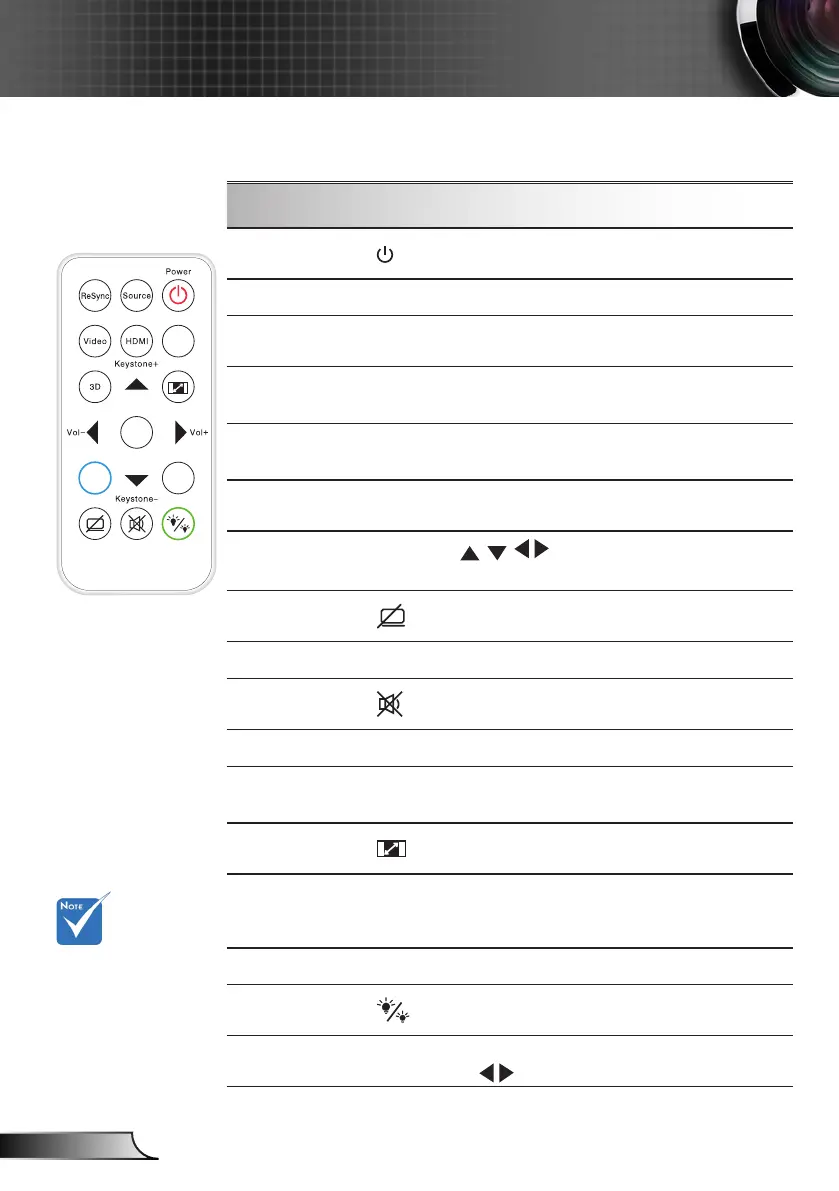
Using the Remote Control
Power
Refer to the “Power On/Off the Projector”
section on pages 13-14.
Source
Press “Source” to select an input signal.
Re-Sync
Automatically synchronizes the projector to
the input source.
Video
Press “Video” to choose Composite Video
and S-video source.
HDMI
Press “HDMI” to choose HDMI source. (For
certain model)
3D
Press the “3D” to turn the 3D OSD menu on/
off.
Four Directional
Select Keys
Use to select items or make
adjustments to your selection.
AV Mute
Momentarily turns off/on the audio and video.
Enter
Conrm your item selection.
Mute
Momentarily turns off/on the audio.
VGA
Press “VGA” to choose VGA sources.
Keystone +/-
Adjust image distortion caused by tilting the
projector.
Aspect
Use this function to choose your desired
aspect ratio.
Menu
Press “Menu” to launch the on-screen dis-
play (OSD) menu. To exit OSD, press “Menu”
again.
Volume +/-
Adjust to increase / decrease the volume.
Brightness
Mode
Change the brightness mode: Bright->Eco
->Dynamic. (refer to page 43)
Zoom
Zoom in on an image.
Press buttons to alter zoom.
Remote Control



 To Next Page