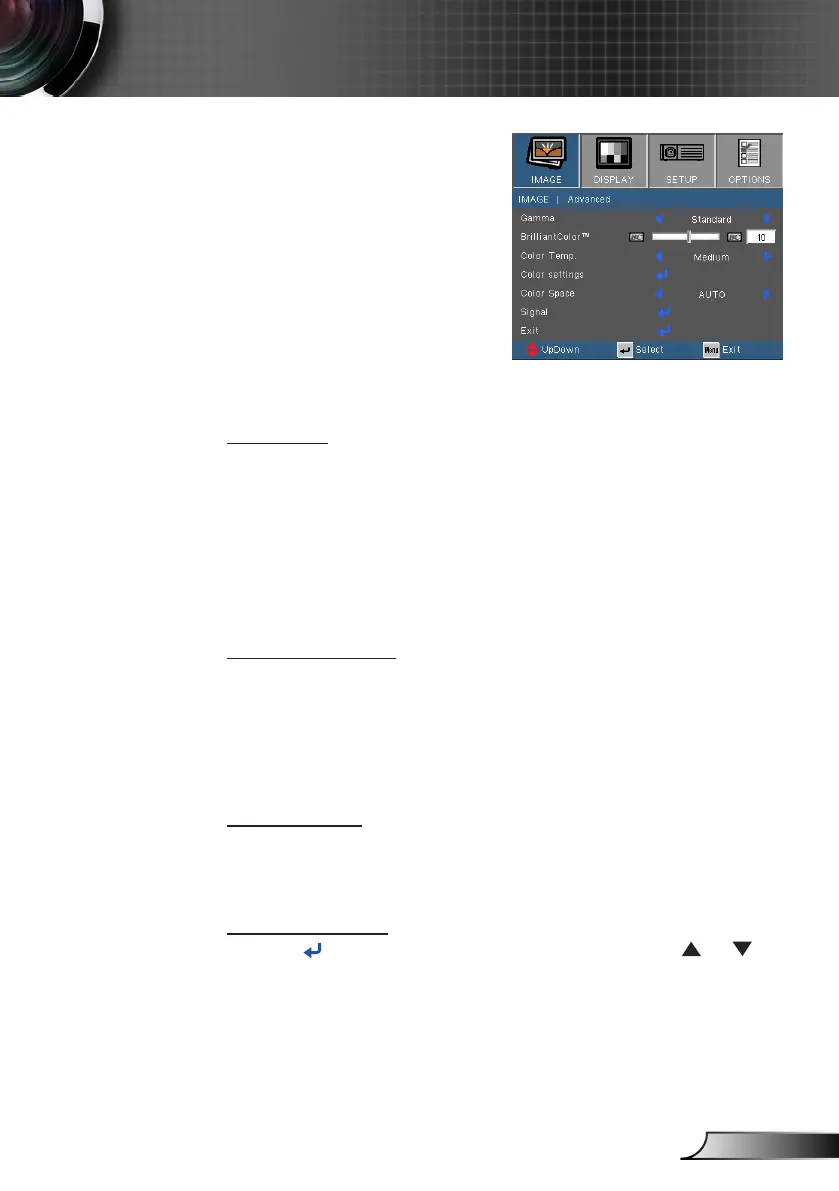
IMAGE | Advanced
Gamma
This allows you to choose a degamma table that has been
ne-tuned to bring out the best image quality for the input.
Film: for home theater.
Video: for video or TV source.
Graphics: for image source.
Standard: for PC or computer source.
BrilliantColor™
This adjustable item utilizes a new color-processing algorithm and
system level enhancements to enable higher brightness while
providing true, more vibrant colors in picture. The range is from
“0” to “10”. If you prefer a stronger enhanced image, adjust toward
the maximum setting. For a smoother, more natural image, adjust
toward the minimum setting.
Color Temp
If set to cold temperature, the image looks more blue. (cold image)
If set to warm temperature, the image looks more red.
(warm image)
Color Settings
Press into the next menu as below and then use
or to
select item.



 To Next Page