13
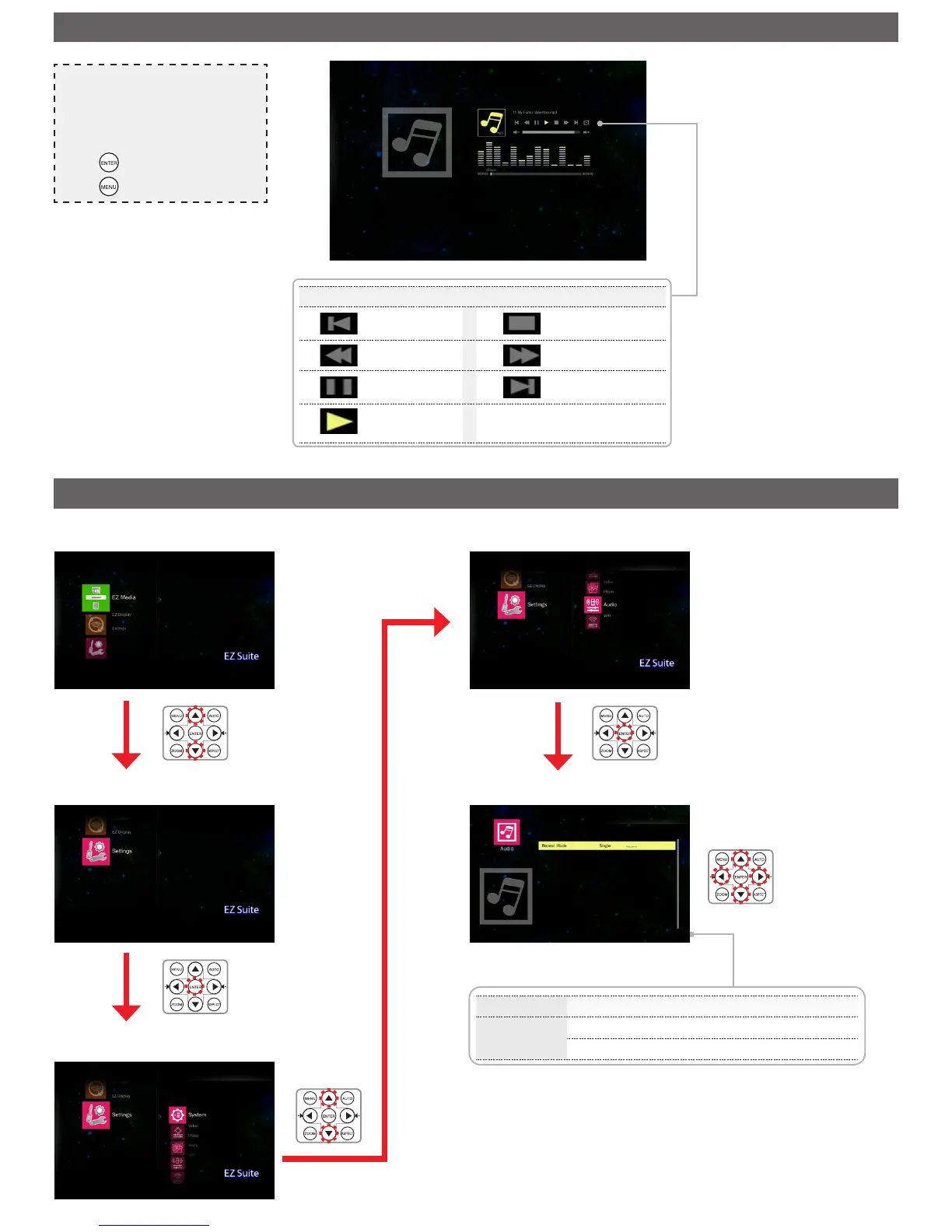
Menu item Description and Available Options
Repeat
Mode
Set music play mode option.
Available options: Single / Sequence
Media Playback Control
Previous
audio le
Stop
Rewind Fast forward
Pause/
resume
Next audio le
Play
Adjust Settings
p
/
q
: Select item
t
/
u
: Adjust settings
Note
• The button guide disappears when the keypad
is not used for 3 seconds. To display the
button guide, press any key.
• Use
t
/
u
to navigate between the menu
items.
• Press to select the menu item.
• Press to return music le list.



 To Next Page